

Latest Version
Latest
August 23, 2026
Firehawk
Communication
Android
100
Free
com.unseen.messenger
Report a Problem
More About Unseen Messenger – Read Messages Discreetly
What is Unseen Messenger?
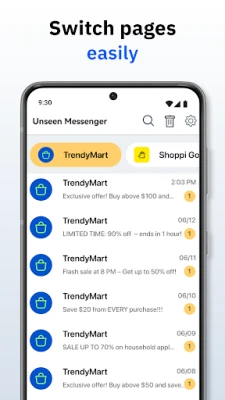
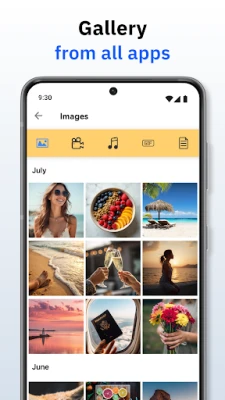
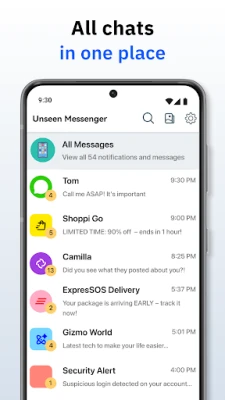
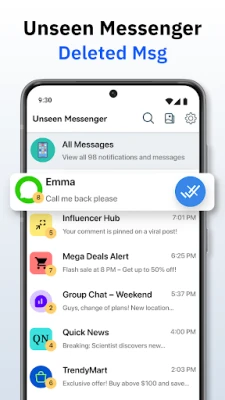
Unseen Messenger, developed by Firehawk, is a free Android utility that focuses on giving users more control over how they interact with incoming messages. The app aggregates notifications from various messaging platforms and presents them in a single view, allowing you to read content without triggering the usual read acknowledgments.
Main Features
- Read without a read receipt – Open messages in a private view that does not send the typical “seen” or blue‑tick signals to the sender.
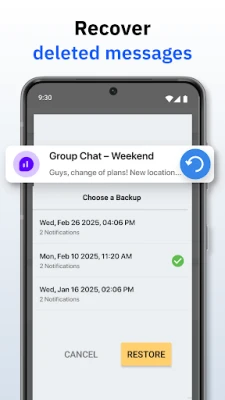
- Preserve deleted messages – When a message is removed from the original chat, a copy that was captured in the notification can be retained within the app.
- Unified notification feed – Notifications from multiple messaging apps appear together, reducing the need to switch between apps.
- Local storage – All captured content is stored on the device, giving you offline access.
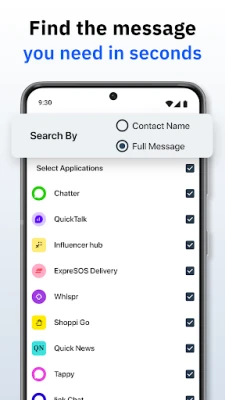
- Search capability – Quickly locate a specific conversation or keyword within the saved notifications.
How It Works
When a new message arrives, Android creates a notification. Unseen Messenger listens for these notifications, copies the text, and stores it locally. The app then displays the copied content in its own interface, separate from the original messaging app. Because the original app is never opened, no read receipt is sent. If a sender later deletes the message, the copy remains available in Unseen Messenger’s archive.
Practical Uses
- Maintain privacy when you need to glance at a message without confirming you have read it.
- Recover information from messages that were deleted before you had a chance to see them.
- Keep a personal log of important notifications for reference or later review.
Installation Information
Download the APK from a trusted source and install it like any other Android application. The app requires permission to read notifications, which is essential for its core functionality. After granting this permission, the app will begin capturing incoming messages automatically.
Things to Know Before Installing
- The app does not replace your existing messaging applications; it works alongside them.
- All captured data stays on your device; there is no cloud backup unless you set one up manually.
- Because the app relies on notification access, it cannot retrieve messages that are delivered silently or without a visible notification.
Who May Find It Useful?
Anyone who values discretion when reading messages—such as professionals handling sensitive communications, users who prefer to avoid read receipts, or anyone who wants a simple archive of received notifications—may benefit from Unseen Messenger.
Frequently Asked Questions
Does Unseen Messenger work with all messaging apps?
It works with any app that generates a standard Android notification. Some custom or encrypted messaging services may not produce a readable notification.
Will the app send any data to external servers?
No. All captured messages are stored locally on the device.
Can I delete saved messages from Unseen Messenger?
Yes, you can manually remove individual entries or clear the entire archive from within the app’s settings.
Is there any impact on battery life?
The app runs in the background only to listen for notifications, which typically has a minimal effect on battery consumption.
Rate the App
User Reviews















Popular Apps










 Games
 Entertainment
 Communication
 E-mail
 Security
 Tools
 Media
 Internet
 Finance
 Design
 Education
 Android Firmwares
 Travel & Local
 Android
 Windows
 Linux