


Latest Version
September 02, 2026
Techvio
Communication
Android
28
Free
com.sneakly.unseen.chat.app
Report a Problem
More About Unseen Chat & Track: Sneakly – Private Messaging & Call Management
What is Unseen Chat & Track: Sneakly?
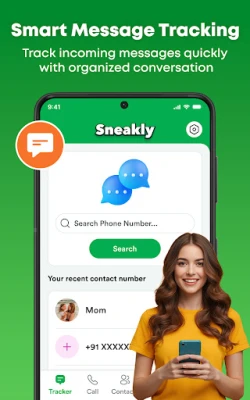
Unseen Chat & Track: Sneakly, developed by Techvio, is a free Android utility that brings together several tools for handling messages and phone calls. It lets you glance at incoming messages without opening the original chat app, look up unknown numbers, and manage calls with built‑in blocking and organization features.
Main Features
- Private message preview – View the content of notifications from popular messaging apps without launching the app itself.
- Caller identification – Enter a phone number to retrieve basic caller information before you answer.
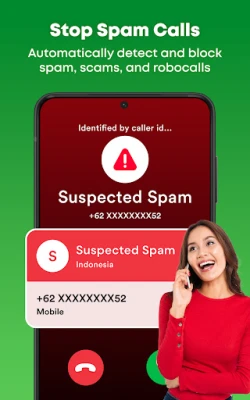
- Spam detection and blocking – Quickly block numbers that you consider unwanted or suspicious.
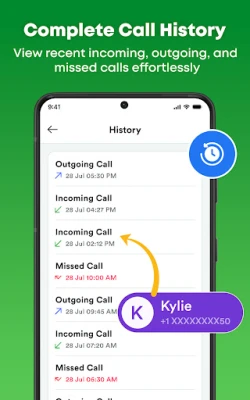
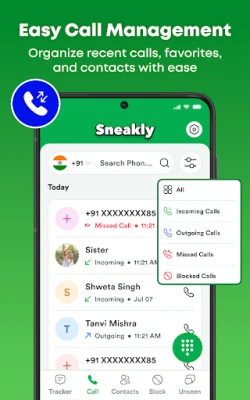
- Integrated dialer and call log – Make calls, review recent calls, and see detailed call entries from within the app.
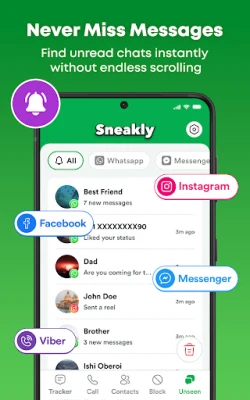
- Chat inbox – A consolidated view of recent notifications and unread messages from multiple messaging platforms.
How It Works
The app monitors notification traffic on your device. When a new message arrives, Sneakly captures the notification content and displays it in its own inbox, allowing you to read the text without opening the source app. For caller ID, you type a phone number into the lookup field; the app then queries its internal database (or public sources) to show any available name or label associated with that number. Blocking is handled by adding the number to the device’s block list, preventing future calls or messages from that source.
Practical Uses
- Check a message while you’re in a meeting without pulling out the chat app.
- Verify an unknown caller’s identity before deciding to answer.
- Reduce interruptions from telemarketing or spam numbers.
- Keep a single place to see recent calls and unread messages, simplifying daily phone use.
Who May Find It Useful?
Anyone who wants a little more privacy and control over their mobile communications can benefit from Sneakly. It is especially handy for professionals who need to stay discreet in public settings, parents who want to screen unknown callers, and users who receive many notifications and prefer a summarized view.
Things to Know Before Installing
- The app requires permission to read notifications and access the phone’s call functions. These permissions are necessary for the core features.
- Because the app reads notifications, it does not store message content on external servers; all data remains on the device.
- Caller lookup relies on publicly available information; results may vary depending on the number’s presence in public directories.
Frequently Asked Questions
Does Sneakly work with all messaging apps?
It supports any app that posts standard Android notifications. If a messaging app uses custom notification formats, some content may not be displayed.
Can I block a number directly from the notification view?
Yes. Within the app’s inbox, tapping a notification provides options to block the associated number.
Is there a cost for using the app?
The app is offered free of charge. There are no in‑app purchases required to access the described features.
Will the app affect battery life?
Reading notifications is a low‑impact operation, and the app is designed to run efficiently in the background.
Rate the App
User Reviews















Popular Apps










 Games
Games Entertainment
 Communication
 E-mail
 Security
 Tools
Tools Media
Media Internet
 Finance
 Design
 Education
 Android Firmwares
 Travel & Local
 Android
 Windows
 Linux
Linux