


Latest Version
Latest
August 14, 2026
twinlife
Communication
Android
261
$4.99
org.twinlife.device.android.twinme.plus
Report a Problem
More About twinme+ – Secure Messenger for Private Chats
What is twinme+?
twinme+ is the paid edition of the twinme private messenger. It builds on the core messaging and voice/video call capabilities of the free version and introduces a set of optional tools designed for users who want tighter control over their contacts, messages and overall app experience.
Main features
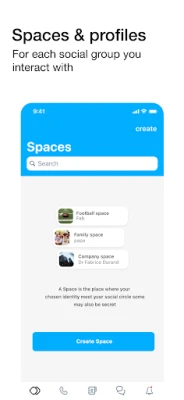
- Spaces – Create separate workspaces for different social circles such as family, friends or colleagues. Each Space can have its own profile, notification settings and appearance.
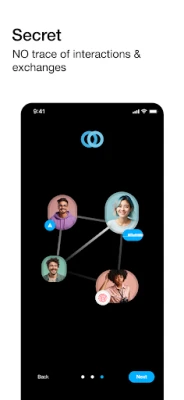
- Secret Spaces – A hidden workspace that does not appear in the normal list. It can only be opened by typing the exact name you assigned.
- Biometric or PIN lock – Protect the app itself with your device’s fingerprint, face unlock or a custom PIN.
- Ephemeral messages – Send messages that automatically disappear after a chosen time interval on both sender and receiver devices.
- Call controls – Mute or block voice/video calls from specific contacts without removing them from your list.
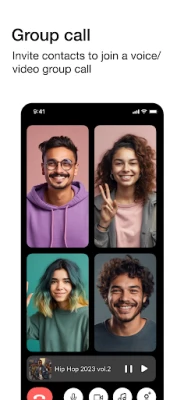
- Music streaming during calls – Play your own music while you are on a voice or video call.
- Group call enhancements – Start voice or video calls with multiple participants, invite others to an ongoing call, and move an active call from your phone to a PC.
- QR‑code call links – Generate a QR code from the call screen that lets guests join a call without installing the app.
How it works
When you install twinme+ on a device that already has the free twinme app, the existing account and all associated data are migrated automatically. Each profile you created in the free version becomes a separate Space in twinme+. From there you can reorganise contacts, adjust notification preferences and enable the premium tools you need.
Practical uses
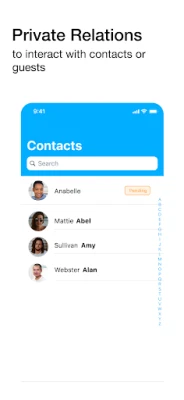
- Keep work‑related chats separate from personal conversations by assigning them to different Spaces.
- Use Secret Spaces for highly sensitive discussions that you want to hide from casual glances.
- Protect the app with biometric authentication if you share your device with others.
- Send self‑destructing messages when you need information to disappear after reading.
- Control who can reach you via voice or video calls without deleting contacts.
Installation information
twinme+ is a paid app priced at $4.99. After purchase, download the APK from a trusted source, install it, and follow the on‑screen prompts to transfer your existing twinme data. The app uses your device’s internet connection (Wi‑Fi or mobile data), so standard data charges may apply.
Things to know before installing
- The app requires Android; specific version requirements are not listed, so ensure your device runs a recent Android release.
- Because twinme+ adds premium features, it may request additional permissions such as camera, microphone and storage to support calls and media sharing.
- All premium features are optional; you can enable only the tools you need.
Who may find twinme+ useful?
Anyone who values privacy and wants a structured way to manage multiple social groups will benefit from twinme+. Professionals handling separate client communications, families sharing a device, and users who prefer encrypted, self‑destructing messages are typical examples.
Frequently asked questions
Do I need the free twinme app first?
No. You can install twinme+ directly; if you already have twinme, your account will be migrated automatically.
Can I use twinme+ on multiple devices?
The app supports transferring an active call to a PC, but account synchronization across several phones is not explicitly documented.
Is the biometric lock optional?
Yes. You can enable or disable the lock in the security settings of the app.
How are Secret Spaces accessed?
By typing the exact name you assigned to the Secret Space; the name is not stored elsewhere, so remember it carefully.
Rate the App
User Reviews















Popular Apps










 Games
Games Entertainment
 Communication
 E-mail
 Security
 Tools
Tools Media
Media Internet
 Finance
 Design
 Education
 Android Firmwares
 Travel & Local
 Android
 Windows
 Linux
Linux