


Latest Version
Latest
August 13, 2026
twinlife
Communication
Android
218
Free
org.twinlife.device.android.twinme
Report a Problem
More About Twinme – Private Messenger for Android
What is Twinme?
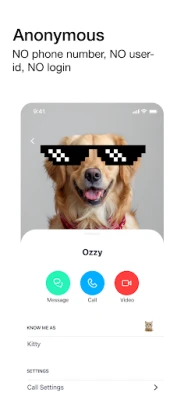
Twinme is a privacy‑focused instant‑messaging app for Android devices. It lets you exchange text messages, voice notes, and high‑definition video calls without requiring a phone number, email address, or any other personal identifier. The app is developed by twinlife and is offered completely free of charge.
Main Features
- Zero‑knowledge design – Twinme does not ask for, store, or process personal data such as your name, phone number, or email.
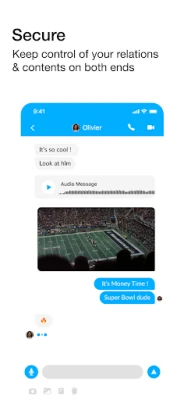
- End‑to‑end encryption – All messages and calls are encrypted on the device and can only be decrypted by the intended recipient.
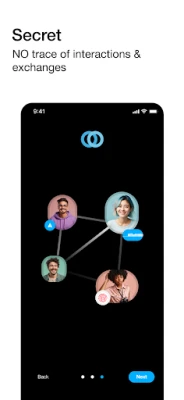
- Peer‑to‑peer communication – Content is transferred directly between devices; no intermediate server retains a copy of your conversation.
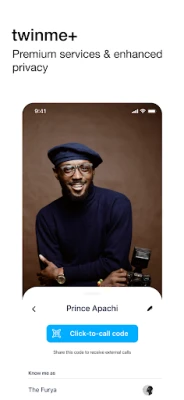
- Customizable contact profiles – You decide what information (name, avatar, status) each contact can see, and you can change it at any time.
- Ad‑free experience – Because the app does not collect personal data, it does not serve advertisements.
How It Works
When you install Twinme, the app generates a unique identifier that is used only within the app. You can share this identifier with friends, family, or colleagues to start a conversation. Because the identifier is not tied to a phone number or email, it cannot be linked back to you outside the app.
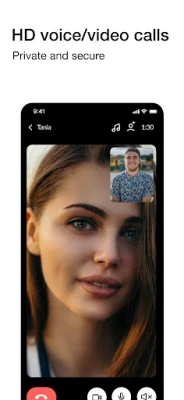
All messages are encrypted on your device before they leave, travel over the internet, and are decrypted only on the recipient’s device. Voice and video calls use modern real‑time communication protocols that adapt to network conditions, providing clear audio and video while keeping the data encrypted.
Practical Uses
- Secure personal chats – Keep conversations with close friends private without exposing your phone number.
- Professional communication – Share work‑related information without linking it to corporate email accounts.
- Travel and temporary contacts – Exchange messages with people you meet abroad without swapping phone numbers.
Installation Information
Twinme can be downloaded from the Google Play Store. Search for "twinme - private messenger" or use the package name org.twinlife.device.android.twinme. The installation process follows the standard Android app installation flow.
Things to Know Before Installing
- The app does not require any personal information to create an account.
- Because it operates without a central server, both parties need an active internet connection for messages and calls to be delivered.
- All data stays on the devices involved; there is no cloud backup provided by Twinme.
Who May Find Twinme Useful?
Anyone who values privacy in their digital communications can benefit from Twinme. This includes users who prefer not to share their phone number, people who are concerned about data profiling, and anyone looking for a simple, ad‑free messaging solution.
Frequently Asked Questions
Do I need a phone number to use Twinme?
No. Twinme creates a unique identifier that you can share with contacts directly.
Is the app free?
Yes, Twinme is offered at no cost and does not contain advertisements.
Can I delete a conversation for both sides?
Yes, the app provides a one‑tap option to clear a conversation on both devices simultaneously.
What happens if I lose my device?
Since the app does not store personal data on a server, you would need to set up Twinme again on a new device and share your identifier with contacts anew.
Rate the App
User Reviews















Popular Apps










 Games
Games Entertainment
 Communication
 E-mail
 Security
 Tools
Tools Media
Media Internet
 Finance
 Design
 Education
 Android Firmwares
 Travel & Local
 Android
 Windows
 Linux
Linux