

Latest Version
September 03, 2026
Arman Mkhitarian
Communication
Android
4
Free
com.tutchat.app
Report a Problem
More About TutChat — Offline Messenger
What is TutChat?
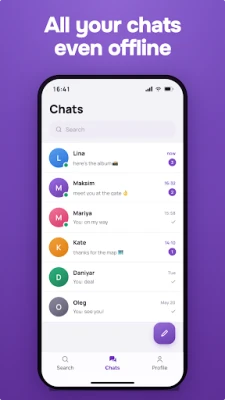
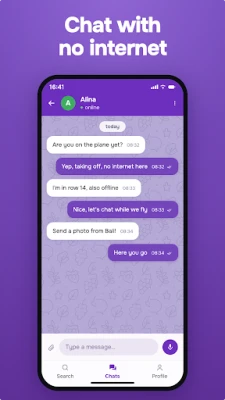
TutChat is a lightweight Android messenger that lets two or more devices communicate without any network connection. By using Bluetooth, the app creates a direct link between phones, allowing you to exchange messages, voice recordings, images and other files even when cellular or Wi‑Fi signals are unavailable.
Main features
- Purely offline chat – all communication stays on the devices involved.
- Text and voice messaging – send typed messages or record short voice notes.
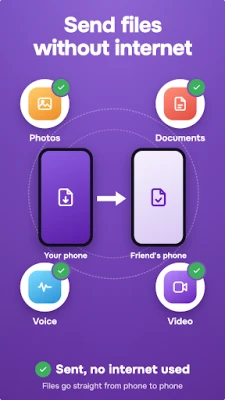
- File sharing – share photos, documents or other files directly.
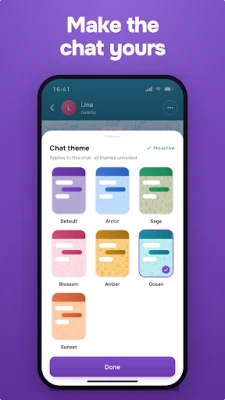
- Customizable appearance – choose a chat theme, set a nickname and add a profile picture.
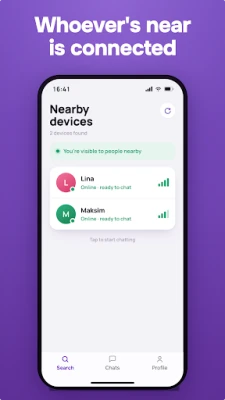
- Fast pairing – devices discover each other within seconds when they are in Bluetooth range.
How it works
When both participants have TutChat installed, the app scans for nearby Bluetooth devices. Once a connection is established, data is transferred peer‑to‑peer, bypassing any external server. The typical Bluetooth range is up to about 30 meters, depending on the environment and device hardware.
Practical uses
The offline nature of TutChat makes it handy in situations where traditional networks are unreliable or prohibited:
- Travel – stay in touch with fellow passengers on a plane or train without using cellular data.
- Outdoor activities – communicate on hikes, campsites or remote locations where coverage is sparse.
- Events – share updates with friends at concerts, festivals or crowded venues where networks can become congested.
- Privacy‑focused moments – exchange messages without creating any digital trace on external servers.
Installation notes
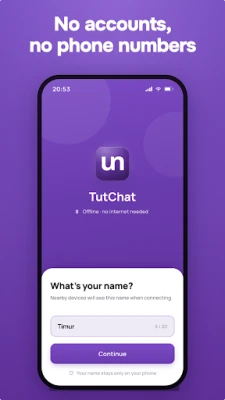
TutChat is offered as a free download from the Google Play Store. Installation follows the standard Android process: tap “Install,” grant the Bluetooth permission when prompted, and launch the app. No additional accounts or sign‑up steps are required.
Things to keep in mind
- Both devices must have Bluetooth enabled and run TutChat.
- The effective range is limited to the typical Bluetooth distance; walls or large obstacles can reduce connectivity.
- Because the app does not use the internet, messages are not backed up to the cloud; keep a local copy if you need a record.
Who might benefit?
Anyone who needs reliable communication without relying on mobile data or Wi‑Fi can find value in TutChat. This includes travelers, outdoor enthusiasts, event organizers, families on trips, and users who prefer a minimal‑footprint messaging solution.
Frequently asked questions
Do I need a SIM card or mobile data?
No. TutChat works solely over Bluetooth, so a SIM or data plan is not required.
Is the app safe to use?
All messages stay on the devices involved and are not transmitted to external servers. The app only requests Bluetooth access, which is necessary for its core functionality.
Can I use TutChat with more than two people?
Yes. The app supports group chats as long as every participant has the app installed and is within Bluetooth range of at least one other member.
Rate the App
User Reviews















Popular Apps










 Games
Games Entertainment
 Communication
 E-mail
 Security
 Tools
Tools Media
Media Internet
 Finance
 Design
 Education
 IT Tools
 Travel & Local
 Android
 Windows
 Linux
Linux