

Latest Version
Latest
August 14, 2026
Tutao GmbH
Communication
Android
275
Free
de.tutao.tutanota
Report a Problem
More About Tuta Mail: Secure Email
What is Tuta Mail?
Tuta Mail is an Android email client focused on privacy. Developed by Tutao GmbH, the app offers a free way to communicate using encrypted messages, keeping the content of your emails and contacts out of reach from third parties.
Main features
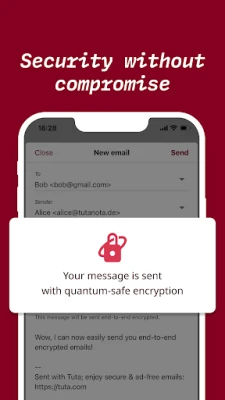
- End‑to‑end encryption – Your messages are encrypted on your device and can only be decrypted by the intended recipient.
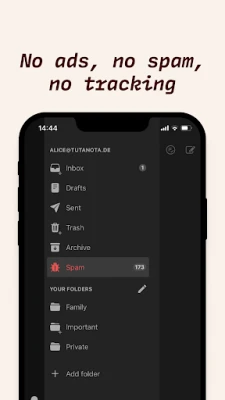
- Zero tracking – The app does not collect usage data for advertising or profiling.
- Anonymous sign‑up – You can create an account without providing a phone number or personal identifiers.
- Cross‑device sync – Emails and contacts stay synchronized across the Android app, web interface, and desktop clients.
- Offline access – Read and manage encrypted messages even when you are not connected to the internet.
- Dark and light themes – Choose a visual style that fits your preference.
How it works
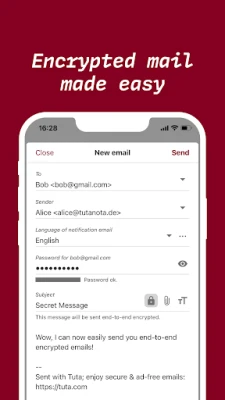
When you compose a message, Tuta Mail encrypts the content locally before it leaves your device. The encrypted payload travels to the recipient’s mailbox, where it is decrypted only on their device. Because encryption keys never leave the user’s control, the service provider cannot read the messages.
Practical uses
The app is useful for anyone who needs to protect sensitive information—such as business communications, personal correspondence, or confidential documents. It also suits users who prefer not to be profiled by advertisers.
Installation information
Search for Tuta Mail: Secure Email in the Google Play Store, then tap Install. The app requires an Android device with a recent operating system version; specific minimum requirements are listed on the store page.
Things to know before installing
- The free tier includes a limited amount of storage; larger mailboxes are available through paid plans.
- Because the service relies on encryption, password recovery options are limited—keep your credentials safe.
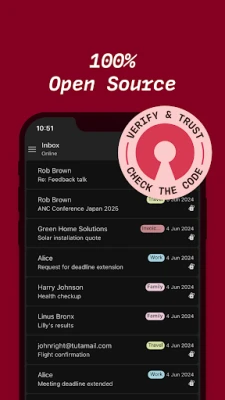
- While the app is open source, you may want to review the source code or community discussions for additional assurance.
Who may find it useful?
Journalists, activists, small‑business owners, and privacy‑conscious individuals will appreciate the strong encryption and minimal data collection. Anyone looking for an alternative to mainstream email providers can benefit from Tuta Mail’s approach.
Frequently asked questions
Do I need a separate account for Tuta Mail?
Yes. You create a Tuta Mail address (e.g., @tutanota.com) during registration.
Can I use my own domain?
Custom domains are supported through the service’s paid plans.
Is the app free?
The core email functionality is free; optional premium features are available for a fee.
Rate the App
User Reviews















Popular Apps










 Games
Games Entertainment
 Communication
 E-mail
 Security
 Tools
Tools Media
Media Internet
 Finance
 Design
 Education
 Android Firmwares
 Travel & Local
 Android
 Windows
 Linux
Linux