



Latest Version
September 09, 2026
Secure meetings UAB
Communication
Android
29
Free
com.trueconf.videochat
Report a Problem
More About TrueConf: Enterprise Messenger – Secure Business Chat & Video
What is TrueConf: Enterprise Messenger?
TrueConf: Enterprise Messenger is a business‑focused communication suite that combines instant messaging, voice notes, and high‑definition video meetings in a single application. Designed for organizations that require control over their data, the app runs on private servers and integrates with existing corporate authentication systems.
Main capabilities
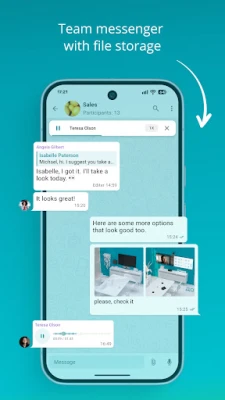
- Private and group chats – Send text messages, share files and exchange voice recordings in one‑to‑one or multi‑user conversations that stay synchronized across devices.
- Corporate channels – Create dedicated channels for projects, departments or announcements, keeping important information organized and easily searchable.
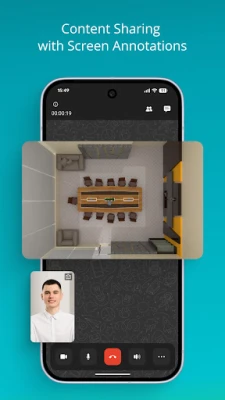
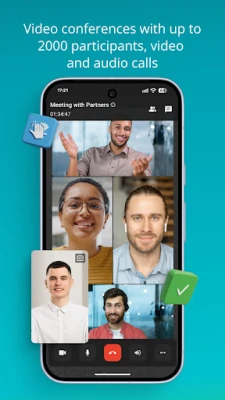
- Video calling – Initiate 1‑on‑1 video calls or schedule larger conferences. The platform supports thousands of participants, offers virtual backgrounds and lets presenters share their screen or specific application windows.
- Automation support – Built‑in chatbot functionality can automate routine tasks such as meeting reminders or status updates.
- Enterprise security – Operates within a private network, uses Single Sign‑On (SSO) for seamless authentication, and can be linked to Microsoft Exchange for calendar and telephony coordination.
How it works
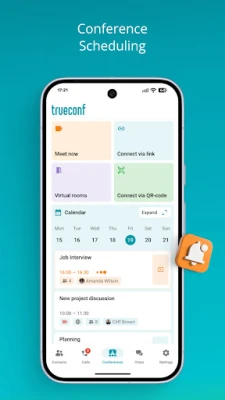
After installing the app, users connect to a TrueConf server that is hosted on the organization’s own infrastructure. Authentication is handled through the company’s SSO provider, eliminating the need for separate passwords. Once logged in, the interface presents a chat list, channel directory and a quick‑access button for video meetings. Scheduling a conference involves selecting participants, setting a time, and sending an invitation that appears in the linked Exchange calendar.
Practical uses
- Remote teamwork – Teams spread across different locations can maintain continuous dialogue through chat and quick voice notes, reducing reliance on email.
- Large‑scale webinars – Companies can host training sessions or product demos for up to several thousand attendees without time limits.
- Project coordination – Dedicated channels keep project files, discussions and milestones together, making it easier to track progress.
- Secure client communication – Because the service runs on‑premises, sensitive client data never leaves the corporate network.
Installation notes
The application is distributed as a free download from the Google Play Store. Installation follows the standard Android process: tap “Install,” grant the requested permissions, and launch the app. The first launch will prompt you to enter the address of your organization’s TrueConf server and to authenticate via SSO.
Who will benefit?
TrueConf is suited for medium to large enterprises that need a self‑hosted communication tool, IT departments that manage internal authentication services, and any organization that values keeping conversational data within its own network.
Frequently asked questions
Do I need an internet connection?
Yes, the app requires network access to reach the on‑premises server and to connect with other participants.
Can I use the app on multiple devices?
Yes, chats and meeting schedules are synchronized across all devices where the user is logged in.
Is there a limit to the number of participants in a video call?
The platform supports large conferences; the exact limit depends on the server configuration set by the organization.
What kind of security does TrueConf provide?
Data stays within the private network, and access is controlled through the organization’s SSO system. Integration with Microsoft Exchange also ensures calendar and contact information are managed securely.
Rate the App
User Reviews















Popular Apps










 Games
Games Entertainment
 Communication
 E-mail
 Security
 Tools
Tools Media
Media Internet
 Finance
 Design
 Education
 Android Firmwares
 Travel & Local
 Android
 Windows
 Linux
Linux