

Latest Version
Latest
September 18, 2026
Transact Campus Inc.
FOOD AND DRINK
Android
25
Free
com.blackboard.mobileorder
Report a Problem
More About Transact Mobile Ordering – Campus Food Ordering App
What is Transact Mobile Ordering?
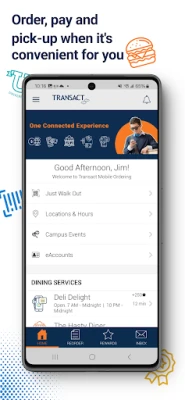
Transact Mobile Ordering is an Android application developed by Transact Campus Inc. that lets students, staff, and visitors place food orders from participating campus locations without leaving their phones. The app streamlines the typical cafeteria or coffee‑shop experience by handling menu browsing, order customization, payment, and pickup notifications all in one place.
Main Features
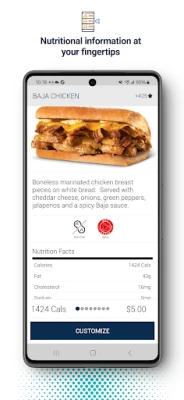
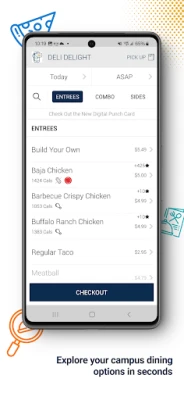
- Menu browsing – View up‑to‑date menus from multiple campus vendors, complete with descriptions and pricing.
- Order customization – Adjust ingredients, portion sizes, or special requests before confirming your order.
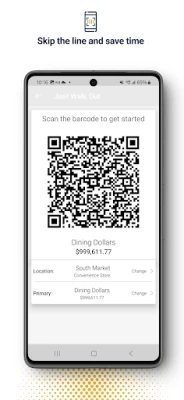
- Multiple payment options – Pay with a credit or debit card, and where supported, link a campus card or meal‑plan balance.
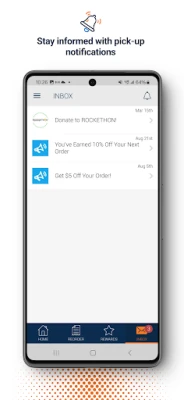
- Real‑time status updates – Receive push notifications when your order is being prepared and when it’s ready for pickup.
- Favorites and quick reorder – Save frequently ordered items for faster checkout on subsequent visits.
How It Works
- Open the app and select the campus location you want to order from.
- Browse the available menu items and add your selections to the cart.
- Customize each item as needed, then proceed to checkout.
- Choose a payment method and confirm the order.
- Watch for in‑app notifications that indicate when the kitchen has started preparing your food and when it is ready for pickup.
Practical Uses
The app is especially handy for anyone who wants to avoid long lines during peak lunch hours, manage a tight schedule between classes, or simply enjoy the convenience of ordering ahead. It also reduces the need to carry cash, as payments are handled digitally within the app.
Installation Information
Transact Mobile Ordering is available for free on the Google Play Store. To install, search for the package name com.blackboard.mobileorder or the app name, then tap “Install.” The download size and Android version requirements are not listed, so the Play Store will indicate compatibility with your device during installation.
Things to Know Before Installing
- The app works only with participating campus vendors; availability may vary by institution.
- Payment methods are limited to those accepted by the individual location, which may include campus cards, credit/debit cards, or meal‑plan balances.
- Push notifications are used for order status updates, so ensure they are enabled for a smooth experience.
Who May Find It Useful?
Students juggling classes, faculty with limited break time, staff members on tight schedules, and visitors looking for a quick bite on campus can all benefit from the streamlined ordering process offered by Transact Mobile Ordering.
Frequently Asked Questions
Do I need a campus account to use the app?
While the app itself does not require a campus account, certain payment options—such as a campus card or meal plan—may require verification with your institution.
Can I modify an order after it’s placed?
Order modifications are only possible before the vendor begins preparation. The app will indicate whether changes are still allowed based on the order’s status.
Is there a fee for using the app?
The app is free to download and use. Any fees would be associated with the chosen payment method, not the app itself.
What if my order isn’t ready when the notification says it is?
Contact the vendor directly using the contact information provided in the app, or check the venue’s pickup area for any delays.
Rate the App
User Reviews
Other Apps in This Category


Popular Apps










 Games
Games Entertainment
 Communication
 E-mail
 Security
 Tools
Tools Media
Media Internet
 Finance
 Design
 Education
 Android Firmwares
 Travel & Local
 Android
 Windows
 Linux
Linux