


Latest Version
August 25, 2026
Poppin Pay, LLC
FOOD AND DRINK
Android
162
Free
com.poppinpay.steamanchor
Report a Problem
More About Steam Anchor – Mobile Order Ahead App
What is Steam Anchor?
Steam Anchor is a mobile application designed to streamline the ordering process for businesses that offer in‑store pickup. By allowing users to create an order on their Android device before arriving at the location, the app helps reduce wait times and makes the visit more efficient.
Main Features
- Order ahead: Build a cart, select items, and confirm the purchase without needing to stand in line.
- Pickup ready notification: Receive a prompt when the order is prepared and ready for collection.
- Store information: Access basic details such as address, opening hours, and contact numbers directly within the app.
How It Works
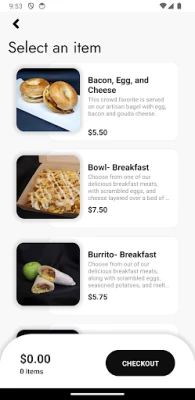
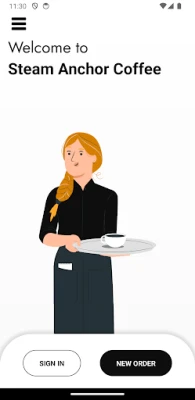
- Open the app and browse the available menu or product list.
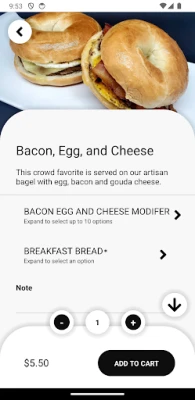
- Select the items you want, adjust quantities, and add any special instructions.
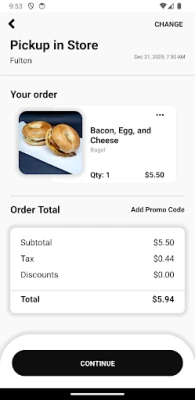
- Review the order summary and confirm the purchase.
- Head to the store; the staff will prepare your order based on the time you indicated.
- When the order is ready, you’ll receive a notification to collect it.
Practical Uses
Steam Anchor is useful for anyone who wants to save time during busy periods, such as lunch breaks, after‑work errands, or when visiting a popular venue. By ordering ahead, you can plan your day more effectively and avoid the frustration of long queues.
Installation Information
The app is available for free on the Android platform. To install, simply search for "Steam Anchor" in the Google Play Store, tap Install, and follow the on‑screen prompts. No additional fees are required.
Compatibility
Steam Anchor runs on Android devices that meet the standard requirements for modern apps. Specific version numbers are not listed, but the app should function on devices running recent versions of Android.
Things to Know Before Installing
- Since the app connects to participating stores, availability may vary by location.
- Internet connectivity is required to place and confirm orders.
- The app does not store payment information; transactions are handled through the store’s checkout process.
Who May Find It Useful?
Anyone who frequents cafés, fast‑food outlets, or retail locations that support in‑store pickup can benefit from Steam Anchor. It is especially helpful for busy professionals, students, and parents who need to make the most of limited time.
Frequently Asked Questions
Do I need an account?
Yes, creating a simple user profile helps the app keep track of your orders and preferences.
Can I modify an order after it’s submitted?
Modifications are possible only before the store begins preparation. Contact the store directly if you need to make changes.
Is there a cost to use the app?
The app itself is free to download and use. Any charges are related to the items you order.
What if my order isn’t ready when I arrive?
The app provides an estimated ready time. If there is a delay, the store will typically notify you through the app.
Rate the App
User Reviews


Popular Apps










 Games
 Entertainment
 Communication
 E-mail
 Security
 Tools
 Media
 Internet
 Finance
 Design
 Education
 Android Firmwares
 Travel & Local
 Android
 Windows
 Linux