


Latest Version
August 17, 2026
Owner.com
FOOD AND DRINK
Android
124
Free
com.owner.steampub
Report a Problem
More About Steam Pub – Mobile Ordering for Your Local Pub
What is Steam Pub?
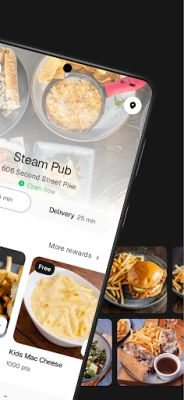
Steam Pub is a free Android application that connects you with a local pub’s menu and ordering system. Designed for quick and convenient food and drink ordering, the app lets you place orders, pay securely, and receive real‑time updates on preparation and delivery.
Main features
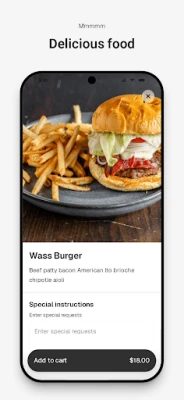
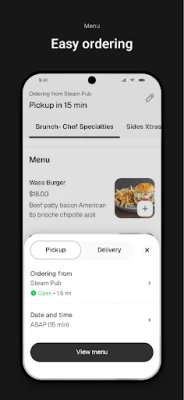
- Menu browsing – View the full range of food and beverages offered by the pub, with prices and descriptions.
- Quick ordering – Add items to a cart, customize selections where applicable, and place an order in a few taps.
- Order tracking – Receive live status updates from the kitchen to the door, helping you know when to expect your order.
- Secure payment – Pay within the app using supported payment methods, with encryption that protects your financial data.
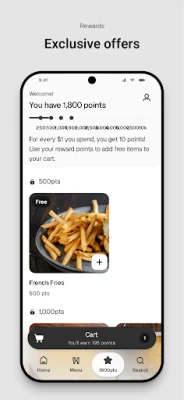
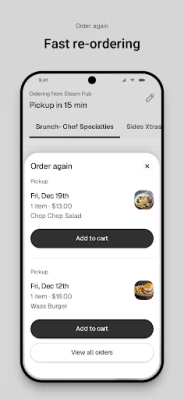
- Favorites – Save frequently ordered items for faster re‑ordering.
How it works
After installing Steam Pub, you create a simple account or log in with an existing one. The app then shows the pub’s current menu. Select the items you want, adjust any available options (such as size or toppings), and add them to your cart. When you’re ready, proceed to checkout, where you can choose a payment method and confirm the order. Once submitted, the app displays a timeline: order received, preparation started, ready for pickup or out for delivery, and completed.
Practical uses
- Order a quick lunch during a work break without leaving your desk.
- Plan a dinner at home and have the pub’s dishes delivered straight to your door.
- Use the favorites list to reorder your go‑to snacks or drinks with minimal effort.
- Stay informed about the status of your order, reducing uncertainty about wait times.
Installation information
Steam Pub is available for free on the Google Play Store. Search for the app by its name or package identifier com.owner.steampub, tap “Install,” and follow the standard Android installation prompts. No additional configuration is required beyond granting the permissions needed for network access and payment processing.
Things to know before installing
- The app requires an internet connection to load menus and process orders.
- Payment options depend on the pub’s integration; common methods include credit/debit cards and mobile wallets.
- Availability may be limited to regions where the partnered pub operates.
Who may find it useful?
Anyone who frequents the associated pub, whether for casual drinks, meals, or special events, will benefit from the streamlined ordering experience. The app is also handy for users who prefer contactless payment and real‑time order updates.
Frequently asked questions
Do I need an account to place an order?
Yes, an account is required to store your preferences and process payments securely.
Can I modify an order after it’s submitted?
Order modifications are limited once the kitchen has started preparation. Contact the pub directly through the app’s support channel for urgent changes.
Is my payment information safe?
The app uses encrypted connections for all transactions, following standard industry practices for mobile payments.
What if I have an issue with my order?
Steam Pub includes a support section where you can report problems, request refunds, or provide feedback directly to the pub.
Rate the App
User Reviews


Popular Apps










 Games
Games Entertainment
 Communication
 E-mail
 Security
 Tools
Tools Media
Media Internet
 Finance
 Design
 Education
 Android Firmwares
 Travel & Local
 Android
 Windows
 Linux
Linux