

Latest Version
Latest
September 15, 2026
The Tor Project
Communication
Android
3
Free
org.torproject.torbrowser
Report a Problem
More About Tor Browser – Private Browsing for Android
What is Tor Browser?
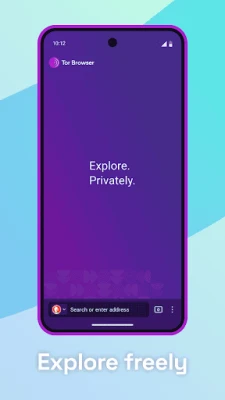
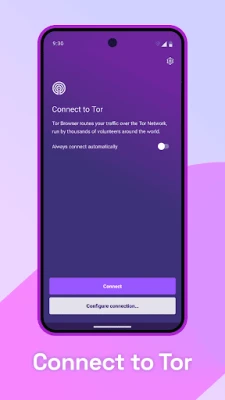
Tor Browser is a mobile web browser built by The Tor Project, a nonprofit organization dedicated to online privacy and freedom of expression. It routes your traffic through the Tor network, a global system of volunteer‑run relays that encrypt and anonymize each request.
Main features
- Multi‑layered encryption – Your data is encrypted three times before it leaves your device, making it extremely difficult for anyone to intercept or read it.
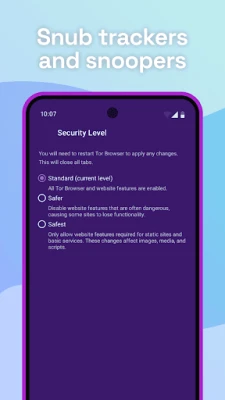
- Tracker and cookie isolation – Each site runs in a separate sandbox, preventing third‑party trackers from linking your activity across pages. Cookies are cleared automatically when you close a tab.
- Fingerprint‑resistant design – The browser presents a uniform fingerprint to websites, reducing the chance of being identified by device‑specific characteristics.
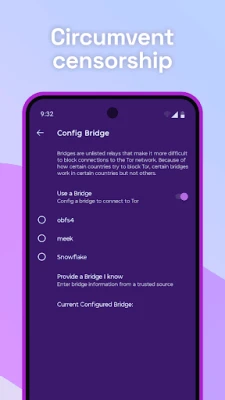
- Access to blocked content – By routing traffic through the Tor network, the browser can bypass many forms of network censorship and ISP restrictions.
How it works
When you open a page, Tor Browser first encrypts the request, then sends it through a randomly selected entry relay, a middle relay, and finally an exit relay that delivers the request to the destination site. Each relay only knows the previous and next hop, never the full path, which preserves anonymity.
Practical uses
Tor Browser is useful for anyone who wants to:
- Protect personal browsing habits from network observers, such as public Wi‑Fi operators or ISP monitoring.
- Access information in regions where certain websites are blocked or filtered.
- Communicate securely with journalists, activists, or whistleblowers who rely on anonymity.
Installation information
The app is distributed as a free download from reputable Android app stores. After installation, the first launch will guide you through a brief setup, including choosing a language and configuring basic privacy options.
Things to know before installing
- The Tor network can be slower than a direct connection because traffic passes through multiple relays.
- Some websites may block traffic from known Tor exit nodes, which can affect functionality.
- While the browser itself is open source and audited, the security of the device also depends on the overall Android environment and installed apps.
Who may find it useful?
Students, journalists, travelers, and privacy‑conscious users who need a reliable way to browse without leaving a trace will benefit from Tor Browser. It is also a valuable tool for developers testing how their sites behave under anonymized conditions.
Frequently asked questions
Is Tor Browser safe to use on Android?
Yes, the browser is developed by The Tor Project and undergoes regular security reviews. However, safety also depends on keeping your Android system up to date.
Do I need a special account to use Tor?
No. Tor Browser works without registration; you simply launch the app and start browsing.
Can I use Tor Browser for streaming video?
Streaming is possible, but performance may be limited by the additional latency introduced by the Tor network.
Will my ISP know I am using Tor?
They can see that you are connecting to the Tor network, but they cannot see which websites you visit.
Rate the App
User Reviews















Popular Apps










 Games
Games Entertainment
 Communication
 E-mail
 Security
 Tools
Tools Media
Media Internet
 Finance
 Design
 Education
 IT Tools
 Travel & Local
 Android
 Windows
 Linux
Linux