

Latest Version
August 23, 2026
Tocobox Inc.
Communication
Android
109
Free
com.tocobox.tocomail
Report a Problem
More About Tocomail – Safe Email for Kids
What is Tocomail?
Tocomail is a free Android app designed to give children a secure way to communicate by email. It creates a dedicated address (for example, name@tocomail.com) that lets kids exchange text, pictures, voice recordings and short videos with family, friends or teachers.
Main features
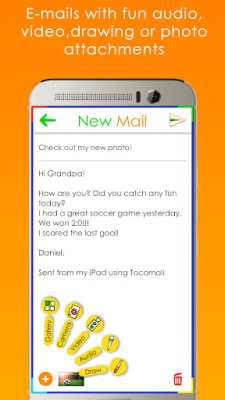
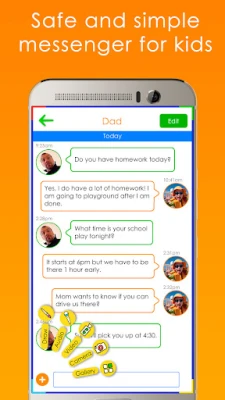
- Multimedia messaging – Kids can attach photos, record audio notes or send short video clips directly from the app.
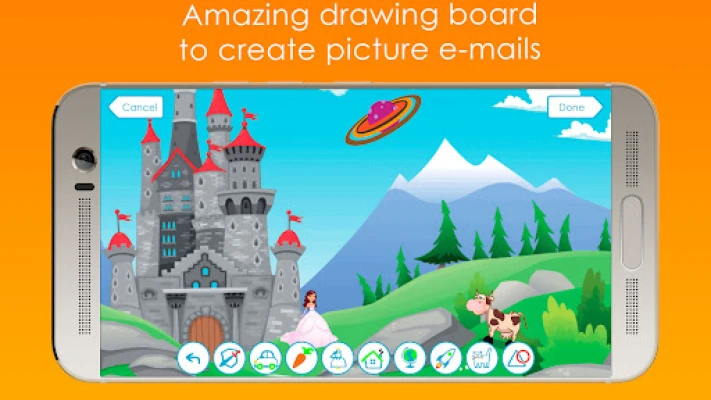
- Drawing board – An integrated sketch tool lets children add doodles, stickers and postcards to their messages.
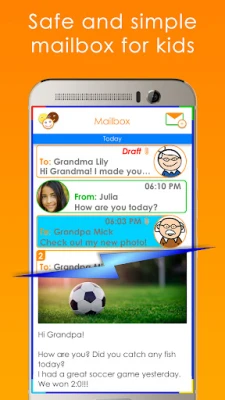
- Avatar editor – Children can create a personalized picture for each contact, making the mailbox feel more playful.
- Instant‑messenger style interface – The layout mimics familiar chat apps, helping kids understand safe texting habits.
Parental controls
The app places the responsibility for safety in the hands of parents. Key controls include:
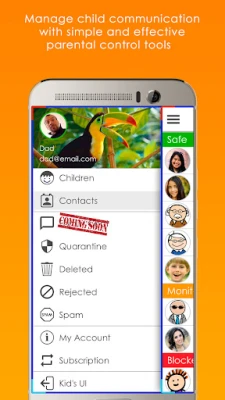
- Safe, monitored and blocked lists – Parents decide which contacts are allowed, need review or are blocked entirely.
- Quarantine box – Messages from unknown or monitored contacts are held for parental review before reaching the child’s inbox.
- Content filtering – Built‑in detection looks for profanity or bullying patterns and redirects such messages to the quarantine area.
- Email notifications – When a message is quarantined, a copy is sent to the parent’s email, allowing quick approval or rejection.
How it works
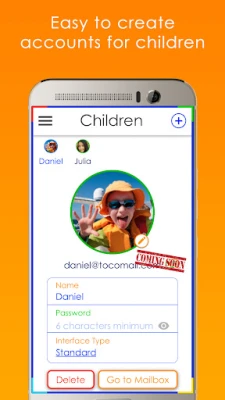
After installing Tocomail, parents create an account for each child and assign an email address. The setup wizard guides users through adding safe contacts and configuring the quarantine settings. Once configured, children can start sending and receiving messages immediately. Any incoming mail that does not match the safe list is automatically placed in the quarantine box, where parents receive a notification and can act from their own email client.
Practical uses
Tocomail is useful in several everyday situations:
- School communication – Teachers can share assignments or announcements without exposing children to open‑internet risks.
- Family staying in touch – Grandparents and relatives can exchange photos and voice notes safely.
- Creative projects – The drawing board encourages kids to illustrate stories or send personalized postcards.
Installation information
The app is available through the Google Play Store. Search for “Tocomail – Email for Kids” or use the package name com.tocobox.tocomail. Tap Install and follow the on‑screen prompts to create a parent account.
Things to know before installing
- The app is free to download and use; any optional subscription plans are presented transparently within the app.
- No advertisements are shown, keeping the experience focused on communication.
- Because the service relies on its own email domain, an internet connection is required for sending and receiving messages.
Who may find Tocomail useful?
Parents who want a controlled environment for their child’s digital correspondence, educators looking for a safe classroom messaging tool, and any family that values privacy while encouraging creative expression will benefit from Tocomail.
Frequently asked questions
Is there a limit to how many contacts I can add?
Parents can add as many contacts as needed, organizing them into safe, monitored or blocked categories.
Can I review messages on a desktop computer?
All quarantined messages are forwarded to the parent’s email address, which can be accessed from any device.
What happens if a child tries to send a message with prohibited content?
The app’s built‑in filter flags profanity or bullying language before the message leaves the child’s device, prompting the child to edit the content.
Rate the App
User Reviews















Popular Apps










 Games
 Entertainment
 Communication
 E-mail
 Security
 Tools
 Media
 Internet
 Finance
 Design
 Education
 Android Firmwares
 Travel & Local
 Android
 Windows
 Linux