


Latest Version
Latest
August 21, 2026
TikTok Pte. Ltd.
Communication
Android
118
Free
com.tiktok.lite.go
Report a Problem
More About TikTok Lite – Fast, Light‑Weight Short‑Video App
What is TikTok Lite?
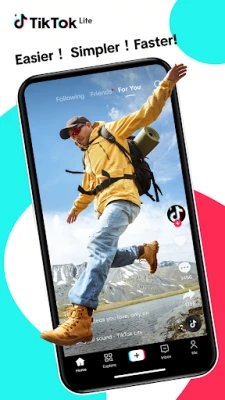
TikTok Lite is a compact version of the popular TikTok platform, designed for Android phones that have modest hardware specifications or operate on constrained data plans. It offers the core social‑video experience—browsing, liking, commenting, and sharing short clips—while using fewer resources than the full app.
Main features
- Lightweight footprint: The app occupies less storage space and runs smoothly on devices with limited RAM.
- Data‑friendly streaming: Video playback is optimized to reduce data consumption, making it suitable for users on limited or metered connections.
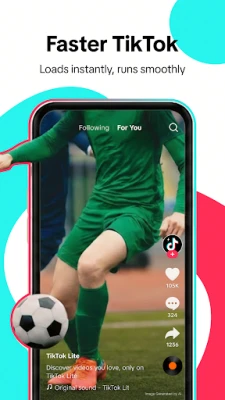
- Quick load times: A simplified interface means faster start‑up and quicker access to the feed.
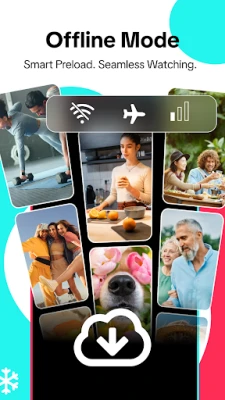
- Offline viewing: Videos that have been watched can be cached for later playback when the network is weak or unavailable.
- Personalized feed: An algorithm curates a stream of videos based on your interactions, even within the lighter version.
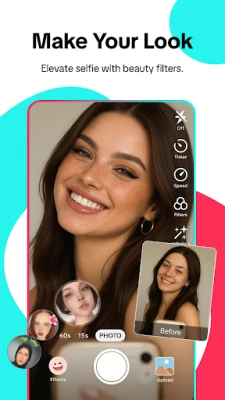
- Basic creation tools: Record short clips, add music, filters, and simple effects before publishing.
How it works
When you open TikTok Lite, the app connects to TikTok’s servers to retrieve a selection of trending videos that match your interests. The feed is presented in a vertical scroll, and each video loads in a compressed format that balances quality with data usage. Tapping a video expands it to full‑screen mode, where you can like, comment, or share. The “+” button lets you capture a new clip or select one from your gallery; built‑in editing options let you enhance the video before posting.
Practical uses
- Stay entertained on a budget‑friendly data plan.
- Explore trending music, challenges, and short‑form storytelling without needing a high‑end device.
- Create quick videos for personal expression or to join viral trends.
- Watch saved clips while traveling on a spotty network.
Installation information
The app is available through the Google Play Store. Search for “TikTok Lite – Faster TikTok” or use the package name com.tiktok.lite.go. Installation follows the standard Android process: tap “Install,” grant the requested permissions, and launch the app once the download completes.
Things to know before installing
- The lightweight design means some advanced features found in the full TikTok app (such as extensive effects libraries or high‑resolution uploads) may be limited.
- Because the app reduces video quality to save data, the visual experience may differ from the full version.
- Regular updates are released to improve performance and add minor enhancements; keeping the app up to date ensures the best experience.
Who may find it useful?
Anyone with a device that has limited storage, lower‑end specifications, or who frequently uses mobile data will benefit from TikTok Lite. It is also a good choice for users who travel often and need an app that works reliably on slower networks.
Frequently asked questions
Is TikTok Lite safe to use?
Yes. The app is published by TikTok Pte. Ltd., the same developer behind the main TikTok platform, and follows the same privacy and security standards.
Can I upload videos longer than the typical short clip?
The app supports short‑form uploads; longer videos may be truncated or require the full TikTok app.
Does TikTok Lite require a constant internet connection?
While an internet connection is needed to load new content, previously viewed videos can be cached for offline playback.
Will my account and followers be the same as on the full TikTok app?
Yes. TikTok Lite uses the same account system, so your profile, followers, and likes are shared across both versions.
Rate the App
User Reviews















Popular Apps










 Games
 Entertainment
 Communication
 E-mail
 Security
 Tools
 Media
 Internet
 Finance
 Design
 Education
 Android Firmwares
 Travel & Local
 Android
 Windows
 Linux