




Latest Version
Latest
September 05, 2026
Ti.Live Team
Communication
Android
188
Free
com.ti.live.stream
Report a Problem
More About Ti.Live – Chill & Stream Live Video
What is Ti.Live?
Ti.Live is a free Android app that brings live video broadcasting to your mobile device. It connects streamers and viewers in real time, allowing anyone to discover performances, tutorials, gaming sessions, and other live content from a global community.
Main features
- Live streaming across many topics – From music and dance to gaming and fashion, the platform hosts a wide range of live shows.
- Personalized feed – The app suggests streams based on the categories you interact with, helping you find content that matches your interests.
- Real‑time interaction – Viewers can send comments, likes, and virtual gifts while watching, creating an immediate connection with the broadcaster.
- Multilingual support – Built‑in translation assists communication between users who speak different languages.
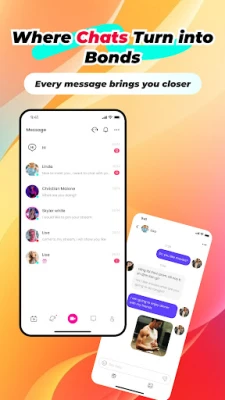
- Social tools – Follow favorite streamers, send private messages, and join fan groups to stay updated on new broadcasts.
How it works
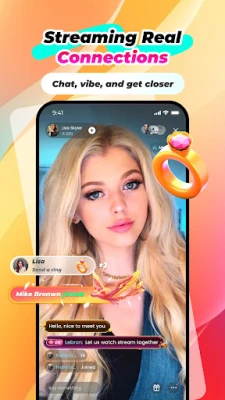
After installing Ti.Live, you create a simple profile or sign in with an existing account. The home screen displays a curated list of live streams, which you can filter by category or search for specific keywords. Tapping a stream opens a full‑screen player with live video, a chat overlay, and options to like or send a gift. Streamers can start a broadcast from the app by selecting a category, adding a title, and going live with the device’s camera.
Practical uses
- Discover emerging talent in music, dance, or art without leaving your phone.
- Watch live gaming sessions and interact with players in real time.
- Learn new skills through live tutorials, such as makeup techniques or cooking demos.
- Connect with friends or meet new people who share similar hobbies.
Installation information
The app is available for free on the Google Play Store. Search for “Ti.Live – Chill & Stream” or use the package name com.ti.live.stream to locate it. Tap “Install” and wait for the download to complete. The app requires a standard Android device with internet access.
Things to know before installing
- The app accesses the camera and microphone when you start a broadcast.
- Live chat and gifting features may involve in‑app purchases.
- Content is user‑generated; moderation is handled by the platform, but viewer discretion is advised.
Who may find Ti.Live useful?
Anyone who enjoys watching live performances, wants to share their own talents, or looks for a community where real‑time interaction is central will benefit from Ti.Live. It is especially appealing to creators seeking a straightforward way to reach an audience and to viewers who prefer live, unscripted content.
Frequently asked questions
Do I need an account to watch streams?
No, you can browse and watch public streams without signing in, but creating an account lets you follow creators and participate in chat.
Can I broadcast from my phone?
Yes. After logging in, tap the “Go Live” button, choose a category, and start streaming using your device’s camera.
Is the app safe for children?
Ti.Live includes community guidelines and reporting tools, but because content is live and user‑generated, parental supervision is recommended for younger users.
Rate the App
User Reviews















Popular Apps










 Games
Games Entertainment
 Communication
 E-mail
 Security
 Tools
Tools Media
Media Internet
 Finance
 Design
 Education
 Android Firmwares
 Travel & Local
 Android
 Windows
 Linux
Linux