
Latest Version
Latest
August 16, 2026
Mozilla Thunderbird
Communication
Android
51
Free
net.thunderbird.android.beta
Report a Problem
More About Thunderbird Beta for Testers – Early Access Email App
What is Thunderbird Beta for Testers?
Thunderbird Beta for Testers is the experimental version of Mozilla Thunderbird’s Android email client. It gives users a chance to try new functionality and improvements before they become part of the stable release. By installing the beta, you become part of a community that helps identify bugs, suggest refinements, and ensure the final product meets real‑world needs.
Main Features
- Early access to upcoming updates – Get a preview of UI tweaks, performance enhancements, and new integrations before they reach the public version.
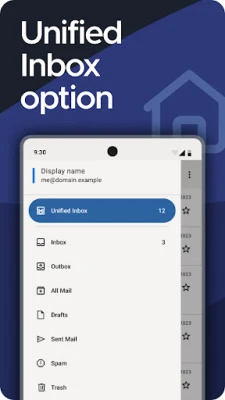
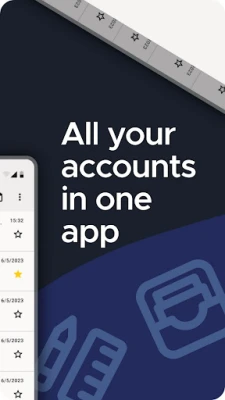
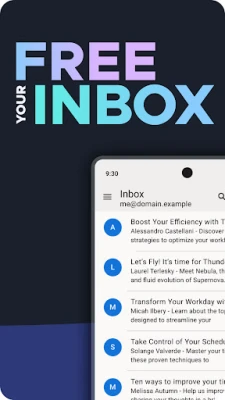
- Unified inbox support – Manage multiple email accounts from a single view, making it easier to stay on top of messages.
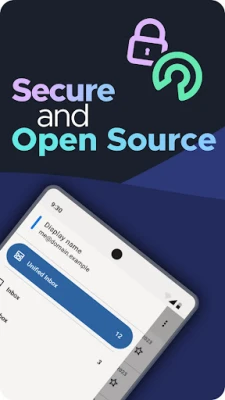
- Open‑source foundation – The app is built on Mozilla’s open‑source codebase, allowing transparency and community contributions.
- Privacy‑first design – No data mining or advertising; the client connects directly to your email provider.
- Optional OpenPGP encryption – When paired with compatible tools, you can encrypt and decrypt messages for added security.
How It Works
After installing the beta, you set up your email accounts using standard IMAP or POP3 settings. The app syncs messages according to the schedule you choose – instantly, at regular intervals, or on demand. All interactions happen locally on your device; the client does not store or analyze your content.
When you encounter an issue or notice a rough edge, you can report it through the built‑in feedback channel or via the project’s public bug tracker. Your reports are reviewed by Mozilla developers and volunteers, who use the information to improve the stable version.
Practical Uses
- Testing new features – If you like to stay ahead of the curve, the beta lets you explore upcoming capabilities such as refined search, new notification options, or UI redesigns.
- Contributing to development – Your feedback directly influences the product roadmap, making the final release more reliable for everyone.
- Evaluating privacy tools – Use the beta to experiment with OpenPGP encryption and see how it fits into your workflow.
Installation Information
The beta is distributed as an Android package (APK) that can be installed from the official Mozilla testing channel. Because it is a pre‑release build, you may need to enable installation from unknown sources in your device settings. Follow the on‑screen prompts after downloading the APK to complete the installation.
Compatibility
Thunderbird Beta for Testers is designed for Android devices that meet the minimum system requirements of the stable Thunderbird app. While specific version numbers are not listed, the app typically supports recent Android releases. If your device runs a very old Android version, some features may be unavailable.
Things to Know Before Installing
- Beta builds are less stable than the official release; occasional crashes or data sync issues are possible.
- Because the app is in testing, some settings or preferences may change between updates.
- Back up any important email data before switching to the beta, especially if you use local folders.
Who May Find It Useful?
Anyone who uses email on Android and wants to contribute to an open‑source project will benefit from the beta. It is especially appealing to developers, power users, and privacy‑conscious individuals who enjoy shaping software through direct feedback.
Frequently Asked Questions
Is the beta version free?
Yes. Thunderbird Beta for Testers is offered at no cost.
Can I use the same email accounts in both the stable and beta versions?
Yes, you can configure the same accounts in both apps. However, keep separate backups if you rely on local storage.
How do I report a bug?
Use the feedback option within the app or visit Mozilla’s public bug tracker on GitHub to submit detailed reports.
Will my data be safe?
The app follows Thunderbird’s privacy‑first principles and does not collect or sell personal information. Nonetheless, because it is a beta, you should treat it as a testing environment and keep backups of critical data.
Rate the App
User Reviews















Popular Apps










 Games
Games Entertainment
 Communication
 E-mail
 Security
 Tools
Tools Media
Media Internet
 Finance
 Design
 Education
 Android Firmwares
 Travel & Local
 Android
 Windows
 Linux
Linux