Latest Version
Latest
August 13, 2026
Threema GmbH
Communication
Android
283
Free
ch.threema.app.work
Report a Problem
More About Threema Work – Secure Business Messaging for Android
What is Threema Work?
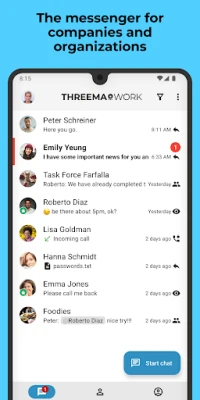
Threema Work is a business‑focused messaging solution that lets companies communicate securely on Android devices. Built on the same encryption principles as the consumer version of Threema, it is designed to meet corporate privacy requirements and offers tools that help administrators manage communication policies across an organization.
Main features
- End‑to‑end encryption for all messages, calls, and shared files.
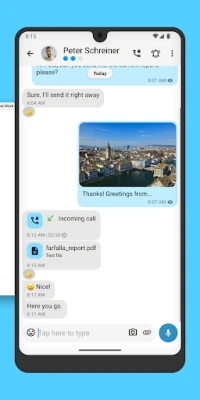
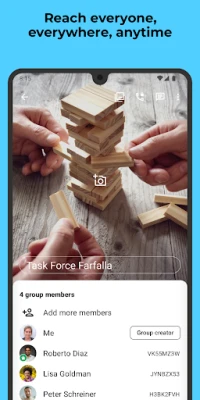
- Text, voice and video chats with individual contacts and groups.
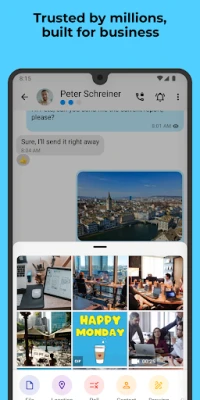
- File sharing for common formats such as PDFs, images, audio files and archives.
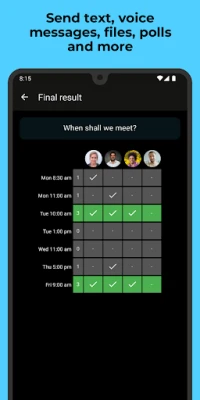
- Group management including polls, broadcast lists and role‑based permissions.
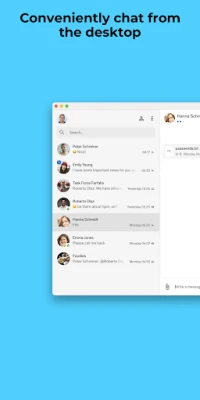
- Cross‑platform access via a dedicated Android app, a desktop client and a web interface.
- Device protection through PIN, fingerprint or biometric lock for the app itself.
How it works
When a user installs Threema Work, the app generates a unique Threema ID that does not require a phone number or personal email address. This identifier is used to route messages through Threema’s Swiss‑based servers, where they are encrypted on the client side before leaving the device. Only the intended recipient’s device can decrypt the content, ensuring that no intermediate party—including the server operator—can read the data.
Administrators can pre‑configure the app with policies that control features such as message retention, forwarding limits, and required authentication methods. The management console integrates with common mobile device management (MDM) solutions, allowing IT teams to deploy the app at scale and enforce security settings centrally.
Practical uses
Threema Work is well suited for teams that need to exchange confidential information quickly. Typical scenarios include:
- Project coordination – Real‑time chat and file sharing keep project documents and decisions in one place.
- Remote support – Secure voice or video calls let support staff assist field employees without exposing corporate networks.
- Compliance reporting – Encrypted logs and audit‑ready records help meet GDPR and industry‑specific regulations.
Installation information
The app is available through the Google Play Store. After downloading, users launch the app, create a Threema ID, and follow the on‑screen prompts to set up a PIN or biometric lock. Organizations can distribute a pre‑configured version via their MDM platform to streamline onboarding.
Things to know before installing
- Threema Work does not require a personal phone number or email address, but a valid Threema ID is needed for communication.
- The free license provides core messaging and calling features; additional enterprise capabilities may be offered through separate licensing agreements.
- Because all data is encrypted on the device, backup options are limited to encrypted exports that the user must store securely.
Who may find it useful?
Any organization that handles sensitive information—such as legal firms, healthcare providers, financial services, or technology companies—can benefit from Threema Work’s strong privacy model. It is also a good fit for teams that operate across borders and need a communication tool that respects data‑residency requirements.
Frequently asked questions
Is a phone number required?
No. Threema Work generates a unique identifier that works independently of phone numbers or email addresses.
Can I use Threema Work on a desktop?
Yes. A companion desktop client and a web client are available, allowing users to continue conversations from a computer while keeping the same encryption guarantees.
How does an administrator control the app?
Through the Threema Work management console, administrators can set policies, manage groups, enforce authentication methods, and integrate with existing MDM solutions.
Is the app compliant with GDPR?
Threema Work is built with GDPR principles in mind, offering data minimisation, strong encryption, and the ability for organizations to control data retention.
Rate the App
User Reviews















Popular Apps










 Games
Games Entertainment
 Communication
 E-mail
 Security
 Tools
Tools Media
Media Internet
 Finance
 Design
 Education
 Android Firmwares
 Travel & Local
 Android
 Windows
 Linux
Linux