Latest Version
Latest
August 13, 2026
Threema GmbH
Communication
Android
284
Free
ch.threema.app.onprem
Report a Problem
More About Threema OnPrem – Self‑Hosted Secure Messaging
What is Threema OnPrem?
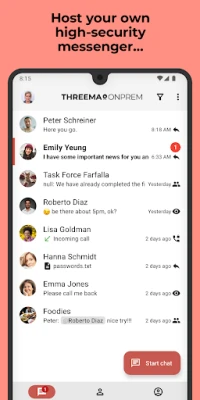
Threema OnPrem is a self‑hosted version of the Threema messaging platform designed for businesses, public institutions, and any group that needs to keep its communications completely under its own control. Unlike standard consumer messaging apps, the server component is installed on the organization’s infrastructure, giving administrators full ownership of data and compliance settings.
Main features
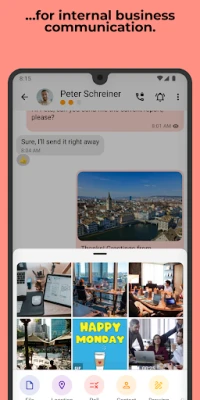
- End‑to‑end encryption for messages, voice calls, video calls and file transfers.
- Data sovereignty – all messages stay on the organization’s servers, never on third‑party clouds.
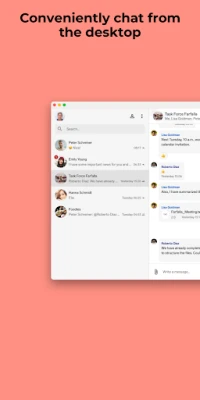
- Cross‑platform support through mobile, desktop and web clients, all using the same encrypted backend.
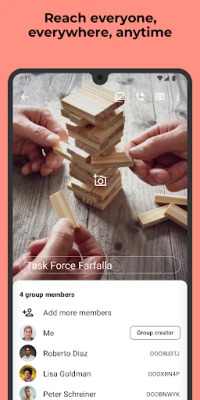
- Secure group communication for teams, projects or departments.
- Optional PIN or biometric lock for additional protection of the app on a device.
How it works
After the server component is installed and configured on the organization’s network, users download the Threema OnPrem client from the Play Store. The app connects to the internal server address, authenticates with credentials provided by the administrator, and then operates like the regular Threema client – but all traffic stays inside the organization’s controlled environment.
Practical uses
The solution is suited for any scenario where confidentiality is mandatory. Typical use cases include:
- Government agencies that must protect classified information.
- Law‑enforcement units needing secure internal coordination.
- Industrial companies handling proprietary designs or trade secrets.
- Healthcare providers sharing patient data under strict privacy regulations.
Installation information
Because the server must be set up first, the app cannot be used straight from the Play Store. Organizations should follow these steps:
- Deploy the Threema OnPrem server on a dedicated machine or virtual environment.
- Configure network access, certificates and user accounts according to internal policies.
- Distribute the client app to employees via the Play Store or internal app distribution channels.
- Enter the server address and login credentials in the app’s settings.
Things to know before installing
- The app requires a reachable Threema OnPrem server; without it the client will not function.
- Device compatibility follows the standard Android requirements for the regular Threema client.
- Administrators are responsible for maintaining server security, updates and backups.
Who may find it useful?
Any organization that values full control over its communication data—whether for legal compliance, industry regulations, or internal security policies—can benefit from Threema OnPrem. It is especially relevant for teams that already trust the Threema security model and want to extend that trust to a private infrastructure.
Frequently asked questions
Do I need an internet connection?
Yes, devices need network access to reach the internal server, but the traffic does not leave the organization’s network unless explicitly routed.
Can I use the same account on multiple devices?
Yes, the same credentials can be used on mobile, desktop and web clients, each connecting securely to the same server.
Is the client free?
The client is offered free of charge; any licensing or cost considerations relate to the server component and its maintenance.
Rate the App
User Reviews















Popular Apps










 Games
Games Entertainment
 Communication
 E-mail
 Security
 Tools
Tools Media
Media Internet
 Finance
 Design
 Education
 Android Firmwares
 Travel & Local
 Android
 Windows
 Linux
Linux