

Latest Version
Latest
August 28, 2026
AKG TECHNOLOGIES LLC
Communication
Android
108
Free
com.tgconnect.android
Report a Problem
More About TG Connect – Secure Messaging for Android
What is TG Connect?
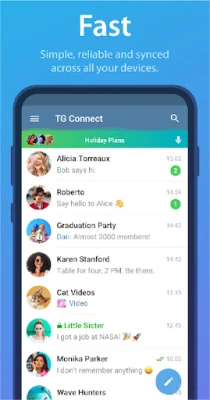
TG Connect is an Android messaging client that connects to the Telegram service. It provides a native Android experience for sending text, voice, photos, videos, documents and other media while keeping the core Telegram features intact.
Main features
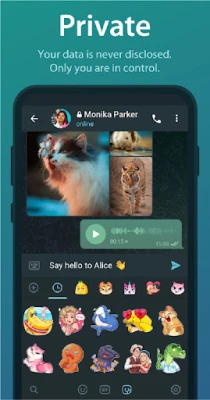
- Standard messaging – Send and receive text messages, voice notes, photos, videos, stickers, GIFs and files of various types.
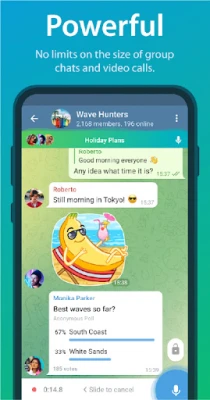
- Group chats – Create groups of any size, start voice chats within groups, and share media with multiple participants.
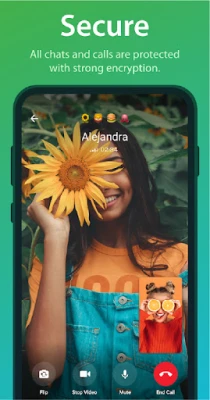
- Secret chats – Initiate end‑to‑end encrypted conversations that are designed to protect the content from unauthorized access.
- Broadcast lists – Send the same message or media to many contacts without creating a group.
- Organised dialogs – Sort conversations into folders for easier navigation.
How it works
After installing TG Connect, you log in with your existing Telegram phone number. The app communicates with Telegram’s cloud servers, so your messages and media are synchronized across all devices where you use Telegram. Secret chats are created locally on the device and use a separate encryption layer that prevents forwarding and screenshot capture.
Practical uses
- Staying in touch with friends and family through fast, low‑latency messaging.
- Collaborating with colleagues in large groups or voice chats.
- Sharing documents, photos or videos securely with individuals or teams.
- Using secret chats for sensitive conversations that require extra privacy.
Installation information
Download TG Connect from a reputable Android app store, then follow the standard installation prompts. The app requires an internet connection for initial login and for ongoing message synchronization.
Compatibility
TG Connect is built for Android devices. Specific OS version requirements are not listed, but the app follows the standard Android compatibility guidelines used by most Telegram clients.
Things to know before installing
- You need an active Telegram account (phone number) to use the app.
- All standard Telegram features are available, but the app does not include any additional services beyond the Telegram API.
- Data usage depends on the amount of media you send and receive; consider using Wi‑Fi for large files.
Who may find TG Connect useful?
Anyone who already uses Telegram and prefers a dedicated Android client will benefit from TG Connect. It is especially handy for users who want a straightforward interface without extra bloat, as well as those who need secret chats for private communication.
Frequently asked questions
Do I need a separate account for TG Connect?
No. TG Connect uses your existing Telegram account; you simply log in with your phone number.
Is the app free?
Yes, TG Connect is offered as a free download.
Can I use TG Connect on multiple devices?
Yes. Because it connects to the Telegram cloud, your chats are synchronized across all devices where you use Telegram.
Are secret chats truly private?
Secret chats use end‑to‑end encryption, which means only the participants can read the messages. The app also disables forwarding and screenshot capture for these chats.
Rate the App
User Reviews















Popular Apps










 Games
 Entertainment
 Communication
 E-mail
 Security
 Tools
 Media
 Internet
 Finance
 Design
 Education
 Android Firmwares
 Travel & Local
 Android
 Windows
 Linux