
Latest Version
Latest
August 12, 2026
Delicious
Communication
Android
271
Free
com.textra
Report a Problem
More About Textra SMS – Fast, Customizable Messaging for Android
What is Textra SMS?
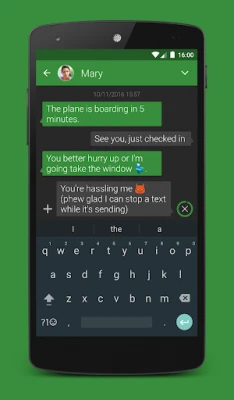
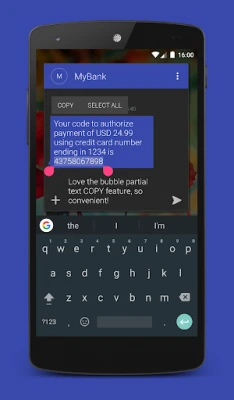
Textra SMS is a free Android messaging app developed by Delicious. It replaces the default SMS/MMS client with a more responsive interface and a range of personalization choices, allowing users to tailor the look and feel of their conversations.
Main features
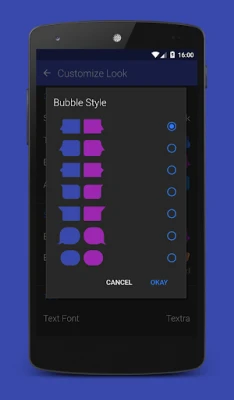
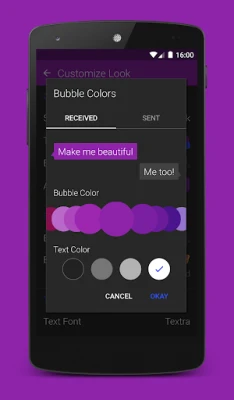
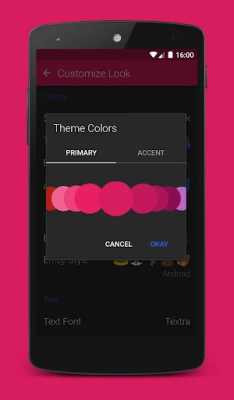
- Theme and color customization – Choose from a variety of material‑design themes, bubble colors, and icon styles to match your preferences.
- Light and dark modes – The app automatically adapts to the system’s night mode or lets you set a specific appearance.
- Message scheduling – Draft a text and set it to send at a later time, useful for reminders or timed greetings.
- Quick actions – Swipe gestures let you delete, call, or reply directly from the conversation list.
- Rich media support – Send photos, GIFs, and voice memos without leaving the app.
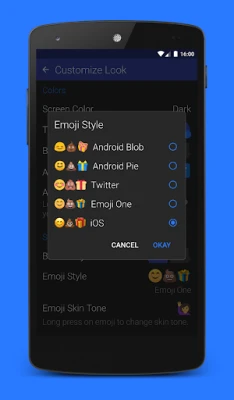
- Emoji variety – Access a broad selection of emojis, including iOS‑style sets and skin‑tone variations.
How it works
After installation, Textra SMS becomes the default messaging handler if you choose. The app reads your existing SMS threads and presents them in its own UI. From there, you can start new conversations, customize individual chats, or adjust global settings through the simple preferences menu.
Practical uses
- Schedule birthday wishes or appointment reminders so they arrive at the right moment.
- Apply a dark theme for comfortable reading at night or in low‑light environments.
- Use swipe gestures to quickly respond while commuting.
- Personalize each conversation with distinct bubble colors for easier visual sorting.
Installation information
Textra SMS is available for free on the Google Play Store. Search for the package name com.textra or the app name, then tap Install. The app requires standard SMS permissions to send and receive messages.
Things to know before installing
- The core messaging features are free; occasional ads may appear, with an optional one‑time purchase to remove them.
- Because the app handles SMS, it will use your carrier’s messaging plan for sending texts.
- Customization settings are stored locally; changing devices will require re‑configuring themes.
Who may find Textra SMS useful?
Anyone who wants a faster, more visually flexible alternative to the stock messaging app will benefit. The app is especially handy for users who enjoy personalizing their phone’s appearance, need scheduled messages, or prefer quick swipe actions for common tasks.
Frequently asked questions
Is Textra SMS compatible with Android Auto?
Yes, the app integrates with Android Auto, allowing you to view and reply to messages while driving.
Can I block unwanted contacts?
Textra includes a basic blocklist feature that lets you mute or prevent messages from specific numbers.
Does the app support group MMS?
Group messaging is supported, enabling you to send photos, videos, and text to multiple recipients in a single thread.
Rate the App
User Reviews















Popular Apps










 Games
Games Entertainment
 Communication
 E-mail
 Security
 Tools
Tools Media
Media Internet
 Finance
 Design
 Education
 Android Firmwares
 Travel & Local
 Android
 Windows
 Linux
Linux