

Latest Version
Latest
August 21, 2026
TextMe, Inc.
Communication
Android
88
Free
com.textmeinc.textme3
Report a Problem
More About TextMe Up Calling & Texts – Free Phone Numbers for Calls and SMS
What is TextMe Up?
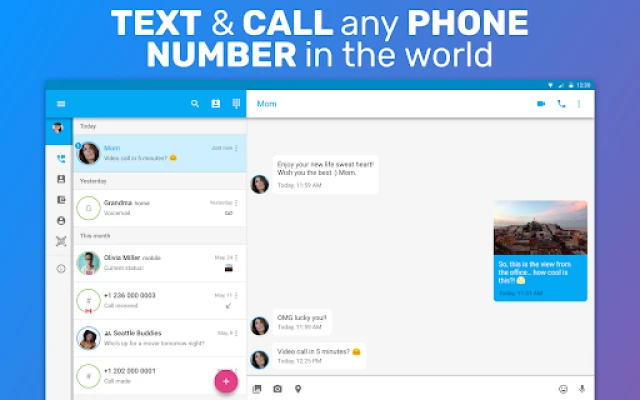
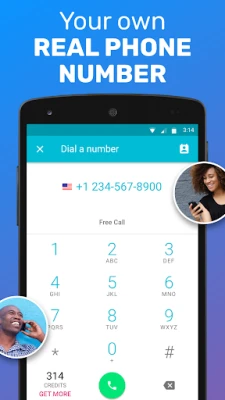
TextMe Up is a communication app that provides you with a virtual phone number. With that number you can send traditional SMS messages and place voice or video calls directly from your Android device, without relying on your mobile carrier’s minutes or texting plan.
Main features
- Free virtual number – Get a phone number when you sign up, usable for both texting and calling.
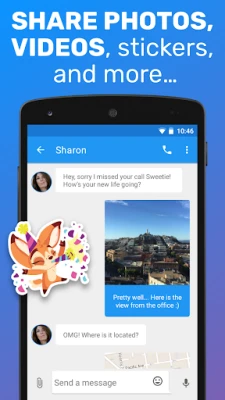
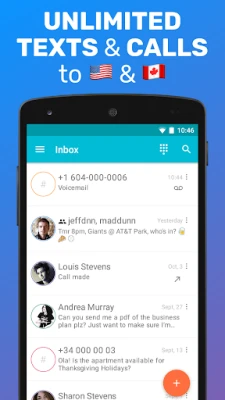
- Real SMS – Messages are sent as standard SMS, so recipients receive them in their regular messaging apps.
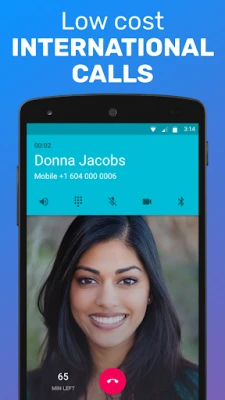
- Voice and video calls – Place HD voice calls and video calls to other TextMe Up users.
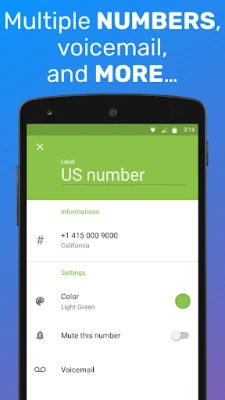
- Multiple numbers – Add additional numbers and switch between them within the same account.
- International reach – Send SMS to the United States, Canada and many other countries; call to several regions is supported.
How it works
After installing the app, you create an account using an email, Google or Facebook login. The system assigns a free phone number that appears in your contacts list. You can then compose a new message or start a call just as you would with a regular phone app. If you need another number—for example, a separate line for business—you can add it from the app’s settings and toggle between numbers without leaving the interface.
Practical uses
- Keep personal and work communications separate while using a single device.
- Share a temporary number for online classifieds, dating sites, or short‑term projects.
- Stay in touch with friends and family in the US and Canada without incurring extra carrier charges.
- Use the app’s video calling feature for face‑to‑face conversations when a data connection is available.
Installation information
The app is available for free on the Google Play Store. Search for TextMe Up Calling & Texts or use the package name com.textmeinc.textme3 to locate it. Tap “Install” and grant the permissions required for phone, contacts, and microphone access so the app can place calls and send messages.
Things to know before installing
- Because the app uses a virtual number, traditional carrier services such as voicemail or call forwarding are not available.
- Internet connectivity (mobile data or Wi‑Fi) is required for the initial setup and for video calls.
- Some features, like unlimited calls or additional numbers, may be offered through optional in‑app purchases; the base app remains free.
Who may find it useful?
Frequent travelers, freelancers who need a separate business line, users who prefer to keep personal contacts private, and anyone looking for a cost‑effective way to stay connected across North America will benefit from TextMe Up.
Frequently asked questions
Is the virtual number a real phone number?
Yes, the number functions like any standard telephone number for sending and receiving SMS and voice calls.
Can I receive calls from non‑TextMe users?
Incoming calls from regular phone numbers are supported, subject to the app’s calling plan and any applicable fees.
Do I need a SIM card to use the app?
No. The app works over data connections, so a SIM card is not required for its core features.
Rate the App
User Reviews















Popular Apps










 Games
 Entertainment
 Communication
 E-mail
 Security
 Tools
 Media
 Internet
 Finance
 Design
 Education
 Android Firmwares
 Travel & Local
 Android
 Windows
 Linux