


Latest Version
Latest
September 06, 2026
TextMagic Ltd.
Communication
Android
13
Free
textmagic.com.textmagicmessenger
Report a Problem
More About TextMagic – Business SMS Messaging
What is TextMagic?
TextMagic is a mobile companion for the TextMagic business messaging service. It is designed for companies that need to communicate with customers, employees, or partners via SMS. The app lets you send messages, track delivery, and keep a record of conversations directly from your Android device.
Main features
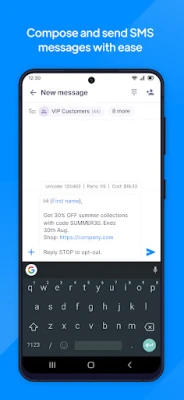
- Bulk SMS sending – compose a single message and deliver it to many recipients at once.
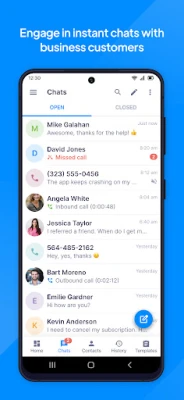
- Two‑way conversations – receive replies in the app and continue the dialogue without leaving the interface.
- Push notifications – get instant alerts when new messages arrive, so you never miss a reply.
- Delivery tracking – see whether each message was delivered successfully.
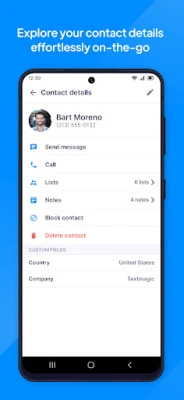
- Contact and list management – organize recipients into lists, import contacts from your phone, and store frequently used numbers.
- Message templates – save common texts and reuse them to speed up repetitive communication.
- Sync with the web platform – all data stays consistent across the mobile app and the TextMagic web dashboard.
How it works
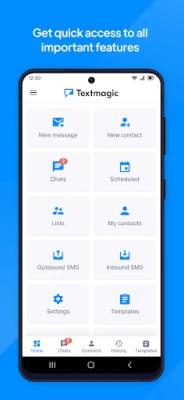
After installing the app, you sign in with the credentials of your TextMagic account. The app then synchronizes your existing contact lists, templates, and message history. From the main screen you can start a new broadcast, select a list or individual contacts, and type your message. Once sent, the app shows delivery status and logs any replies, which appear as part of the same conversation thread.
Practical uses
- Customer notifications – send appointment reminders, order updates, or promotional offers.
- Team coordination – broadcast shift changes, emergency alerts, or internal announcements.
- Event management – keep attendees informed with real‑time updates.
- Support channels – handle inbound SMS queries and respond directly from the app.
Installation information
The app is available through the Google Play Store. Search for TextMagic or use the package name textmagic.com.textmagicmessenger. Tap “Install” and wait for the download to complete. No additional configuration is required beyond logging into your existing TextMagic account.
Things to know before installing
- The app is intended for business use; personal messaging is not supported.
- An active TextMagic subscription is required to send messages; the app itself does not provide free credits.
- Standard SMS rates from your carrier may apply for outgoing messages.
Who may find it useful?
Small‑to‑medium enterprises, retail chains, service providers, and any organization that relies on SMS for customer outreach or internal communication will benefit from TextMagic’s mobile capabilities.
Frequently asked questions
Do I need an internet connection?
Yes. The app syncs with the TextMagic cloud service, so a data connection is required for sending messages and updating delivery status.
Can I import contacts from my phone?
Yes. The app includes an option to import contacts stored on your device directly into your TextMagic lists.
Is the app free?
The app itself is free to download. Message sending is billed according to your TextMagic subscription plan.
Rate the App
User Reviews















Popular Apps










 Games
Games Entertainment
 Communication
 E-mail
 Security
 Tools
Tools Media
Media Internet
 Finance
 Design
 Education
 IT Tools
 Travel & Local
 Android
 Windows
 Linux
Linux