
Latest Version
Latest
September 15, 2026
clapps
Communication
Android
10
Free
cassian.telegram.ooa.pro
Report a Problem
More About Tevegram: Telegram for Android TV
What is Tevegram?
Tevegram is a dedicated Telegram client built for Android TV and Google TV devices. Unlike screen‑mirroring solutions, it runs directly on the television, providing a full‑screen experience that is optimized for remote‑control navigation.
Main features
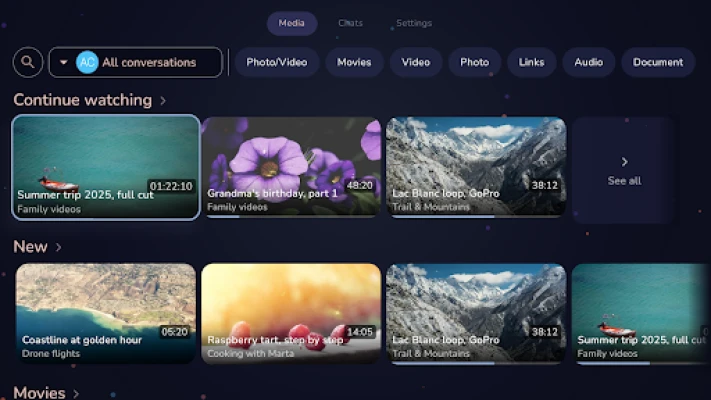
- Native TV interface – All UI elements are sized for a living‑room view and respond to the directional pad and OK button.
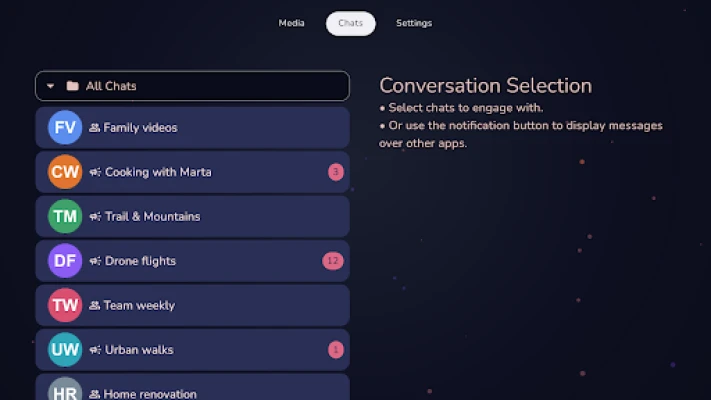
- Chat and channel access – Browse your private conversations, group chats and public channels without needing a phone.
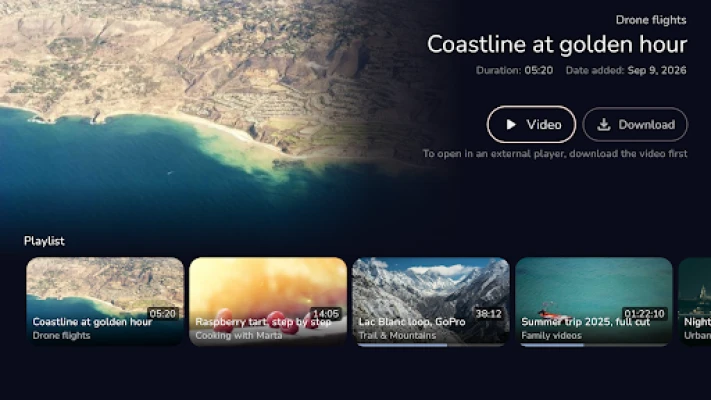
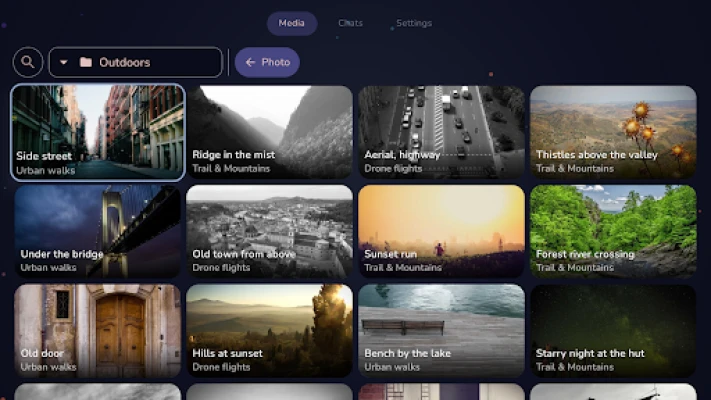
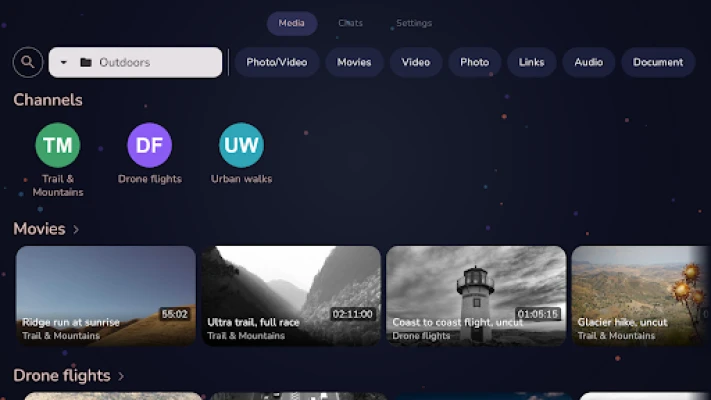
- Media library – Photos, videos, music and documents shared in Telegram are collected in a browsable library. You can filter by file type or by the conversation that posted them.
- Live channel playback – When a channel you follow starts a live broadcast, Tevegram highlights it and lets you watch full‑screen.
- Overlay notifications – New messages appear as a small overlay on top of any video you are watching, so you stay informed without leaving the content.
How it works
After installing Tevegram from the Play Store, you sign in with your existing Telegram account. The app stores your session locally on the TV, so you do not need to keep a phone nearby. Navigation relies on the standard TV remote: the D‑pad moves focus, the center button selects, and long‑press actions are mapped to common functions such as opening a chat or starting playback.
Practical uses
- Watch shared videos and livestreams on a big screen without transferring files to another device.
- Read messages while relaxing on the couch, using only the remote.
- Browse photos and music that friends have sent you, directly from the TV’s speaker and display.
Installation information
Search for "Tevegram" in the Google Play Store on your Android TV or Google TV device. The app is free to download and does not require additional purchases to access the core Telegram functionality.
Things to know before installing
- The app requires an active internet connection to sync messages.
- Group video calls are not supported; the client focuses on chat, media playback and live channel streams.
- Notifications can be customized per conversation, allowing you to mute less important chats.
Who may find it useful?
Anyone who uses Telegram regularly and prefers a larger display for media consumption will benefit from Tevegram. It is especially handy for families sharing a TV, for users who want to keep their phone free while watching content, and for anyone who enjoys live channel broadcasts on Telegram.
Frequently asked questions
Do I need a phone to use Tevegram?
No. After the initial sign‑in, the app runs independently on the TV.
Can I send files from the TV to other Telegram users?
Yes. The file picker lets you choose media stored on the TV and send it through your Telegram account.
Is the app compatible with all Android TV models?
Tevegram works on devices that run a recent version of Android TV or Google TV and have access to the Play Store.
Rate the App
User Reviews













Popular Apps










 Games
Games Entertainment
 Communication
 E-mail
 Security
 Tools
Tools Media
Media Internet
 Finance
 Design
 Education
 IT Tools
 Travel & Local
 Android
 Windows
 Linux
Linux