

Latest Version
Latest
September 06, 2026
Technology Frontiers
Communication
Android
11
Free
tr.turkgram.messenger
Report a Problem
More About TeleTak – Enhanced Telegram‑based Messenger
What is TeleTak?
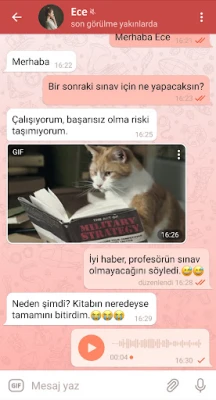
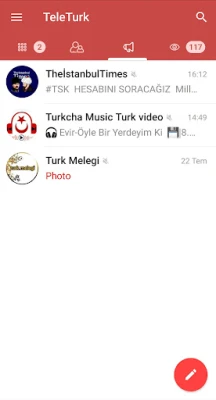
TeleTak is a free Android messaging client that connects to the Telegram network. By leveraging the official Telegram API, it provides all core Telegram functions—such as instant messaging, group chats, and media sharing—while adding a set of optional tools that aim to make everyday conversations more flexible.
Main features
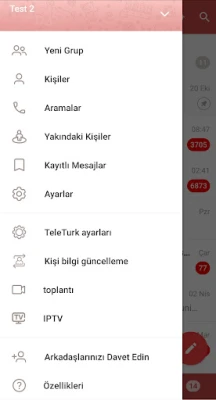
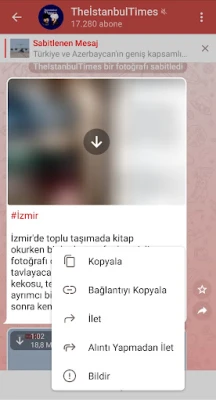
- Extended chat controls: TeleTak includes additional options for forwarding messages, managing contacts, and organizing chats beyond the standard Telegram interface.
- Customizable UI elements: Users can arrange icons and folders within the app to suit personal workflow, helping to keep frequently used functions within easy reach.
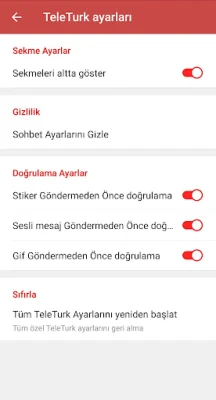
- Hidden mode: A privacy‑focused view that lets users hide certain chats or content from casual glance.
How it works
When you launch TeleTak, you sign in with your existing Telegram account credentials. The app then synchronizes your contacts, chats, and media directly from Telegram’s servers. From there, the extra features appear as additional menu items or settings toggles, allowing you to enable or disable them according to your preferences.
Practical uses
TeleTak is useful for anyone who already relies on Telegram but wants a bit more control over how messages are handled. For example, the advanced forwarding options can help when you need to share a single message to multiple groups without creating duplicate content. The hidden mode offers a quick way to keep sensitive conversations out of sight on a shared device.
Installation information
To install TeleTak, download the APK from a trusted source and follow the standard Android installation steps. The app requests the permissions required to access your contacts and storage so it can display your chat list and save received media. After installation, open the app, enter your phone number, and verify the code sent by Telegram to complete the setup.
Compatibility
TeleTak runs on Android devices that support the Telegram API. While the exact minimum Android version is not specified, the app is designed for modern smartphones and tablets that can run standard messaging applications.
Things to know before installing
- TeleTak does not replace the official Telegram app; it works as an alternative client that connects to the same account.
- All messages are still stored on Telegram’s cloud servers, so the app does not provide additional encryption beyond what Telegram already offers.
- Because the app adds custom features, occasional updates may be required to stay compatible with Telegram’s latest protocol changes.
Who may find TeleTak useful?
Anyone who uses Telegram regularly and is looking for extra convenience features can benefit from TeleTak. Power users who like to organize their chat interface, privacy‑conscious individuals who appreciate a hidden view, and group administrators who need more flexible forwarding tools are typical examples.
Frequently asked questions
- Do I need a separate Telegram account for TeleTak? No. TeleTak uses your existing Telegram credentials, so you access the same chats and contacts as in the official app.
- Is my data safe? The app communicates with Telegram’s servers using the same encrypted channels as the official client. It does not store additional personal data on its own.
- Can I use TeleTak alongside the official Telegram app? Yes. Both apps can be installed simultaneously and will sync the same account data.
- What should I do if a feature stops working after a Telegram update? Check for an updated version of TeleTak that addresses compatibility, or temporarily revert to the official client until the update is released.
Rate the App
User Reviews














Popular Apps










 Games
Games Entertainment
 Communication
 E-mail
 Security
 Tools
Tools Media
Media Internet
 Finance
 Design
 Education
 IT Tools
 Travel & Local
 Android
 Windows
 Linux
Linux