
Latest Version
August 28, 2026
TeleMost
Communication
Android
106
Free
com.telemost
Report a Problem
More About TeleMost – Mobile Video‑Conferencing and Collaboration
What is TeleMost?
TeleMost is a free Android application that provides video‑conferencing and collaboration tools for individuals and groups. Developed by the TeleMost team, the app focuses on making remote meetings simple and reliable, whether you are working from an office, a co‑working space, or a home desk.
Main features
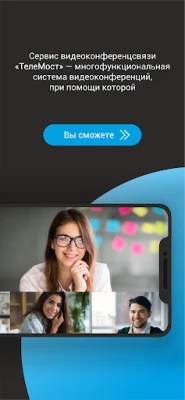
- Video meetings – Start or join video calls with a single tap. The interface supports both one‑to‑one conversations and larger group sessions.
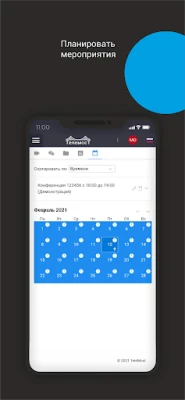
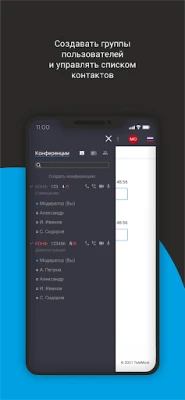
- Meeting scheduler – Create events, set dates and times, and send invitations directly from the app.
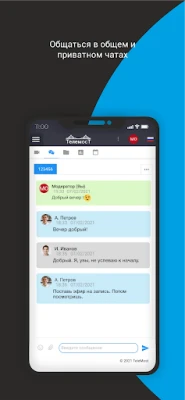
- In‑app chat – Exchange text messages during a call, with private and group chat options.
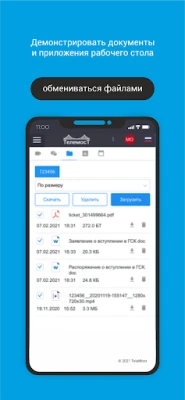
- File sharing – Attach documents, images or other files to a meeting without leaving the conference window.
- Screen and media sharing – Present slides, videos or other media to participants in real time.
- Recording – Save video meetings for later review, either on the device or in the cloud storage provided by TeleMost.
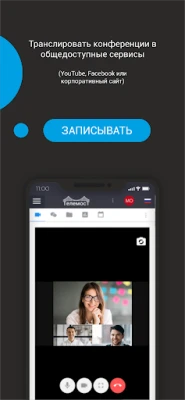
- Live streaming – Broadcast a meeting to external platforms such as YouTube or Facebook when needed.
- Low‑bandwidth mode – Adjust video quality automatically to keep the call stable on slower connections.
How it works
After installing TeleMost, you create a user profile that includes your name and optional status. From the main screen you can:
- Tap New Meeting to generate a unique link and invite participants via messaging apps or email.
- Enter an existing meeting by tapping a shared link or entering a meeting ID.
- During the call, use the toolbar to mute audio, switch cameras, share your screen, or open the chat window.
- When the session ends, choose to save the recording locally or upload it to TeleMost’s cloud storage, if you have an account.
Practical uses
TeleMost is suited for a range of scenarios:
- Remote work – Teams can hold daily stand‑ups, project reviews, or client presentations without needing additional hardware.
- Education – Teachers can create virtual classrooms, share lesson materials, and record sessions for students who miss the live meeting.
- Events – Organisers can host webinars, workshops, or community gatherings, leveraging the live‑stream feature for broader reach.
- Personal communication – Friends and family can enjoy face‑to‑face conversations, share photos, and keep in touch across distances.
Installation information
The app is available through the standard Android app store. Search for “TeleMost” or use the package name com.telemost. The download size and required Android version are not specified, so ensure your device runs a recent version of Android and has sufficient storage.
Things to know before installing
- TeleMost is free to download and use, but some advanced features such as cloud recording may require a separate account or subscription.
- The app requests permissions typical for video‑calling apps: camera, microphone, storage (for saving recordings and shared files), and network access.
- Because the service is hosted by TeleMost, a stable internet connection is essential for the best experience.
Who may find TeleMost useful?
Anyone who needs a straightforward way to conduct video meetings on Android will benefit from TeleMost. This includes small business owners, freelancers, educators, event organizers, and casual users who want a reliable alternative to larger platforms.
Frequently asked questions
Is TeleMost compatible with iOS devices?
TeleMost is primarily an Android application. A separate iOS version may exist, but it is not covered in this article.
Can I join a meeting without creating an account?
Yes, you can join meetings using a shared link or meeting ID without registering, though some features like recording may be limited.
How secure are the calls?
The app uses standard encryption for video and audio streams, but detailed security specifications are not publicly disclosed.
Rate the App
User Reviews















Popular Apps










 Games
 Entertainment
 Communication
 E-mail
 Security
 Tools
 Media
 Internet
 Finance
 Design
 Education
 Android Firmwares
 Travel & Local
 Android
 Windows
 Linux