

Latest Version
Latest
August 18, 2026
Swisscows
Communication
Android
297
Free
ch.swisscows.messenger.teleguardapp
Report a Problem
More About TeleGuard – Private Messaging without Phone Numbers
What is TeleGuard?
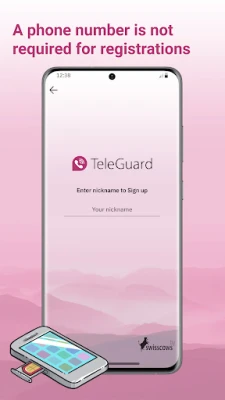
TeleGuard is a free messaging application developed by Swisscows. It focuses on anonymous communication by removing the need for a telephone number or any personal identification data. Each user receives a unique TeleGuard ID and a QR code that can be shared with contacts to start a conversation.
Main features
- Anonymous accounts – No registration with a phone number or email is required.
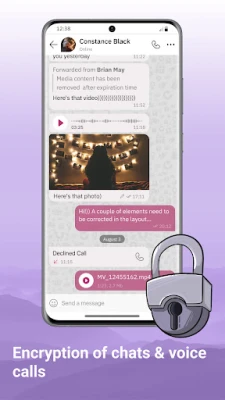
- End‑to‑end encryption – Messages and voice calls are encrypted using modern algorithms.
- Swiss‑based servers – All traffic is routed through servers located in Switzerland, offering strong data‑protection standards.
- QR‑code sharing – Quickly add contacts by scanning or sending a QR code.
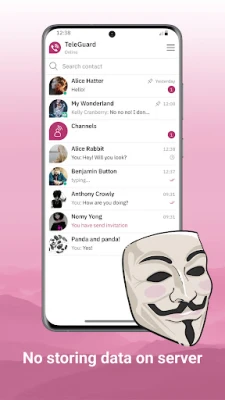
- Message deletion – Messages are removed from the server after they are read.
How it works
When you launch TeleGuard, the app generates a personal TeleGuard ID and a corresponding QR code. To connect with a friend, you simply exchange IDs or scan each other's QR codes. The app then creates a secure channel for text messages and voice calls. Because no phone number or email is involved, the connection remains anonymous.
Practical uses
TeleGuard is useful for anyone who wants to keep their conversations private, such as:
- Individuals concerned about data tracking.
- Journalists or activists needing discreet communication.
- People who prefer not to share personal contact details.
Installation information
The app can be downloaded from the Appitika page and installed like any other Android package. After installation, open the app to receive your unique ID and start adding contacts.
Things to know before installing
- The app does not request access to your phone contacts or call logs.
- All encryption and server handling are performed automatically; no additional configuration is required.
- Because the service relies on anonymous IDs, you should keep your ID and QR code secure to prevent unwanted connections.
Who may find TeleGuard useful?
Anyone who values privacy and wants to avoid linking their messaging activity to a phone number will appreciate TeleGuard. It is especially relevant for users who travel frequently, work in sensitive fields, or simply prefer a clean separation between personal and digital identities.
Frequently asked questions
Do I need a phone number to use TeleGuard?
No. TeleGuard creates a unique ID for you, eliminating the need for a phone number or email address.
Is my conversation truly private?
All messages and calls are encrypted end‑to‑end, and the servers do not store personal identifiers. After a message is read, it is deleted from the server.
Can I use TeleGuard on multiple devices?
TeleGuard is designed for a single device per ID. To use the service on another device, you would need to set up a new ID.
What kind of encryption does TeleGuard use?
The app employs a modern encryption algorithm (SALSA20) for both messaging and voice calls.
Rate the App
User Reviews















Popular Apps










 Games
Games Entertainment
 Communication
 E-mail
 Security
 Tools
Tools Media
Media Internet
 Finance
 Design
 Education
 Android Firmwares
 Travel & Local
 Android
 Windows
 Linux
Linux