



Latest Version
August 16, 2026
Telegram FZ-LLC
Communication
Android
106
Free
org.thunderdog.challegram
Report a Problem
More About Telegram X – Fast, experimental Telegram client
What is Telegram X?
Telegram X is a third‑party client for the Telegram messaging service, developed by Telegram FZ‑LLC. It uses the official Telegram Database Library (TDLib) as its core, which allows the app to communicate directly with Telegram’s servers while handling data locally for speed and responsiveness. The result is a version of Telegram that feels snappier and includes a few experimental UI tweaks not found in the standard app.
Main features
- Smoother animations – The interface employs refined motion effects that make scrolling, opening chats, and switching tabs feel more fluid.
- Improved performance – By leveraging TDLib, Telegram X can load messages and media faster, especially on devices with limited resources.
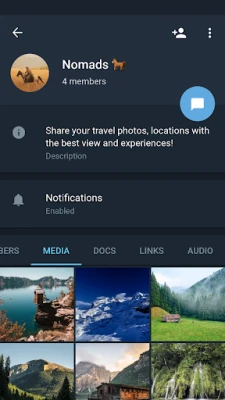
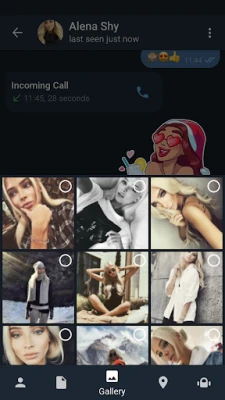
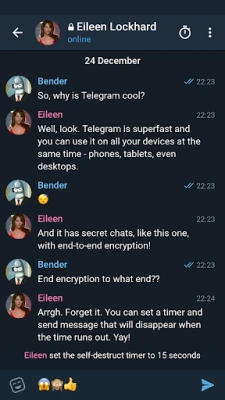
- Experimental UI options – The client experiments with alternative layouts, dark‑mode handling, and gesture shortcuts that may appeal to users who like to customize their experience.
- Full Telegram functionality – All core Telegram capabilities—text messaging, voice and video calls, stickers, bots, channels, and groups—are supported.
How it works
When you first launch Telegram X, you sign in with the same phone number you use for the regular Telegram app. The client synchronizes your account data through the same cloud infrastructure, so all your chats, contacts, and settings appear exactly as they do elsewhere. Because the app runs on TDLib, most of the heavy lifting—such as encryption, message parsing, and network management—is handled by the library, leaving the UI layer free to focus on speed and visual polish.
Practical uses
Telegram X can be a good fit for users who:
- Prefer a more responsive feel on older or mid‑range Android devices.
- Enjoy trying out experimental UI changes before they become mainstream.
- Want a secondary Telegram client that can run side‑by‑side with the official app for testing or multitasking.
Installation information
The application is distributed as an APK file that can be installed on Android devices. Before installing, ensure that your device allows installations from unknown sources (Settings → Security → Install unknown apps). After enabling the permission, download the APK, open it, and follow the on‑screen prompts.
Compatibility
Telegram X is built for Android, but the exact minimum Android version is not publicly listed. In practice, the app runs on most devices that support the official Telegram client, which typically requires Android 5.0 (Lollipop) or newer. Users with very old hardware may experience slower performance despite the optimizations.
Things to know before installing
- Because Telegram X is an alternative client, you will have two separate Telegram apps on your device. Notifications from each app are independent, so you may need to adjust settings to avoid duplicate alerts.
- The experimental features are subject to change. Some UI tweaks may be added, modified, or removed in future updates.
- All data remains stored in Telegram’s cloud; uninstalling the app does not delete your messages or contacts.
Who may find it useful?
Power users, developers, and anyone who likes to explore different ways of interacting with Telegram will likely appreciate Telegram X. It also serves users who experience lag with the standard client on older phones, offering a lighter, faster alternative without sacrificing core functionality.
Frequently asked questions
Is Telegram X safe to use?
Telegram X connects to the same official Telegram servers and uses the same encryption standards as the main app. The underlying TDLib library is maintained by Telegram, which helps ensure that security and privacy standards are consistent.
Can I use Telegram X alongside the official Telegram app?
Yes. Both apps can be installed simultaneously, each maintaining its own notification settings and cache.
Will my chats be synchronized between the two apps?
All chats are stored in the cloud, so any message you send or receive in one client appears in the other after synchronization.
Do I need a separate account for Telegram X?
No. You log in with the same phone number you use for the regular Telegram app.
How are updates delivered?
Updates are typically released as new APK files. Users need to download and install the latest version manually, unless they have configured an automatic update mechanism through a trusted source.
Rate the App
User Reviews















Popular Apps










 Games
Games Entertainment
 Communication
 E-mail
 Security
 Tools
Tools Media
Media Internet
 Finance
 Design
 Education
 Android Firmwares
 Travel & Local
 Android
 Windows
 Linux
Linux