

Latest Version
August 12, 2026
Telegram FZ-LLC
Communication
Android
372
Free
org.telegram.messenger
Report a Problem
More About Telegram – Secure Messaging for Android
What is Telegram?
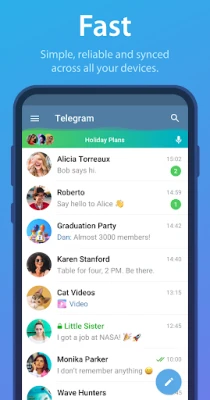
Telegram is a cross‑platform messaging service that focuses on speed, privacy and flexibility. It works on Android phones and tablets, and synchronizes your conversations with other devices such as computers or other mobile devices, so you can pick up a chat wherever you left it.
Main features
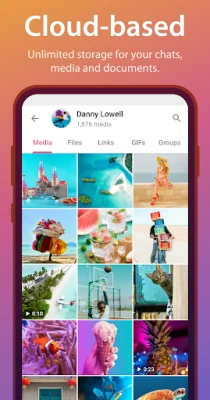
- Cloud‑based chats – Your messages are stored in Telegram’s cloud, allowing you to access them from any logged‑in device without needing to keep your phone connected.
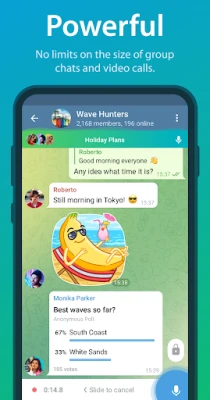
- Large file sharing – Send photos, videos, documents and other files without strict size limits, making it easy to exchange media and work‑related content.
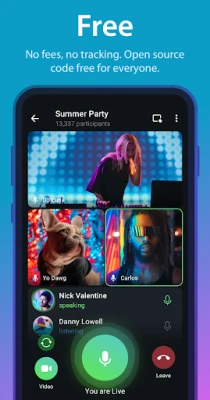
- Group and channel support – Create groups for friends, families or teams, and join public or private channels for news, hobbies or community updates.
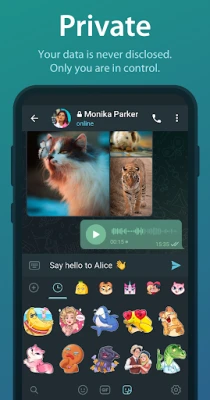
- Customizable interface – Choose from a range of themes, stickers and animated emojis to personalize the look and feel of the app.
- Bot integration – Use or develop bots that can automate tasks, provide information or enhance group interactions.
How it works
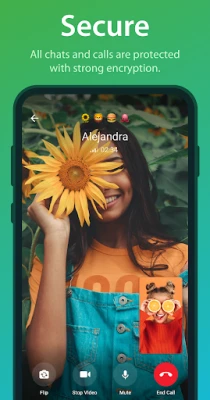
When you install Telegram, you register with a phone number. The app creates a secure connection to Telegram’s distributed network of data centers, which handles message routing and storage. Chats are encrypted in transit, and secret chats use end‑to‑end encryption for added privacy. Because the data is stored in the cloud, you can log in on a new device and instantly see your conversation history.
Practical uses
Telegram is suitable for a wide range of everyday scenarios:
- Personal messaging – Stay in touch with friends and family through text, voice messages, photos and video calls.
- Team collaboration – Share documents, assign tasks via bots, and keep project discussions organized in dedicated groups.
- Community building – Host public channels or large groups where members can follow updates, discuss topics and share resources.
- Content distribution – Broadcast news, tutorials or promotional material to a broad audience without the need for a separate platform.
Installation information
Telegram is available as a free download from the Google Play Store. The installation process follows the standard Android app installation flow: tap “Install,” grant the requested permissions (such as contacts and storage access), and launch the app to begin setup.
Compatibility
The app runs on Android devices that meet the minimum system requirements defined by the Play Store. It supports both smartphones and tablets, and adapts its layout to different screen sizes.
Things to know before installing
- Telegram requires a phone number for account creation; this number is used for verification and as a primary identifier.
- While regular chats are stored in the cloud, secret chats are device‑specific and do not sync across devices.
- The app may request access to contacts to help you find people who already use Telegram.
Who may find it useful?
Anyone who values fast, reliable messaging and wants the flexibility to switch between devices will benefit from Telegram. It is particularly appealing to users who need to share large files, manage large group conversations, or explore automated bot functionalities.
Frequently asked questions
Is Telegram free to use?
Yes, the core messaging service is free and does not include mandatory subscription fees.
Can I use Telegram without an internet connection?
Messages are sent and received over the internet. However, you can draft messages offline and they will be delivered once a connection is available.
How secure are secret chats?
Secret chats employ end‑to‑end encryption, meaning only the participants can read the messages. These chats are not stored on Telegram’s servers.
Do I need a Google account to use Telegram?
No. Telegram operates independently of Google services; you only need a phone number for registration.
Rate the App
User Reviews















Popular Apps










 Games
Games Entertainment
 Communication
 E-mail
 Security
 Tools
Tools Media
Media Internet
 Finance
 Design
 Education
 Android Firmwares
 Travel & Local
 Android
 Windows
 Linux
Linux