

Latest Version
Latest
May 16, 2026
Telegram FZ-LLC
Communication
Android
727
Free
org.telegram.messenger
Report a Problem
More About Telegram – Secure Messaging & Cloud Chat
What is Telegram?
Telegram is a cloud‑based instant‑messaging platform that works on smartphones, tablets and desktop computers. It lets users exchange text, voice, video, stickers and a wide range of file types without paying a subscription fee.
Key features
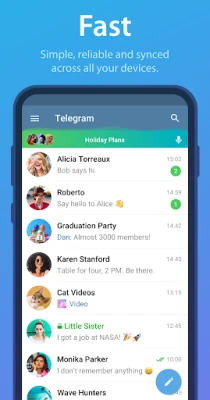
- Speed and reliability – Messages are routed through a distributed network of data centers, which keeps delivery fast even on slow connections.
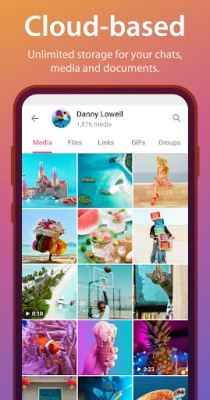
- Cross‑device sync – Your chats are stored in the cloud, so you can start a conversation on a phone and continue it on a tablet or PC without missing a beat.
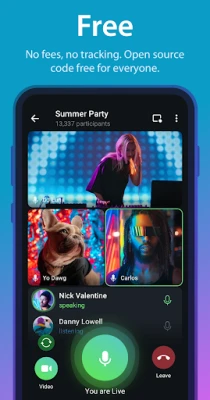
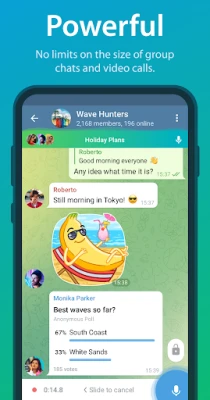
- Large groups and channels – Up to 200 000 members can join a single group, and channels allow unlimited broadcasting to an audience of any size.
- File sharing – Send documents, archives, audio, video and images up to 2 GB each, with no additional storage cost on your device.
- Secret Chats – End‑to‑end encrypted one‑to‑one conversations that can be set to self‑destruct after a chosen time.
- Bots and automation – Developers can create bots that perform tasks such as reminders, polls, translation or integration with external services.
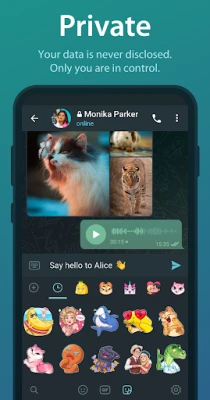
- Customization – Themes, animated stickers, GIFs and a built‑in photo editor let you personalize the look and feel of the app.
How the application works
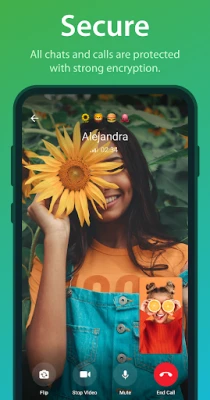
When you install Telegram, you register with a phone number. The app creates a unique cryptographic key that protects your account. Regular chats are stored encrypted on Telegram’s servers, which means you can retrieve the full history from any device. Secret Chats use end‑to‑end encryption, so only the two participants hold the decryption keys.
Installation information
Telegram is available as a free download from the Google Play Store and can also be obtained as an APK from trusted sources. After downloading, follow the on‑screen prompts to grant permissions for contacts, storage and microphone. The initial setup takes only a few seconds.
Compatibility
The Android version supports Android 5.0 (Lollipop) and newer. It runs smoothly on smartphones, tablets and Android‑based TV boxes. For users who prefer a desktop experience, Telegram offers native Windows, macOS and Linux clients that sync automatically.
Things to know before installing
- Telegram does not display ads and does not sell your personal data.
- Cloud chats are encrypted in transit and at rest, but they are not end‑to‑end encrypted by default.
- To benefit from Secret Chats, you must start a new conversation and enable the “Secret Chat” option.
- Large file transfers use your mobile data unless you restrict the app to Wi‑Fi only in the settings.
- Account deletion removes all your data from Telegram’s servers, but messages you sent in regular chats remain visible to other participants.
Frequently asked questions
Is Telegram free? Yes, the core messaging service is completely free and does not contain paid upgrades.
Can I use Telegram without a phone number? A phone number is required for initial registration, but you can hide it from other users in privacy settings.
How secure are Secret Chats? They use end‑to‑end encryption and can be set to self‑destruct, providing a high level of confidentiality.
What is the maximum file size? Up to 2 GB per file can be sent, which covers most videos, archives and high‑resolution images.
Do bots compromise my privacy? Bots operate under the permissions you grant them. Only trusted bots should be used for sensitive tasks.
Rate the App
User Reviews















Popular Apps










 Games
Games Entertainment
 Communication
 E-mail
 Security
 Tools
Tools Media
Media Internet
 Finance
 Design
 Education
 Android Firmwares
 Travel & Local
 Android
 Windows
 Linux
Linux