

Latest Version
Latest
August 25, 2026
Tango
Communication
Android
219
Free
com.sgiggle.production
Report a Problem
More About Tango: Live Stream & Video Chat – Connect and Share in Real Time
What is Tango?
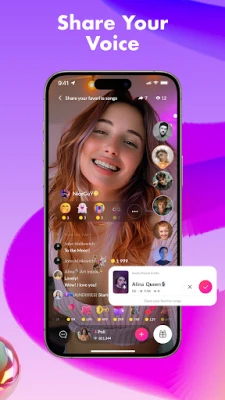
Tango is a mobile platform that brings together live video streaming and real‑time video chat. It offers a space where users can watch creators broadcast content, join group conversations, and start one‑on‑one video calls with people from any corner of the globe.
Main Features
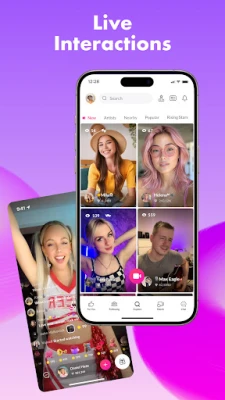
- Live streaming – Watch a variety of streams ranging from music performances to gaming sessions, all broadcast in real time.
- Video chat rooms – Join public rooms to meet strangers or create private rooms for friends and family.
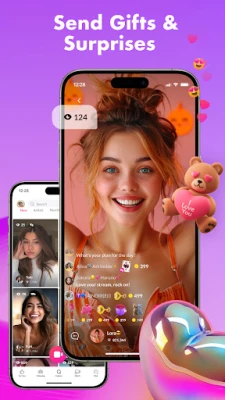
- Creator tools – Streamers can go live directly from their device, interact with viewers via comments, and receive real‑time feedback.
- Community discovery – Browse categories and tags to find streams that match your interests.
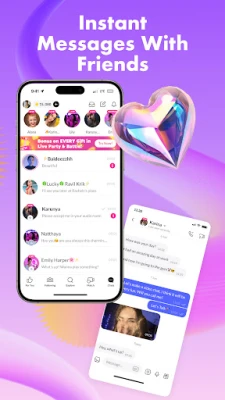
- Instant messaging – Complement video chats with text messages, emojis, and quick reactions.
How It Works
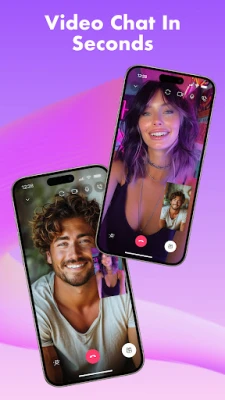
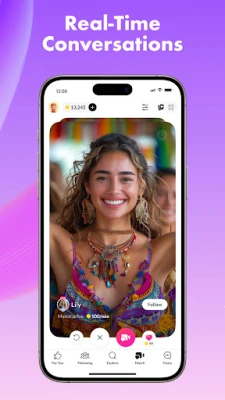
After installing the app, you create a simple profile using an email address or social login. The home feed then shows a mix of popular live streams and suggested rooms based on your activity. Tapping a stream opens a full‑screen view with a live chat sidebar, allowing you to type comments or send reactions. To start a video call, select a user’s profile and choose the “Video Chat” option; the app negotiates a peer‑to‑peer connection, and the call begins within seconds.
Practical Uses
- Follow musicians, artists, or gamers who broadcast live performances.
- Practice a language by chatting with native speakers in video rooms.
- Host virtual hangouts with friends who are far apart.
- Explore niche hobbies by joining streams dedicated to specific topics.
Installation Information
The app is available for free on the Google Play Store. Search for “Tango: Live Stream, Video Chat” or use the package name com.sgiggle.production to locate it. Installation follows the standard Android process: tap Install, grant the requested permissions, and launch the app once the download completes.
Things to Know Before Installing
- The app requires an internet connection; streaming quality adapts to your network speed.
- Standard Android permissions for camera, microphone, and storage are requested to enable video calls and save media.
- Content is user‑generated, so experiences can vary widely. The platform includes reporting tools for inappropriate behavior.
Who May Find Tango Useful?
Anyone interested in live video content or looking to meet new people through video chat can benefit from Tango. It is especially appealing to creators who want a simple way to broadcast, as well as viewers who enjoy interactive, real‑time entertainment.
Frequently Asked Questions
Do I need a strong internet connection?
While Tango adjusts video quality to match your bandwidth, a stable Wi‑Fi or 4G/5G connection provides the smoothest experience.
Is the app safe for younger users?
The app includes age‑gate settings and moderation tools, but parental supervision is recommended for younger audiences.
Can I save videos from streams?
Saving is limited to content you create yourself. Viewer‑generated streams are not downloadable unless the broadcaster enables that option.
Rate the App
User Reviews















Popular Apps










 Games
 Entertainment
 Communication
 E-mail
 Security
 Tools
 Media
 Internet
 Finance
 Design
 Education
 Android Firmwares
 Travel & Local
 Android
 Windows
 Linux