
Latest Version
Latest
September 03, 2026
T-Mobile USA
Communication
Android
11
Free
com.tmobile.services.nameid
Report a Problem
More About T‑Mobile Scam Shield – Call Protection for Android
What is T‑Mobile Scam Shield?
T‑Mobile Scam Shield is a free Android app provided by T‑Mobile USA that puts the carrier’s anti‑scam tools at your fingertips. It lets you see who is calling, receive alerts when a call is likely a scam, and block those calls before they reach your phone.
Main features
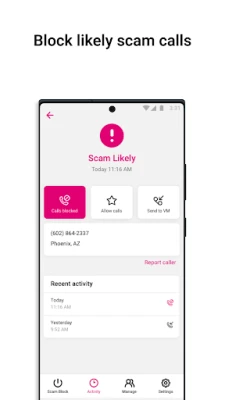
- Scam ID – When an incoming call is flagged as a potential scam, the app displays a warning so you can decide whether to answer.
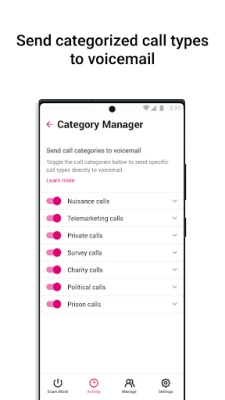
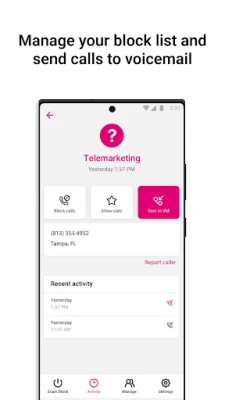
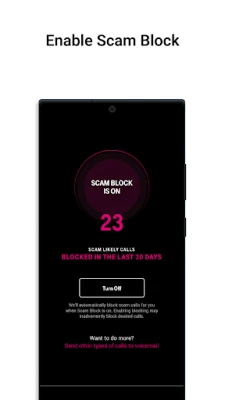
- Scam Block – With a single toggle you can have T‑Mobile’s network automatically block calls that are identified as scams.
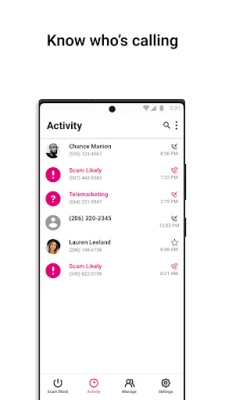
- Caller ID – The app shows the caller’s name or business information even if the number is not saved in your contacts.
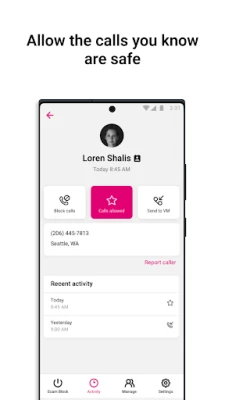
- Allow list – Numbers you add to the allow list will never be blocked, ensuring important calls always come through.
- Verified Business Calls – When a call comes from a verified business, the app displays the business name and a brief reason for the call.
- Scam reporting – You can report suspicious numbers directly from the app, helping improve the network’s detection.
How it works
When a call arrives, T‑Mobile’s network analyses the call using a combination of machine‑learning models and proprietary detection methods. The result is sent to the app, which then presents the information to you in real time. If you have Scam Block enabled, the call is stopped before it rings.
Practical uses
- Reduce interruptions from robocalls and telemarketing.
- Protect yourself and family members from phishing or fraud attempts.
- Maintain a clear call log by automatically filtering out unwanted calls.
- Help T‑Mobile improve its detection by reporting new scam numbers.
Installation information
The app is available for free on the Google Play Store. Search for "T‑Mobile Scam Shield" or use the package name com.tmobile.services.nameid. After installation, open the app and follow the on‑screen prompts to enable the desired protections.
Compatibility
T‑Mobile Scam Shield is designed for Android devices that run a version compatible with the T‑Mobile network services. Specific Android version requirements are not listed publicly, so the Play Store will indicate whether your device can install the app.
Things to know before installing
- The app works only for T‑Mobile customers; non‑T‑Mobile users will not receive the network‑level blocking.
- Some features, such as advanced call‑blocking options, may require a T‑Mobile plan that includes Scam Shield.
- Enabling Scam Block may prevent certain legitimate calls from ringing if they are mistakenly flagged.
Who may find it useful?
Anyone with a T‑Mobile mobile plan who receives frequent unwanted calls will benefit from the app. It is especially helpful for users who want an extra layer of protection against fraud without having to manage third‑party call‑blocking apps.
Frequently asked questions
Do I need to be a T‑Mobile customer?
Yes. The protection relies on T‑Mobile’s network, so the app’s blocking and identification features work only for T‑Mobile subscribers.
Is the app free?
Yes, T‑Mobile Scam Shield is offered at no cost to eligible customers.
Can I still receive calls from numbers I trust?
Absolutely. Adding contacts to the allow list ensures those numbers are never blocked.
How often is the scam database updated?
The underlying detection system updates continuously, with new patterns added throughout the day to keep up with emerging scams.
Rate the App
User Reviews















Popular Apps










 Games
Games Entertainment
 Communication
 E-mail
 Security
 Tools
Tools Media
Media Internet
 Finance
 Design
 Education
 IT Tools
 Travel & Local
 Android
 Windows
 Linux
Linux