
Latest Version
Latest
September 05, 2026
Substack Inc.
Media
Android
0
Free
com.substack.app
Report a Problem
More About Substack – Read, Subscribe, and Connect with Creators
What is Substack?
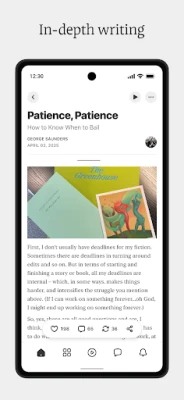
Substack is a mobile platform that brings independent creators directly to your Android device. Whether you enjoy newsletters, short videos, or audio clips, the app aggregates the content you subscribe to and presents it in a clean, scrollable feed.
Main features
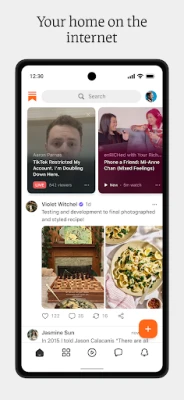
- Personalized feed – After you choose the creators you want to follow, their latest notes, articles, and media appear in a single timeline.
- Subscription management – Subscribe for free or upgrade to paid tiers without leaving the app. All billing is handled through your Google Play account.
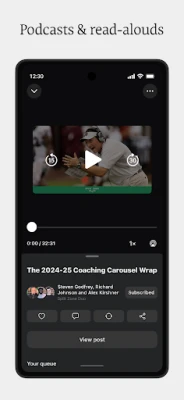
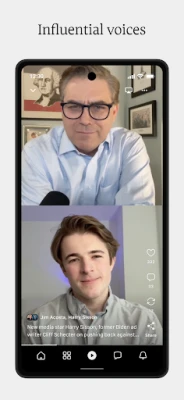
- Ad‑free media – Videos, podcasts and read‑aloud articles play without interruptions.
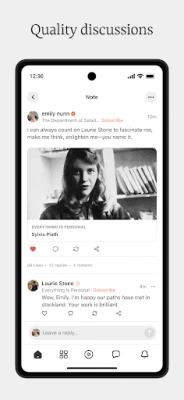
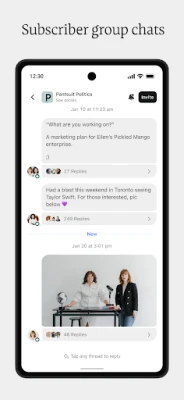
- Live interaction – Join livestreams and group chats hosted by creators, allowing real‑time questions and community discussion.
- Discover new voices – A built‑in discovery section highlights emerging writers across topics such as food, politics, finance, comedy and more.
How it works
- Install the Substack app from the Play Store.
- Create a handle or log in with an existing account.
- Browse the discovery feed or search for specific creators.
- Tap “Subscribe” to receive their latest posts in your personal feed.
- Engage with live events or comment on posts directly within the app.
Practical uses
The app is useful for anyone who wants to keep up with independent journalism or creative work without juggling multiple email newsletters. Students can follow subject‑matter experts, professionals can stay informed about industry trends, and hobbyists can enjoy niche podcasts and video series.
Installation information
Substack is available as a free download from the Google Play Store. The app requires a Google account for purchase transactions and for syncing your subscription preferences across devices.
Things to know before installing
- The app does not include a built‑in web browser; external links open in your default browser.
- Push notifications are optional and can be customized in the Android settings.
- Content availability depends on each creator’s publishing schedule; not all creators post daily.
Who may find Substack useful?
Anyone who prefers a single hub for newsletters, podcasts and short‑form video will benefit. It is especially appealing to readers who value direct support of independent creators and want to participate in community discussions.
Frequently asked questions
Do I need a separate Substack account?
Yes, a Substack account is required to manage subscriptions and interact with creators. You can create one using an email address or link an existing Google account.
Can I access paid content without a credit card?
Paid subscriptions are processed through Google Play, so a valid payment method linked to your Google account is needed.
Is the app available on tablets?
Substack runs on Android tablets that meet the standard Play Store requirements, offering the same feed layout as on phones.
How are notifications handled?
You can enable or disable notifications for new posts, live events, and chat messages in the app’s settings or through Android’s system notification panel.
Rate the App
User Reviews










Popular Apps










 Games
Games Entertainment
 Communication
 E-mail
 Security
 Tools
Tools Media
Media Internet
 Finance
 Design
 Education
 IT Tools
 Travel & Local
 Android
 Windows
 Linux
Linux