

Latest Version
Latest
September 09, 2026
Logitech Europe S.A.
Media
Android
5
Free
com.streamlabs
Report a Problem
More About Streamlabs: Live Streaming – Stream Directly from Android
What is Streamlabs: Live Streaming?
Streamlabs: Live Streaming is a mobile application that turns an Android phone or tablet into a live‑broadcast studio. Developed by Logitech Europe S.A., the app connects to major streaming services so creators can share gameplay, tutorials, events, or everyday moments without needing a desktop setup.
Main Features
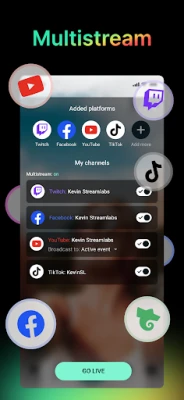
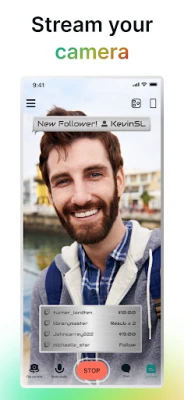
- Multi‑platform support – Connect accounts from services such as Twitch, YouTube, Facebook, and others to stream directly from the device.
- Camera switching – Toggle between front‑ and rear‑facing cameras while streaming, allowing creators to show both themselves and their surroundings.
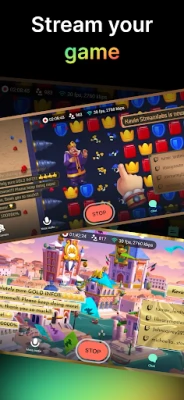
- Overlay and theme customization – Choose from built‑in themes or add personal graphics, text, and logos to personalize the broadcast.
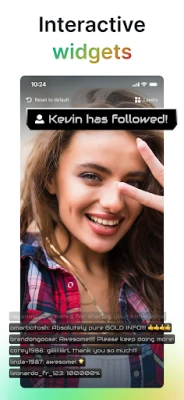
- Interactive widgets – Include chat windows, alert boxes, donation goals, and event lists that appear on‑screen to keep viewers engaged.
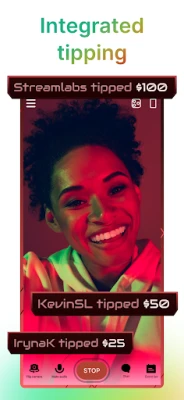
- Tip collection – Set up a tip page within the app so viewers can support the stream with monetary contributions.
How It Works
After installing the app, users sign in with their streaming‑service credentials. Once linked, a single tap starts the broadcast. The interface offers controls for camera selection, microphone volume, and overlay toggles. As the stream runs, real‑time data such as chat messages and donation alerts appear on the screen, letting the broadcaster respond instantly.
Practical Uses
Whether you’re playing a mobile game, teaching a skill, or sharing a live event, Streamlabs provides the tools to reach an audience without a separate PC. Mobile gamers can showcase gameplay to followers, educators can deliver live lessons, and creators on the move can keep their community updated from any location.
Installation Information
The app is available for free on the Google Play Store. Search for “Streamlabs: Live Streaming” and tap Install. The download size and required Android version are listed on the store page; ensure your device meets those requirements before proceeding.
Things to Know Before Installing
- Stable internet connectivity is essential for a smooth broadcast. Wi‑Fi generally provides the most reliable bandwidth.
- The free version includes core streaming capabilities; additional features such as multi‑streaming may require a subscription.
- Using overlays and widgets can increase battery consumption, so consider connecting the device to power for longer sessions.
Who May Find It Useful?
Streamlabs is suited for:
- Mobile gamers who want to share live gameplay.
- Content creators who already stream on platforms like Twitch or YouTube and need a portable solution.
- Travel vloggers, musicians, and podcasters who wish to broadcast on the go.
Frequently Asked Questions
Can I stream to more than one platform at once?
Multi‑platform streaming is available through a subscription option within the app.
Do I need a separate account for Streamlabs?
No. You can log in using your existing streaming‑service credentials; the app does not require a separate Streamlabs account for basic streaming.
Is the app free to use?
The core streaming functionality is free. Some advanced tools, such as multi‑streaming and premium themes, are offered as optional paid upgrades.
Rate the App
User Reviews














Popular Apps










 Games
Games Entertainment
 Communication
 E-mail
 Security
 Tools
Tools Media
Media Internet
 Finance
 Design
 Education
 IT Tools
 Travel & Local
 Android
 Windows
 Linux
Linux