



Latest Version
Latest
September 15, 2026
IXI Labs
Communication
Android
8
Free
com.ixilabs.spixi
Report a Problem
More About Spixi Private Chat & Wallet – Secure Messaging and Crypto Payments
What is Spixi?
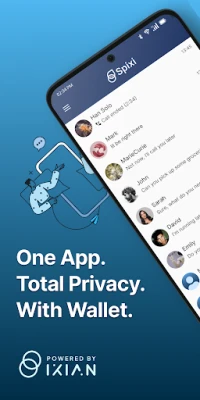
Spixi Private Chat & Wallet is a free Android application that combines encrypted instant messaging with a built‑in cryptocurrency wallet. Developed by IXI Labs, the app is designed for users who want to keep their conversations and digital assets away from centralized services.
Main Features
- No personal data required – You can start using Spixi immediately after installation; the app does not ask for phone numbers, email addresses or any other identifying information.
- End‑to‑end encryption – Messages, voice calls and file transfers are encrypted on the device before they leave your phone. Only the intended recipient can decrypt the content.
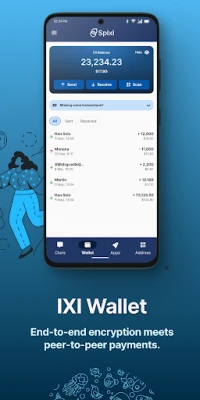
- Self‑custodial wallet – The app includes a wallet for IXI cryptocurrency. You control the private keys directly on your device, so no third‑party custodians are involved.
- Direct file sharing – Files are sent peer‑to‑peer without passing through cloud storage, reducing exposure to unwanted access.
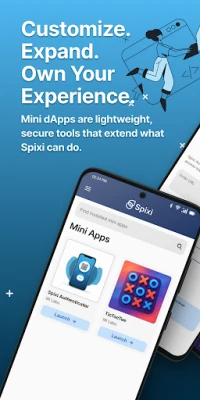
- Extensible mini‑apps – Spixi supports small in‑app extensions (often called dApps) that can add utilities, games or workflow tools without leaving the chat environment.
How It Works
When you launch Spixi, the app generates a unique cryptographic address that serves as both your identity and your wallet address. This address is shared with contacts to establish a secure channel. Encryption keys are created locally and never leave your device, ensuring that only you and the person you are communicating with can read the data.
For cryptocurrency transactions, the same address is used to receive and send IXI tokens. Because the private keys stay on the device, you are responsible for backing up your wallet seed phrase.
Practical Uses
- Private conversations with friends, family or colleagues who value confidentiality.
- Secure transfer of small amounts of IXI cryptocurrency directly within a chat.
- Sharing documents, photos or other files without relying on external cloud services.
- Exploring lightweight mini‑apps that add functionality such as polls, calculators or simple games.
Installation Information
Spixi is distributed as an APK that can be installed on Android devices. To install, enable "Install unknown apps" for the source you use, download the APK, and follow the standard installation prompts. The app does not require any special permissions beyond those needed for network access and storage of encrypted data.
Things to Know Before Installing
- Because the wallet is self‑custodial, you must securely back up the seed phrase provided during the initial setup. Losing this phrase means losing access to any IXI tokens stored in the app.
- The application is still under active development. Users may encounter bugs or changes in functionality as new updates are released.
- Spixi does not integrate with Google Play services, so automatic updates are not provided through the Play Store.
Who May Find Spixi Useful?
Anyone who prefers to keep their communications off mainstream platforms and who wants direct control over a cryptocurrency wallet will appreciate Spixi. It is particularly suited for privacy‑conscious individuals, small community groups, and early adopters of decentralized finance who value a single interface for messaging and payments.
Frequently Asked Questions
Do I need an internet connection?
Yes. Spixi requires an active data connection to exchange messages and process cryptocurrency transactions.
Can I use Spixi on iOS?
Currently the official client is available only for Android devices.
Is my data stored on any server?
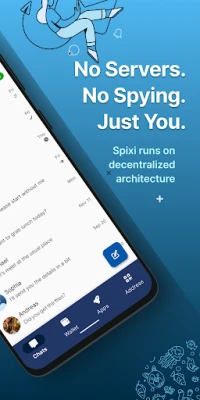
No. All encryption keys and wallet data remain on your device. The app does not maintain centralized user profiles.
What happens if I lose my phone?
Because the wallet is self‑custodial, you can restore access on a new device using the seed phrase you backed up during setup. However, any messages that were not backed up elsewhere will be lost.
Rate the App
User Reviews















Popular Apps










 Games
Games Entertainment
 Communication
 E-mail
 Security
 Tools
Tools Media
Media Internet
 Finance
 Design
 Education
 IT Tools
 Travel & Local
 Android
 Windows
 Linux
Linux