

Latest Version
Latest
September 10, 2026
Itiel Maimon
Communication
Android
13
Free
com.sociallix.android
Report a Problem
More About Sociallix: Social Media Manage
What is Sociallix?
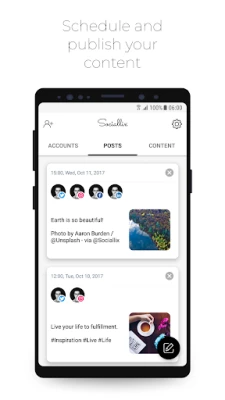
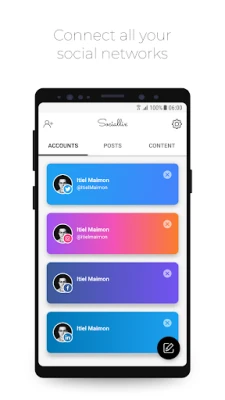
Sociallix is a free Android tool designed to bring several social‑media accounts under one roof. By connecting platforms such as Instagram, Twitter, Facebook, and others, the app provides a central place to create, schedule, and publish content without switching between separate apps.
Main features
- Multi‑account connection – Link the social networks you use most and manage them from a single dashboard.
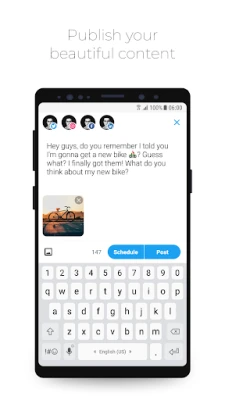
- Post scheduling – Draft updates and set a future time for publishing, helping you keep a consistent presence.
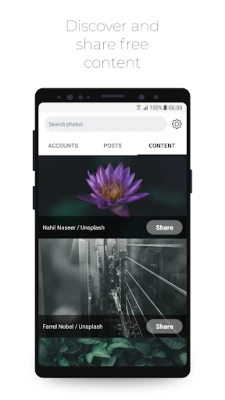
- Content discovery – Browse a library of free‑to‑use images and media that can be added to your posts.
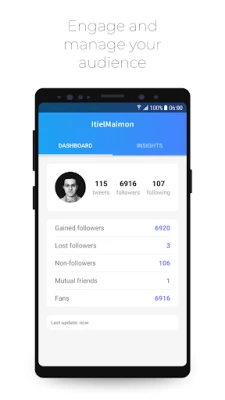
- Audience engagement tools – View basic interaction metrics and respond to comments directly from the app.
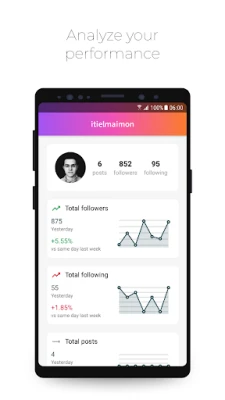
- Performance overview – Access simple analytics that show likes, shares, and follower growth over time.
How it works
After installing Sociallix, you start by signing in with your existing social‑media credentials. The app securely stores the authentication tokens, allowing you to post without re‑entering passwords. When creating a post, you can add text, attach images from the built‑in library or your device, and choose which connected accounts will receive the update. The scheduling interface lets you pick a date and time, and the app will automatically publish the content at the selected moment.
Practical uses
- Maintain a regular posting rhythm for business pages or personal brands.
- Prepare campaign content in advance and release it at optimal times.
- Quickly share visual assets without leaving the app.
- Monitor basic engagement trends to adjust your strategy.
Installation information
Search for Sociallix: Social Media Manage in the Google Play Store, tap Install, and wait for the download to complete. The app requires an Android device with a recent version of the operating system; exact minimum requirements are not listed, so a device running Android 6.0 or newer should be sufficient for most users.
Things to know before installing
- The app is offered free of charge, but some advanced features may be part of a premium offering that is not covered here.
- Because the app handles login credentials for multiple platforms, ensure you download it from the official Play Store to avoid tampered versions.
- Review the permissions requested during installation; they typically include access to your accounts and storage for media files.
Who may find Sociallix useful?
Social media managers, small business owners, content creators, and anyone who wants to streamline posting across several networks will benefit from the unified interface and scheduling capabilities.
Frequently asked questions
Is Sociallix compatible with all social networks?
The app supports the major platforms, but the exact list depends on the developer’s integrations. Check the app’s settings after installation to see which accounts can be linked.
Can I use Sociallix offline?
Content can be drafted offline, but publishing and synchronization require an internet connection.
Is there a limit to how many posts I can schedule?
The free version does not specify a hard limit, though very large queues may affect performance on older devices.
Rate the App
User Reviews
Other Apps in This Category












Popular Apps










 Games
Games Entertainment
 Communication
 E-mail
 Security
 Tools
Tools Media
Media Internet
 Finance
 Design
 Education
 IT Tools
 Travel & Local
 Android
 Windows
 Linux
Linux