



Latest Version
Latest
September 03, 2026
Snap Inc
Communication
Android
6
Free
com.snapchat.android
Report a Problem
More About Snapchat – Capture, Share, and Connect
What is Snapchat?
Snapchat is a mobile app that focuses on quick visual communication. It encourages users to capture moments as photos or short videos, enhance them with a variety of creative tools, and share them instantly with friends or a broader audience.
Main Features
Camera‑first experience
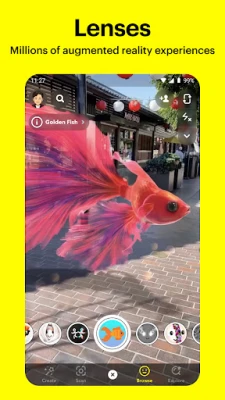
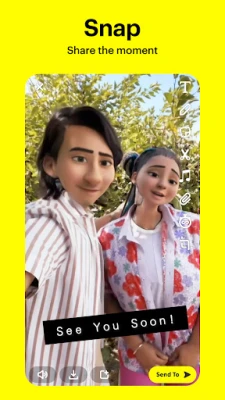
The app opens directly to the camera, allowing you to take a picture with a tap or hold for video. A range of lenses, filters, and Bitmoji integrations let you personalize each snap.
Chat and video calls
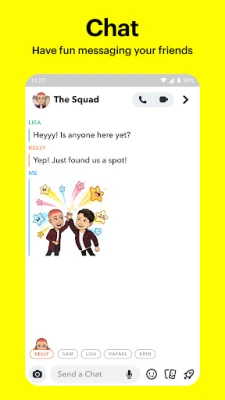
Beyond sending snaps, you can exchange text messages, voice notes, and video calls. Group video calls support multiple participants, and you can apply lenses during the call for added fun.
Stories and Discover
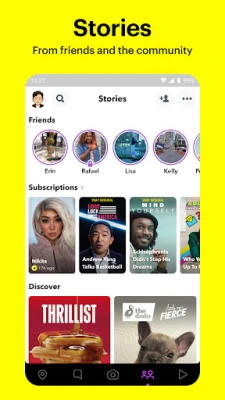
Stories let you compile a series of snaps that remain visible for 24 hours. The Discover section curates content from creators, news outlets, and entertainment partners, tailored to your interests.
Spotlight
Spotlight showcases short, entertaining videos from the community. You can browse, like, and share these clips, and creators can submit their own content for broader exposure.
Map and location sharing
The Snap Map displays the real‑time locations of friends who have opted in. Ghost Mode lets you hide your location when you prefer privacy.
Memories
All captured snaps can be saved to Memories, a personal archive that lets you revisit, edit, and repost past moments. You can also export them to your device’s gallery.
How It Works
After installing the app, you create a Snapcode‑based account or log in with an existing one. The main interface is the camera screen; swipe left for chat, right for Stories, and down for Memories. When you capture a snap, you can add text, stickers, drawings, or apply a lens before sending it to selected contacts or adding it to your Story.
Practical Uses
- Everyday communication: Send quick visual updates to friends without the formality of text messages.
- Creative expression: Experiment with AR lenses and filters to produce playful or artistic content.
- Event coverage: Share live moments from gatherings, concerts, or trips via Stories that friends can view for a day.
- Learning and news: Discover short news clips and educational content in the Discover feed.
Installation Information
The app is available for free from the Google Play Store. Search for "Snapchat" by Snap Inc, then tap Install. The download size varies with updates, so a stable internet connection is recommended.
Things to Know Before Installing
- Snapchat requires an Android device running a recent version of the operating system; exact minimum version is listed on the store page.
- The app accesses the camera, microphone, storage, and location services to provide its core functions.
- Data usage can increase when sending video snaps or streaming Discover content, so consider using Wi‑Fi for larger sessions.
Who May Find It Useful?
Anyone who enjoys visual, short‑form communication will benefit from Snapchat. It is popular among younger audiences, but its features—such as group video calls and AR lenses—also appeal to creators, marketers, and casual users who want a lively way to stay connected.
Frequently Asked Questions
Is Snapchat free?
Yes, the app can be downloaded and used without charge. Some optional in‑app purchases, such as custom lenses, may be available.
Can I save snaps permanently?
Snaps sent to friends disappear after they are viewed, unless the recipient takes a screenshot. However, you can save your own creations in Memories or export them to your device.
How does the Snap Map protect privacy?
Location sharing is optional. You can enable Ghost Mode to hide your position, and you control which friends can see your location.
Do I need a Snapchat account to view Stories?
Viewing public Stories and Discover content typically requires an account, as the app personalizes the feed based on your interests.
Rate the App
User Reviews















Popular Apps










 Games
Games Entertainment
 Communication
 E-mail
 Security
 Tools
Tools Media
Media Internet
 Finance
 Design
 Education
 IT Tools
 Travel & Local
 Android
 Windows
 Linux
Linux