

Latest Version
September 07, 2026
LuckyBearTech
Communication
Android
39
Free
com.smsify.messenger
Report a Problem
More About SMSify: SMS Messenger – Personalised texting for Android
What is SMSify?
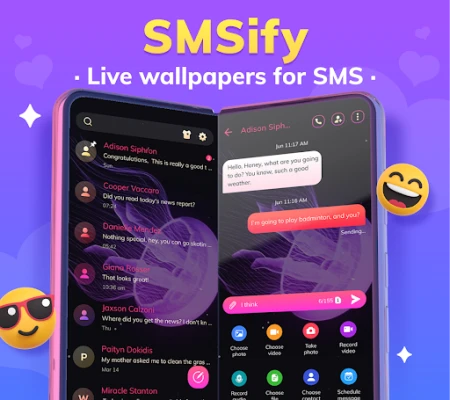
SMSify is a free Android messaging client that replaces the system SMS app. It focuses on the core functions of sending and receiving text and multimedia messages while offering visual customisation options that let you make the inbox feel more like your own space.
Main features
- Unified SMS/MMS handling – all incoming and outgoing messages appear in a single, easy‑to‑navigate list.
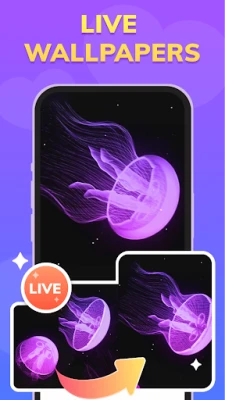
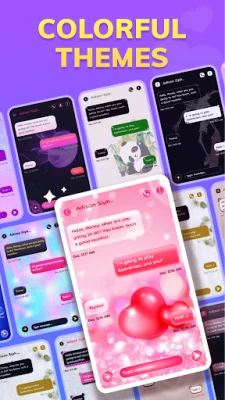
- Theme and wallpaper support – choose from a range of colour schemes and background images to match your style.
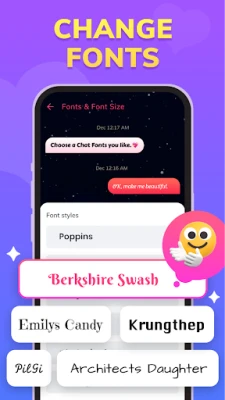
- Adjustable font size – increase or decrease text size for comfortable reading on any screen.
- Message scheduling – compose a message now and set a future time for it to be sent.
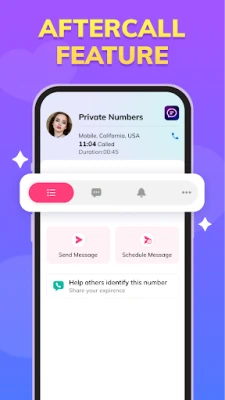
- Quick after‑call access – after ending a phone call, the app automatically opens the conversation with the most recent contact, helping you follow up instantly.
- Search function – locate past conversations or specific keywords without scrolling through the entire history.
How it works
Once installed, SMSify can be set as the default SMS application. It then intercepts incoming messages from the carrier and displays them in its own interface. The after‑call shortcut uses Android’s call‑state broadcast to detect when a call ends and opens the relevant chat window. All other features, such as theme changes or scheduled sending, are accessed through the app’s settings menu.
Practical uses
- Keeping family chats organised with larger fonts for easier reading.
- Sending birthday wishes or reminders at a later time using the scheduler.
- Personalising work‑related conversations with a calm, neutral theme to reduce visual clutter.
- Quickly replying to a contact after a phone call without manually searching for the thread.
Installation information
Download the APK from a trusted source, install it, and grant the required permissions for SMS and phone state. During the first launch, Android will prompt you to select a default messaging app – choose SMSify to activate its features.
Things to know before installing
- The app requires standard SMS permissions to read, send and store messages.
- It does not replace carrier‑specific services such as RCS; only traditional SMS and MMS are supported.
- Custom themes are stored locally; no internet connection is needed after installation.
Who may find SMSify useful?
Anyone who relies on regular SMS for personal or professional communication and wants a more personalised, yet straightforward, messaging experience. The app is especially handy for users who appreciate visual customisation without the complexity of full‑featured chat platforms.
Frequently asked questions
Can I use SMSify alongside another messaging app?
Yes. You can keep other chat apps installed, but only one app can be set as the default SMS handler. Switching the default is done through Android’s system settings.
Does SMSify support group MMS?
Group MMS messages are displayed like any other conversation thread. Sending to multiple recipients works the same way as standard MMS.
Will my messages be backed up?
SMSify stores messages on the device. If you use Android’s built‑in backup service or a third‑party backup app, those backups will include SMSify’s data.
Rate the App
User Reviews















Popular Apps










 Games
Games Entertainment
 Communication
 E-mail
 Security
 Tools
Tools Media
Media Internet
 Finance
 Design
 Education
 Android Firmwares
 Travel & Local
 Android
 Windows
 Linux
Linux