

Latest Version
August 28, 2026
Akkii
Communication
Android
113
Free
com.spynet.smsapp
Report a Problem
More About SMS Organizer Pro – Smart SMS Management
What is SMS Organizer Pro?
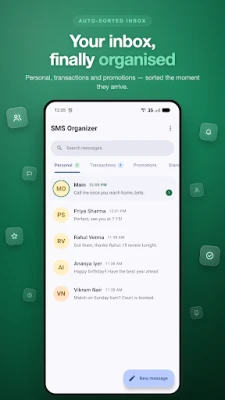
SMS Organizer Pro is a free Android utility developed by Akkii that keeps your text inbox tidy. It runs entirely on your device, categorising messages as they arrive so you can find what you need quickly.
Main features
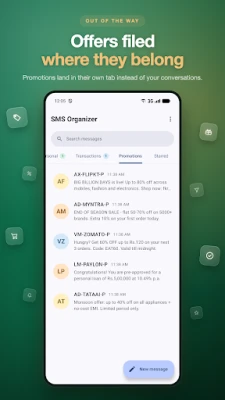
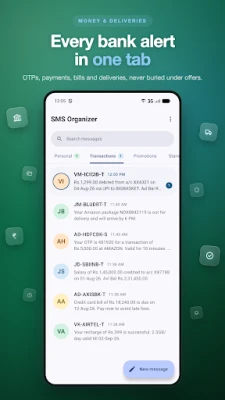
- Automatic categorisation – Incoming SMS are placed into three tabs: Personal, Transactions (bank alerts, OTPs, delivery updates) and Promotions.
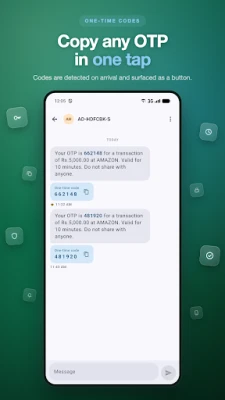
- One‑time password (OTP) shortcut – Detected codes appear in the notification bar for instant copying.
- Custom rules – Define filters based on sender or message content to move, mute, archive or block messages automatically.
- Conversation controls – Pin important chats, star messages, archive without deletion, and mute or block senders.
- Search function – Locate any message by text, sender name or phone number with highlighted results.
- Dual‑SIM awareness – Shows which SIM was used for each message, making it easy to manage two lines.
How it works
When a new SMS arrives, the app analyses the sender and content locally. Based on built‑in logic and any user‑defined rules, the message is filed into the appropriate tab. OTP detection scans the text for numeric codes and surfaces them in the notification area, ready for a single‑tap copy.
Practical uses
- Keep personal conversations separate from banking alerts and marketing offers.
- Never miss an OTP by copying it directly from the notification.
- Reduce clutter by automatically archiving newsletters or promotional messages.
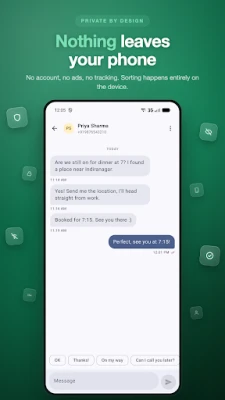
- Maintain privacy – no account creation, no cloud backup, and no ads.
Installation information
Search for SMS Organizer Pro in the Google Play Store, then tap Install. The app requires standard SMS permissions to read incoming messages and to send notifications.
Things to know before installing
- The app does not store messages on external servers; all processing stays on the phone.
- Only anonymous crash reports are sent, which never contain message content.
- Because it works offline, it does not need an internet connection to sort messages.
Who may find it useful?
Anyone who receives a high volume of SMS – from busy professionals handling transaction alerts to users who subscribe to many promotional offers – will benefit from the automatic organisation and quick‑access features.
Frequently asked questions
Is my data shared with third parties?
No. SMS Organizer Pro processes messages locally and does not upload content to external services.
Can I customise the categories?
While the three default tabs cover most use cases, you can create additional rules to move messages between them or to a custom folder.
Does the app work with dual‑SIM phones?
Yes. Each message displays the SIM slot and carrier name, helping you track which line was used.
Rate the App
User Reviews















Popular Apps










 Games
 Entertainment
 Communication
 E-mail
 Security
 Tools
 Media
 Internet
 Finance
 Design
 Education
 Android Firmwares
 Travel & Local
 Android
 Windows
 Linux