

Latest Version
Latest
August 26, 2026
Microsoft Corporation
Communication
Android
94
Free
com.microsoft.android.smsorganizer
Report a Problem
More About SMS Organizer – Smart SMS Management by Microsoft
What is SMS Organizer?
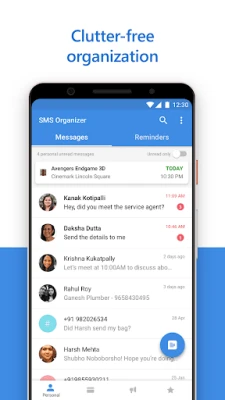
SMS Organizer is a free Android app from Microsoft that helps you keep your text messages tidy and useful. It automatically sorts incoming SMS and MMS into categories such as personal, promotional, and transactional, making it easier to find what you need without scrolling through a long list.
Main features
- Automatic categorisation – The app analyses each incoming message and places it in the appropriate folder, so important notifications stand out.
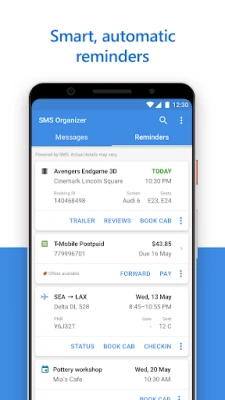
- Reminders from messages – When a text contains a date, time or a bill amount, SMS Organizer can turn that information into a reminder that appears in your notification shade.
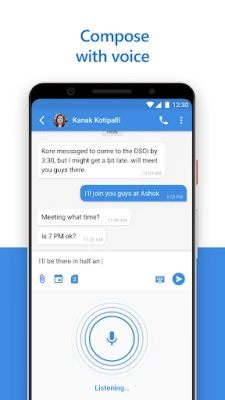
- Voice‑to‑text composition – You can dictate a reply and the app will convert your speech into text, saving time when you’re on the move.
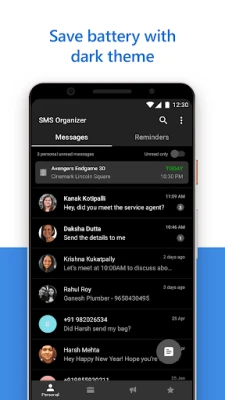
- Dark theme – A system‑wide dark mode reduces eye strain and conserves battery on devices with OLED screens.
- Spam filtering and blocking – Unwanted senders can be muted or blocked, keeping your inbox free of junk.
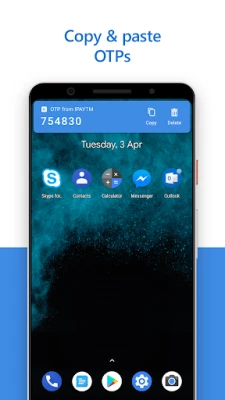
- Quick actions from notifications – Reply to a message or snooze a reminder directly from the notification drawer without opening the app.
How it works
When you set SMS Organizer as your default messaging app, it gains access to incoming texts. The app runs a local analysis engine that looks for patterns such as dates, amounts, flight numbers or keywords like "appointment". Based on the analysis, it creates a reminder and places the message in a relevant folder. All processing happens on the device; no message content is uploaded to a server.
Practical uses
- Travel plans – Receive a flight confirmation and automatically get a reminder to check‑in.
- Bill tracking – A utility bill arrives via SMS, and the app creates a payment reminder.
- Event coordination – Invitations with dates are turned into calendar alerts.
- Spam control – Unwanted promotional texts are filtered out, keeping the main inbox clean.
Installation information
Search for "SMS Organizer" in the Google Play Store, tap Install, and grant the requested permissions for SMS handling and notification access. After installation, you will be prompted to set the app as the default messaging application; this step is required for full functionality.
Things to know before installing
- The app needs permission to read and send SMS messages, which is standard for any default messaging client.
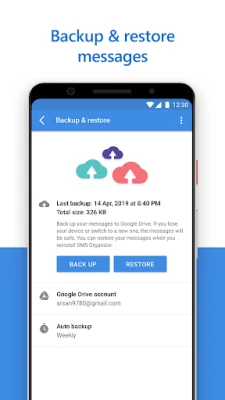
- All reminders are stored locally; if you switch devices you will need to set up reminders again.
- Features such as voice composition rely on the device’s microphone and speech‑to‑text service.
Who may find it useful?
Anyone who receives a mix of personal and transactional messages can benefit—from busy professionals tracking appointments to families managing school notices and utility bills. The offline‑first design also appeals to users with limited data plans.
Frequently asked questions
Do I need an internet connection for the app to work?
Core functions like message sorting and reminder creation work without internet. Some optional actions, such as opening a web page from a reminder, require connectivity.
Can I keep my current messaging app?
SMS Organizer must be set as the default app to access incoming texts. You can still use other apps for additional features, but only the default app can organise messages automatically.
Is my data shared with Microsoft?
The app processes messages locally on your device. No message content is uploaded to Microsoft’s servers unless you explicitly use a feature that requires an online service, such as opening a link.
Rate the App
User Reviews















Popular Apps










 Games
 Entertainment
 Communication
 E-mail
 Security
 Tools
 Media
 Internet
 Finance
 Design
 Education
 Android Firmwares
 Travel & Local
 Android
 Windows
 Linux