


Latest Version
Latest
September 11, 2026
LeMi Apps | SMS Automation & Auto Reply Apps
Communication
Android
8
Free
com.lemi.keywordmarketingautoresponder
Report a Problem
More About SMS Auto Reply: Marketing Tool – Automated SMS Responses
What is SMS Auto Reply: Marketing Tool?
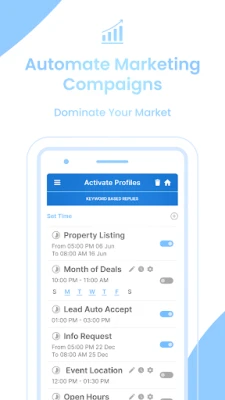
SMS Auto Reply: Marketing Tool is an Android app that lets you set up automatic text‑message responses based on keywords you define. It is aimed at small‑business owners, freelancers, and anyone who wants to stay responsive to incoming SMS or messaging‑app inquiries without having to type a reply each time.
Main features
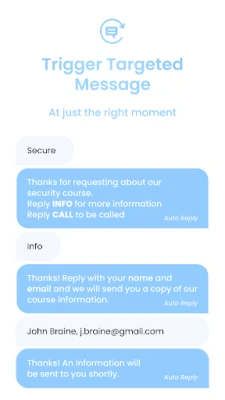
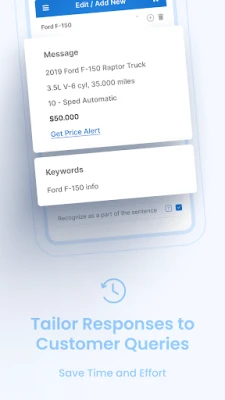
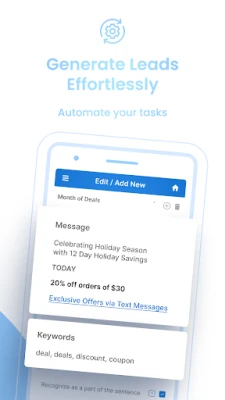
- Keyword‑triggered replies: Assign any word or phrase to a pre‑written response, such as pricing details, booking links, or business hours.
- Multi‑channel support: Works with standard SMS and several popular messaging apps, allowing a single setup to cover multiple communication channels.
- On‑device processing: All automation runs locally on your phone, so no external servers are involved.
- Lead capture: Incoming messages that match a keyword can be logged for later export.
- Import / export: You can import keyword‑response pairs from a CSV file and export captured leads for analysis.
How it works
After installing the app, you create a list of keywords and associate each with a text response. When an incoming message contains one of those keywords, the app automatically sends the corresponding reply. The process runs in the background, so you can continue using your phone for other tasks.
Practical uses
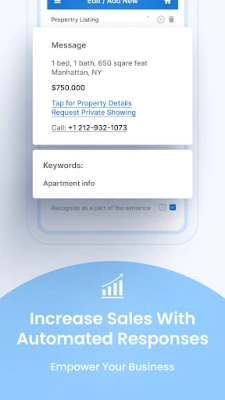
- Real‑estate agents: Send property details or virtual‑tour links when a prospect texts a listing code.
- Service providers: Provide pricing, appointment options, or service hours instantly.
- Retail businesses: Share promotional codes or stock information without manual typing.
- Freelancers: Offer quick answers to common client questions, freeing up time for billable work.
Installation information
The app is available for free on the Google Play Store. Search for the package name com.lemi.keywordmarketingautoresponder or the title “SMS Auto Reply: Marketing Tool”. Tap “Install” and grant the permissions required for reading and sending SMS messages.
Compatibility
The app runs on Android devices that support the standard SMS and messaging APIs. Specific Android version requirements are not listed, but the app is designed for modern Android releases.
Things to know before installing
- Because the app sends messages automatically, you should monitor your messaging plan to avoid unexpected costs.
- All keyword processing happens on your device, which means your data stays private, but you should still keep your phone’s operating system up to date.
- The app requires permission to read incoming messages and to send SMS; these permissions are essential for its core functionality.
Who may find it useful?
Small‑business owners, sales representatives, real‑estate professionals, service technicians, and anyone who receives frequent SMS inquiries can benefit from automated replies that keep prospects engaged around the clock.
Frequently asked questions
- Can I use the app without an internet connection? Yes. All keyword matching and reply generation occur locally, so the app works offline.
- Is there a limit to the number of keywords I can set? The app does not impose a fixed limit; you can add as many keyword‑response pairs as needed.
- Will the app interfere with my regular messaging apps? The app runs in the background and only sends replies when a defined keyword is detected. Normal messaging functions remain unchanged.
Rate the App
User Reviews














Popular Apps










 Games
Games Entertainment
 Communication
 E-mail
 Security
 Tools
Tools Media
Media Internet
 Finance
 Design
 Education
 IT Tools
 Travel & Local
 Android
 Windows
 Linux
Linux