Latest Version
Latest
September 08, 2026
SMS/MMS/RCS
Communication
Android
24
Free
com.messages.chat
Report a Problem
More About Smart Messages – Free SMS, MMS & RCS Chat App
What is Smart Messages?
Smart Messages is a free messaging application for Android devices that replaces the default texting app. Developed by SMS/MMS/RCS, it supports standard SMS and MMS as well as Rich Communication Services (RCS) where available, giving you a more modern chat experience without requiring a separate account.
Main Features
- Standard SMS & MMS support – Send and receive text messages and multimedia content just like any other messaging app.
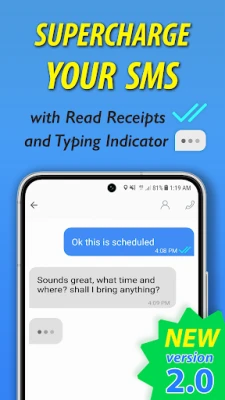
- RCS capabilities – When your carrier and contacts support RCS, you can see delivery receipts, read receipts and typing indicators.
- Group conversations – Create and manage group chats with multiple participants.
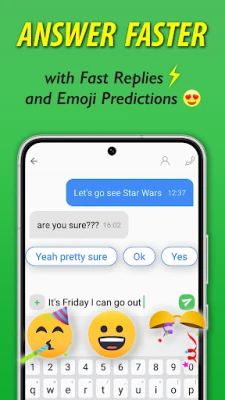
- Quick replies – Choose from suggested short replies to respond faster.
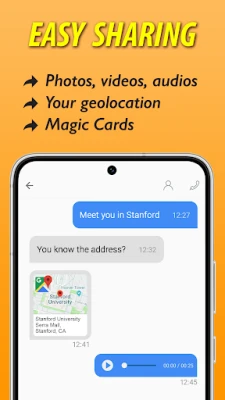
- Media sharing – Attach photos, videos, and location information directly from the conversation screen.
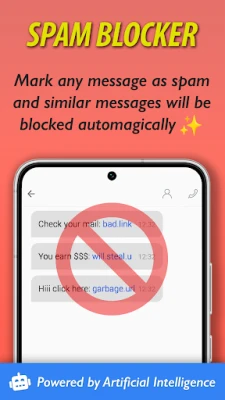
- Spam handling – Mark unwanted messages as spam to keep your inbox tidy.
How It Works
After installing Smart Messages, the app registers as the default messaging handler on your device. All incoming and outgoing SMS/MMS traffic is routed through it, while RCS features are enabled automatically when both your carrier and the recipient support the protocol. The app does not require you to create an account; it works with your existing phone number.
Practical Uses
- Stay in touch with friends and family using the same number you already have.
- Take advantage of RCS features such as read receipts and typing indicators when both parties use compatible services.
- Share photos, videos, or your current location without leaving the conversation.
- Organize group chats for events, work projects, or hobby groups.
Installation Information
Smart Messages can be installed directly from the Google Play Store. Simply search for "Smart Messages" or use the package name com.messages.chat. After download, follow the on-screen prompts to set it as the default messaging app.
Compatibility
The app is designed for Android devices that support standard SMS/MMS. RCS features depend on carrier support and may not be available on all networks or older devices. No specific Android version is listed, but the app targets recent Android releases.
Things to Know Before Installing
- RCS features (delivery/read receipts, typing indicator) work only when both you and the recipient are on compatible carriers and have RCS enabled.
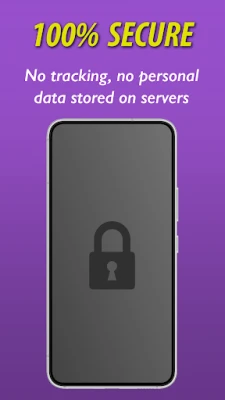
- The app does not collect personal data beyond what is required for messaging functionality.
- All core features are free; there are no in‑app purchases or subscription fees.
Who May Find It Useful?
Anyone who wants a straightforward, ad‑free alternative to the stock messaging app will benefit from Smart Messages. It is especially useful for users who already have RCS enabled on their carrier and want to see richer chat cues without switching to a separate messenger.
Frequently Asked Questions
Is Smart Messages safe to use?
Yes. The app operates with the permissions required for sending and receiving messages and does not request unnecessary access to other parts of your device.
Do I need an internet connection for SMS?
No. SMS and MMS work over the cellular network as usual. RCS features, however, require an internet connection.
Can I use Smart Messages with multiple SIM cards?
The app supports the default SIM for messaging. If your device has dual SIM, you can choose which number to use in the app’s settings.
How do I mark a message as spam?
Open the conversation, tap the options menu, and select "Mark as spam." Future messages from the same sender will be routed to the spam folder.
Rate the App
User Reviews















Popular Apps










 Games
Games Entertainment
 Communication
 E-mail
 Security
 Tools
Tools Media
Media Internet
 Finance
 Design
 Education
 Android Firmwares
 Travel & Local
 Android
 Windows
 Linux
Linux