

Latest Version
August 17, 2026
Salhi Rateb
Media
Android
130
Free
com.app.smartlivetv
Report a Problem
More About Smart Live TV – Stream Global Channels on Android
What is Smart Live TV?
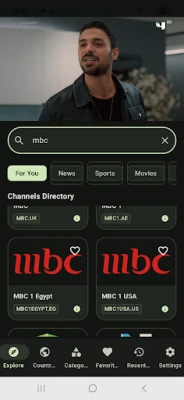
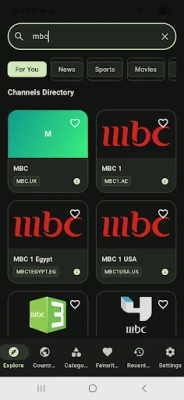
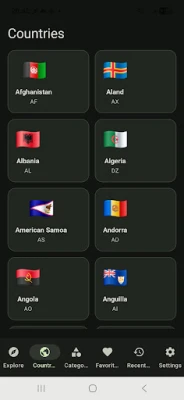
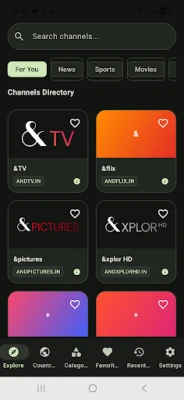
Smart Live TV is a free Android application developed by Salhi Rateb that provides access to a broad selection of live television streams from around the world. The app aggregates channels across different regions and languages, allowing users to tune in to news, sports, entertainment, and cultural programming without needing a traditional cable subscription.
Main features
- Wide channel lineup – Includes news, sports, and entertainment channels from Europe, Asia, Africa, the Americas, and the Middle East.
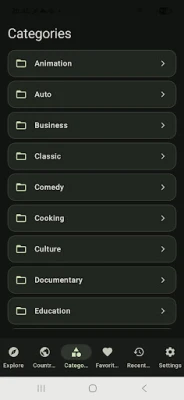
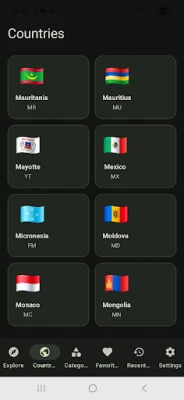
- Simple navigation – Channels are organized by region and language, making it easy to find the desired broadcast.
- Free to use – No purchase or subscription is required to access the available streams.
- Live streaming – Content is delivered in real time, so you can watch events as they happen.
How it works
When you launch Smart Live TV, the app loads a curated list of available streams. Selecting a channel opens a built‑in video player that connects to the source URL and begins playback. The player supports common streaming protocols, so most channels start quickly and adjust to the device’s network conditions.
Practical uses
Whether you are traveling abroad, missing a favorite foreign news program, or simply curious about television from other cultures, Smart Live TV offers a convenient way to stay connected. The app is also useful for expatriates who want to keep up with programming from their home country, as well as language learners who wish to immerse themselves in authentic media.
Installation information
Smart Live TV can be installed directly from the Google Play Store. Search for the app name or use the package identifier com.app.smartlivetv. After tapping “Install,” the download and installation process follows the standard Android procedure. No additional configuration is required to start watching.
Compatibility
The app is built for Android devices. While specific version requirements are not listed, it follows typical Android app standards and should run on most smartphones and tablets running recent Android releases. Users with older devices may experience reduced performance depending on network speed and hardware capabilities.
Things to know before installing
- Streaming quality depends on your internet connection; a stable Wi‑Fi or mobile data link will provide the best experience.
- Channel availability can vary by region due to licensing or broadcast restrictions.
- The app does not store video files locally; it streams content in real time, so data usage will reflect the duration of viewing.
Who may find it useful?
Anyone who wants quick access to live television from multiple countries can benefit from Smart Live TV. This includes travelers, expatriates, students of foreign languages, and viewers who enjoy international sports or news coverage.
Frequently asked questions
Do I need a VPN to watch certain channels?
Some streams may be geo‑restricted. If a channel does not load, a VPN service could help, but the app itself does not include VPN functionality.
Is there any cost associated with the app?
Smart Live TV is free to download and use. However, standard data charges from your mobile or internet provider still apply while streaming.
Can I record live streams?
The app focuses on live playback and does not provide a built‑in recording feature.
How often is the channel list updated?
Channel listings are refreshed periodically by the developer to add new streams and remove unavailable ones. Users receive updates through the normal Google Play update mechanism.
Rate the App
User Reviews














Popular Apps










 Games
Games Entertainment
 Communication
 E-mail
 Security
 Tools
Tools Media
Media Internet
 Finance
 Design
 Education
 Android Firmwares
 Travel & Local
 Android
 Windows
 Linux
Linux