

Latest Version
Latest
August 13, 2026
SKRED
Communication
Android
289
Free
mobi.skred.app
Report a Problem
More About Skred Messenger – Private Peer‑to‑Peer Chat for Android
What is Skred Messenger?
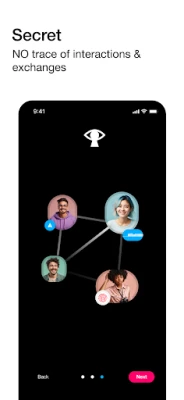
Skred Messenger is a free Android application that enables direct, encrypted communication between two devices. Unlike traditional messaging apps, it does not rely on a central server, phone number, or email address. Each conversation is established peer‑to‑peer, meaning the data travels only between the devices involved.
Main features
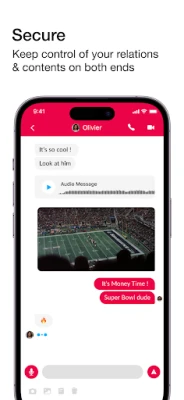
- End‑to‑end encryption – All messages, voice calls, video calls and shared files are encrypted from the moment they leave your device until they are received.
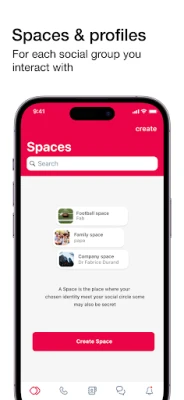
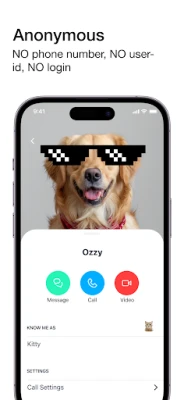
- Anonymous identities – Users can create multiple, separate identities within the app, allowing distinct conversations without linking them to personal information.
- Message self‑destruction – Deleting a message removes it from both sender and receiver devices.
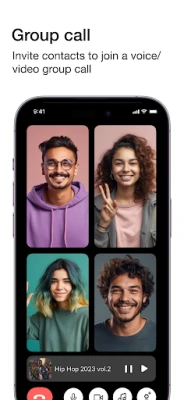
- Rich media support – Send text, photos, videos, voice notes and make voice or video calls.
- Group chats – Create private groups to communicate with several contacts at once.
How it works
When you install Skred, the app generates a unique cryptographic key pair for your device. To start a conversation, you exchange the public key (or a QR code) with the person you want to contact. The app then establishes a direct encrypted tunnel between the two devices. Because there is no intermediary server, the only data that travels over the internet is the encrypted payload, and no metadata is stored centrally.
Practical uses
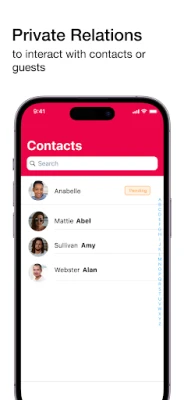
- Secure personal chats when you want to keep your phone number private.
- Collaborative discussions for activists, journalists or anyone needing confidentiality.
- Sharing sensitive documents or media without risking cloud storage leaks.
- Temporary or disposable identities for short‑term projects or events.
Installation information
Skred Messenger is available as an APK that can be installed on Android devices. Ensure that your device allows installations from unknown sources (Settings → Security → Install unknown apps). After downloading the APK, open it and follow the on‑screen prompts.
Compatibility
The app runs on Android smartphones and tablets that support the standard Android runtime. Specific minimum Android version requirements are not published, but the app is built with modern libraries and should work on devices running Android 5.0 (Lollipop) or newer.
Things to know before installing
- Because communication is peer‑to‑peer, both parties need the app installed and must exchange public keys before chatting.
- The app does not store messages on any external server, so backup options are limited to manual export.
- Battery usage may increase during active voice or video calls due to encryption processing.
Who may find Skred useful?
Anyone who values privacy and wants to avoid linking their identity to a phone number or email can benefit from Skred. This includes privacy‑conscious individuals, journalists, activists, small teams working on confidential projects, and users who simply prefer a minimalist, server‑less chat solution.
Frequently asked questions
Do I need an internet connection?
Yes, a data or Wi‑Fi connection is required to establish the encrypted tunnel, but the app does not route traffic through a central server.
Can I use Skred on multiple devices?
Each installation generates its own key pair, so you would need to set up separate identities for each device and exchange keys accordingly.
Is the encryption open source?
The encryption libraries used by Skred are based on publicly available, open‑source projects, allowing independent review of the security model.
What happens to my messages if I uninstall the app?
All locally stored messages are removed when the app is uninstalled. Since no server copy exists, the data is not retained elsewhere.
Rate the App
User Reviews















Popular Apps










 Games
Games Entertainment
 Communication
 E-mail
 Security
 Tools
Tools Media
Media Internet
 Finance
 Design
 Education
 Android Firmwares
 Travel & Local
 Android
 Windows
 Linux
Linux