

Latest Version
Latest
September 10, 2026
Simple Mobile Tool
Communication
Android
3
Free
com.simplemobiletools.smsmessenger
Report a Problem
More About Simple SMS Messenger – Lightweight Messaging for Android
What is Simple SMS Messenger?
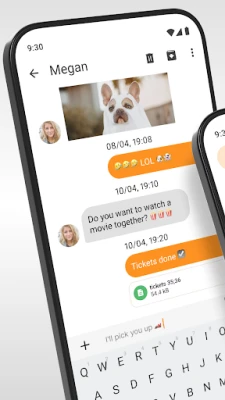
Simple SMS Messenger is a free Android app from Simple Mobile Tools that focuses on core messaging functions without unnecessary bloat. It supports both SMS and MMS, allowing you to exchange text, photos, and other media with your contacts using the native cellular network.
Main Features
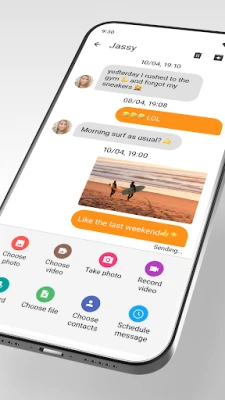
- SMS and MMS support – Send plain‑text messages as well as picture or video messages.
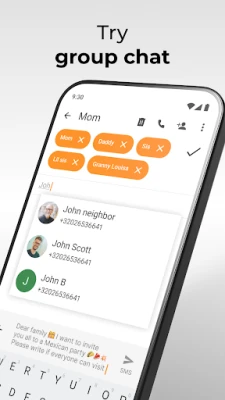
- Group conversations – Create and manage group chats so you can talk to several people at once.
- Contact integration – The app reads your phone’s address book, making it easy to start a conversation with any saved contact.
- Message organization – Mute individual threads, assign custom tones, and archive chats to keep your inbox tidy.
- Search – Quickly locate past messages with a built‑in search function.
- Dark theme – Reduce eye strain with a system‑aware dark mode.
How It Works
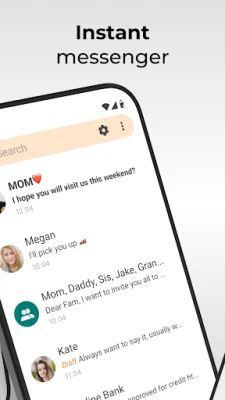
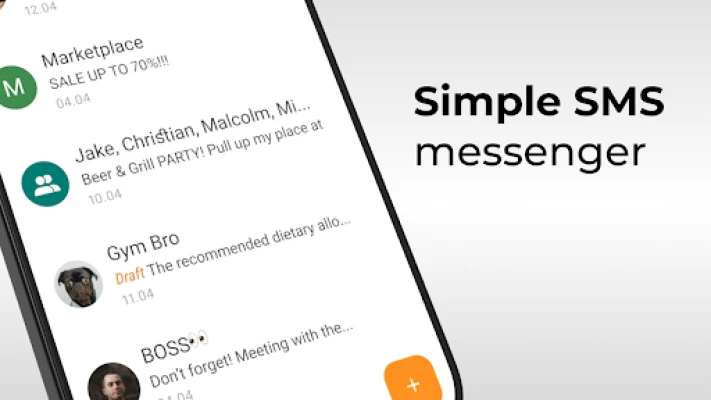
After installation, Simple SMS Messenger becomes the default messaging app if you choose. It uses the device’s existing SMS service, so no additional accounts or internet connections are required. When you open the app, your recent conversations appear in a list. Tapping a thread opens the full chat, where you can type a message, attach media, or use the emoji picker. Group chats are created by selecting multiple contacts from the address book.
Practical Uses
- Staying in touch with family members who prefer traditional text messages.
- Sending photos or short videos without needing a data‑heavy messaging platform.
- Organizing event invitations through group SMS.
- Keeping a lightweight backup of important conversations by exporting chats.
Installation Information
The app is distributed as an APK that can be installed directly on Android devices. Ensure that “Install unknown apps” is enabled for the source you use. Once installed, you can set Simple SMS Messenger as the default messaging app in the system settings.
Compatibility
Simple SMS Messenger runs on Android devices that support the standard SMS/MMS APIs. Specific version requirements are not listed, but the app is designed to work on a wide range of Android releases.
Things to Know Before Installing
- The app does not provide its own messaging service; it relies on your carrier’s SMS network.
- Features such as number blocking depend on the capabilities of the underlying Android version.
- Backup and export functions store data locally; you will need to manage the files yourself.
Who May Find It Useful?
Anyone who prefers a straightforward, ad‑free messaging experience will benefit from Simple SMS Messenger. It is especially suitable for users who want a lightweight alternative to feature‑rich chat apps, or for those who need reliable SMS/MMS functionality on devices with limited storage.
Frequently Asked Questions
Do I need an internet connection to send messages?
No. The app uses your carrier’s cellular network for SMS and MMS, so a data connection is not required.
Can I block unwanted numbers?
Blocking relies on the Android version’s native capabilities. The app provides an interface to add numbers to the block list where supported.
How do I back up my messages?
Simple SMS Messenger includes an export option that saves conversation threads as files on your device. You can copy these files to external storage or a computer for safekeeping.
Is the app customizable?
Yes. You can choose a dark or light theme, set custom notification tones for specific contacts, and mute conversations as needed.
Rate the App
User Reviews















Popular Apps










 Games
Games Entertainment
 Communication
 E-mail
 Security
 Tools
Tools Media
Media Internet
 Finance
 Design
 Education
 IT Tools
 Travel & Local
 Android
 Windows
 Linux
Linux