

Latest Version
Latest
September 02, 2026
Simple Mobile Tool
Communication
Android
13
Free
com.simplemobiletools.dialer
Report a Problem
More About Simple Dialer – Minimalist Phone Call Manager
What is Simple Dialer?
Simple Dialer is a free Android application developed by Simple Mobile Tools. It focuses on providing a straightforward dialing experience without the clutter of unnecessary features. The app presents a large, easy‑to‑read keypad, quick access to your contacts and a basic call log, making everyday phone calls fast and hassle‑free.
Main features
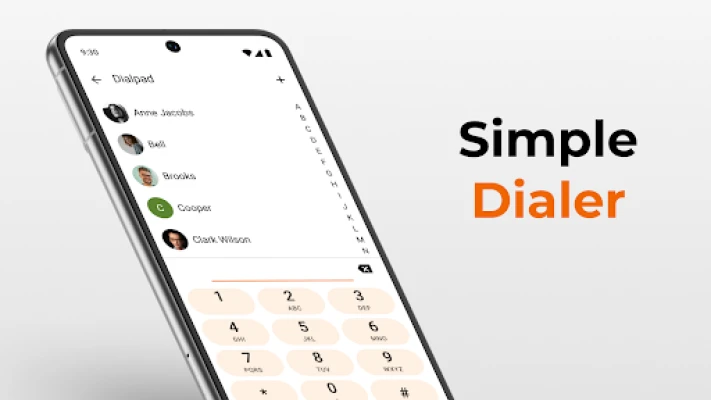
- Large, readable dial pad – Bigger numbers and letters help reduce mis‑dials.
- Quick contact suggestions – As you type, matching contacts appear for fast selection.
- Basic call log – Recent calls are listed for one‑tap redial.
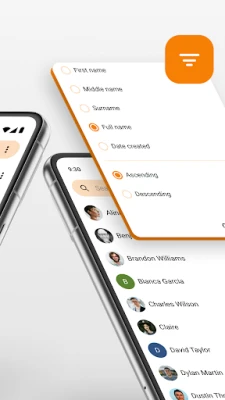
- Search within contacts and history – Find a number or name without leaving the app.
- Call blocking – Option to block specific numbers or calls from unknown contacts.
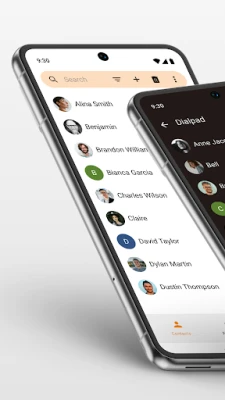
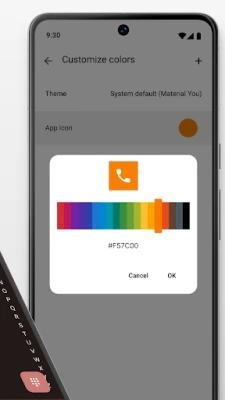
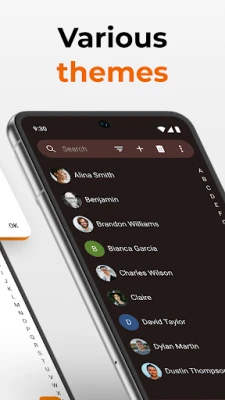
- Material design – Clean visual style that adapts to light or dark themes.
How it works
When you open Simple Dialer, the main screen displays a traditional telephone keypad. Tapping a digit adds it to the number field; the app simultaneously looks for contacts whose names or numbers contain the entered sequence and shows them below the keypad. Press the call button to place the call directly, or tap a suggested contact to dial that entry.
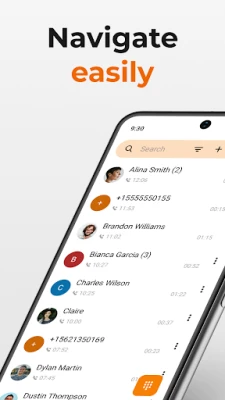
The call log is accessible via a small icon at the top of the screen. Each entry shows the contact name (if saved), the phone number and the call direction (incoming, outgoing, missed). You can tap an entry to call again or swipe to delete individual items. A “clear all” option removes the entire history.
Practical uses
- Quickly dial a number when you need to make a call without opening the full contacts app.
- Identify and block spam or unwanted callers using the built‑in block list.
- Use the search function to locate a recent number from your call history.
- Benefit from a dark theme on devices that use night mode, reducing eye strain.
Installation information
Simple Dialer can be installed from the Google Play Store. Search for the package name com.simplemobiletools.dialer or the app name “Simple Dialer”. The download size is modest, reflecting its lightweight design. After installation, the app requests standard permissions needed to place calls and read your contacts list.
Compatibility
The app is built for Android devices that support the standard Android runtime. It does not require a specific Android version in the public description, but it follows modern Android guidelines, so it runs on most devices released in the past several years.
Things to know before installing
- The app does not replace the system dialer; it works alongside it.
- Only basic call‑related permissions are requested; there are no ads or in‑app purchases mentioned.
- Call blocking is limited to numbers you add manually; it does not include automatic spam detection.
Who may find Simple Dialer useful?
Anyone who prefers a minimal interface for making phone calls will appreciate Simple Dialer. It is especially handy for users who want a fast way to dial without navigating through a full‑featured contacts app, as well as for those who like to keep a simple call log and have basic control over unwanted calls.
Frequently asked questions
Does Simple Dialer replace the default phone app?
No. It provides an alternative dialing interface but does not become the system default unless you explicitly set it as such in Android settings.
Can I import my existing contacts?
Simple Dialer reads contacts stored on the device, so any contacts you have in your phone’s address book are automatically available for suggestion while dialing.
Is there a way to export the call log?
The app does not include an export feature; the log is kept for quick redial within the app only.
How does call blocking work?
You can add numbers to a block list manually. Calls from those numbers will be rejected by the system when the app is active.
Rate the App
User Reviews















Popular Apps










 Games
Games Entertainment
 Communication
 E-mail
 Security
 Tools
Tools Media
Media Internet
 Finance
 Design
 Education
 IT Tools
 Travel & Local
 Android
 Windows
 Linux
Linux