

Latest Version
Latest
August 12, 2026
Signal Foundation
Communication
Android
277
Free
org.thoughtcrime.securesms
Report a Problem
More About Signal Private Messenger – Secure Messaging for Android
What is Signal Private Messenger?
Signal Private Messenger is a free Android application that focuses on secure, private communication. Developed by the Signal Foundation, the app uses strong encryption to protect messages, calls, and shared media from being read or intercepted by anyone other than the intended participants.
Main Features
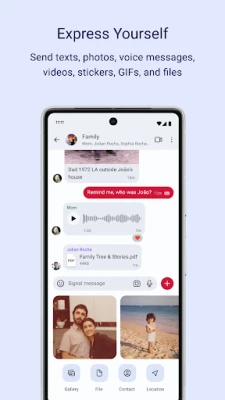
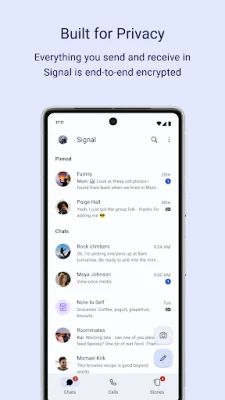
- End‑to‑end encrypted messaging – Texts, voice notes, photos, videos, GIFs and files are encrypted on your device and can only be decrypted by the recipient.
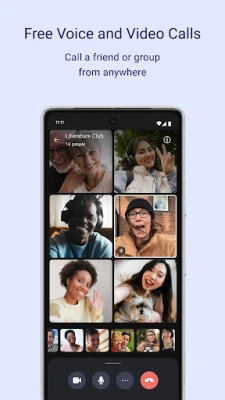
- Encrypted voice and video calls – One‑to‑one and group calls are protected with the same encryption standards used for messaging.
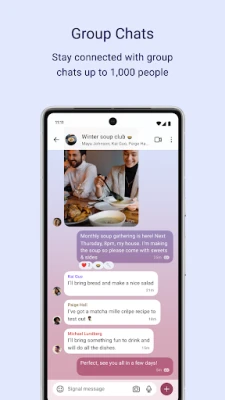
- Group chats – Create groups, manage members, and set admin permissions to control who can post.
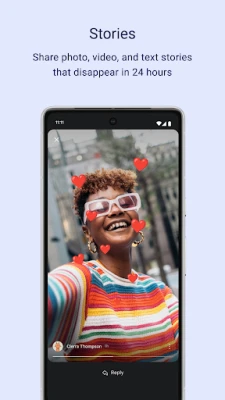
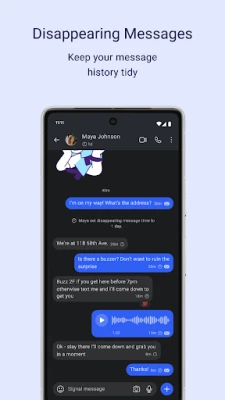
- Self‑destructing content – Send messages or media that disappear after a set time, adding an extra layer of privacy.
- No ads or tracking – The app is funded by donations and does not display advertisements or collect usage data for marketing.
How It Works
When you install Signal, it generates a unique cryptographic key pair for your device. This key pair is used to encrypt outgoing content and to decrypt incoming content. Because the keys never leave your device, even the Signal Foundation cannot read your communications. All encryption is performed locally, and the app relies on the open‑source Signal Protocol, which has been audited by security researchers.
Practical Uses
- Personal conversations – Keep chats with friends and family private.
- Professional communication – Share confidential documents or discuss sensitive topics without risking exposure.
- Activism and journalism – Communicate securely in environments where surveillance is a concern.
Installation Information
Signal is distributed through the Google Play Store. To install, search for "Signal Private Messenger" or use the package name org.thoughtcrime.securesms. The app requires a Google account for Play Store access, but once installed it does not depend on Google services for its core functionality.
Things to Know Before Installing
- Phone number verification is required to create an account; the number is used only for identity verification and is not stored for advertising purposes.
- The app uses your device’s data connection for messaging and calls, so standard data charges may apply.
- Backup of messages is optional and, when enabled, is encrypted with a user‑chosen passphrase.
Who May Find It Useful?
Anyone who values privacy in digital communication can benefit from Signal. This includes everyday users who want to avoid unwanted data collection, professionals handling confidential information, and individuals living in regions with restrictive monitoring.
Frequently Asked Questions
Is Signal completely free?
Yes. The app is free to download and use. It is maintained by a nonprofit organization and relies on donations.
Can I use Signal without a Google account?
While the Play Store requires a Google account for download, the app itself does not need Google Play Services to operate after installation.
How are group calls handled?
Group voice and video calls are encrypted end‑to‑end, and participants can join using a secure link generated within the app.
What happens to my messages if I switch phones?
Signal offers an encrypted backup option that you can restore on a new device using the same phone number and passphrase.
Rate the App
User Reviews















Popular Apps










 Games
Games Entertainment
 Communication
 E-mail
 Security
 Tools
Tools Media
Media Internet
 Finance
 Design
 Education
 Android Firmwares
 Travel & Local
 Android
 Windows
 Linux
Linux