


Latest Version
Latest
September 11, 2026
Shortwave Communications, Inc
Communication
Android
8
Free
com.shortwave.android
Report a Problem
More About Shortwave — AI Email
What is Shortwave?
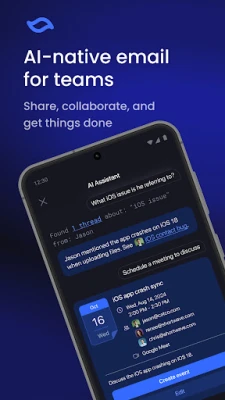
Shortwave is a free Android app from Shortwave Communications, Inc that adds artificial‑intelligence tools to Gmail and Google Workspace accounts. It is designed for individuals and teams who want to streamline email composition, collaboration and management without leaving their inbox.
Main capabilities
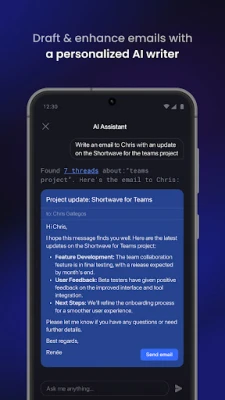
- AI‑driven drafting: Generate full email drafts or quick replies with a single tap. The assistant adapts to your writing style over time.
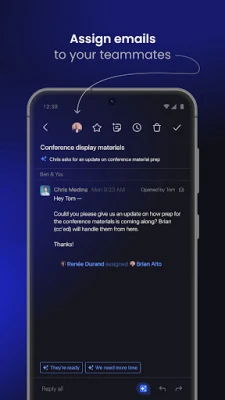
- Collaborative comments: Add private notes to messages and share threads with teammates, keeping everyone on the same page.
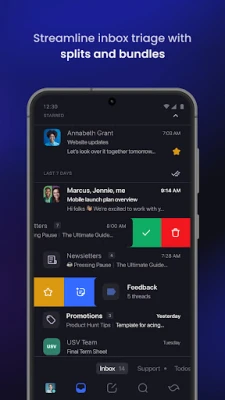
- Smart organization: Create custom tabs and bundles to group newsletters, promotions, or project‑related messages for faster triage.
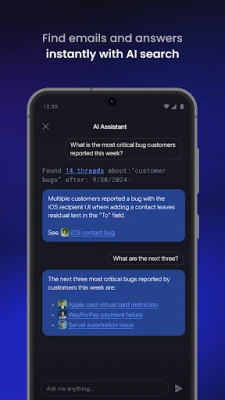
- Integrated search: Use natural‑language queries to locate messages, attachments or specific information across your team’s mail.
- Meeting scheduling: Let the AI propose times, draft calendar invites and handle acceptance with minimal clicks.
- Translation and tone adjustment: Convert email content into other languages or modify the tone to suit formal or casual contexts.
How it works
After installing Shortwave, you sign in with your Gmail or Google Workspace credentials. The app then overlays AI features directly inside the email interface. When you start a new message, a small AI button appears; tapping it opens a prompt where you can describe the purpose of the email. The assistant returns a draft that you can edit, accept or send. For existing threads, you can select a message and choose “Add comment” to start a private discussion with selected colleagues. The AI also indexes your mailbox, enabling fast, context‑aware search.
Practical uses
- Team coordination: Assign an email to a coworker, add a comment about the next step, and track progress without switching apps.
- Time‑saving replies: Generate concise responses to routine inquiries, freeing up time for higher‑value work.
- Cross‑language communication: Draft an email in English, ask the AI to translate it, and send it to international partners.
- Meeting planning: Let the AI suggest meeting slots based on participants’ calendars and automatically create calendar events.
Installation and requirements
Shortwave is available through the Google Play Store. Because the app works with Gmail and Google Workspace, you need an active account with one of those services. No additional permissions beyond standard email access are required. The app is free to download and use.
Things to consider before installing
- Shortwave currently supports only Gmail and Google Workspace accounts; other email providers are not compatible.
- The AI features rely on cloud processing, so an internet connection is necessary for drafting, translation and search.
- As with any email client, you should review AI‑generated content before sending to ensure accuracy and tone.
Who might benefit?
Anyone who spends a significant portion of their day in email can find value in Shortwave. It is especially useful for:
- Small to medium teams that need a lightweight way to discuss and delegate email tasks.
- Professionals who handle multilingual correspondence.
- Users looking to reduce the time spent on repetitive replies and meeting coordination.
Frequently asked questions
Is Shortwave safe for corporate data?
The app accesses your Gmail or Google Workspace account through the standard OAuth flow, which means it does not store passwords. However, organizations should follow their own security policies when granting third‑party access.
Do I need a paid subscription for the AI features?
All core AI functions—drafting, translation, search and collaboration—are available in the free version. Future premium options have not been announced.
Can I use Shortwave on a tablet?
Yes, the Android package works on phones and tablets that run a compatible version of Android.
Rate the App
User Reviews
Other Apps in This Category














Popular Apps










 Games
Games Entertainment
 Communication
 E-mail
 Security
 Tools
Tools Media
Media Internet
 Finance
 Design
 Education
 IT Tools
 Travel & Local
 Android
 Windows
 Linux
Linux