

Latest Version
Latest
August 13, 2026
Session Foundation
Communication
Android
368
Free
network.loki.messenger
Report a Problem
More About Session – Private Messenger for Android
What is Session?
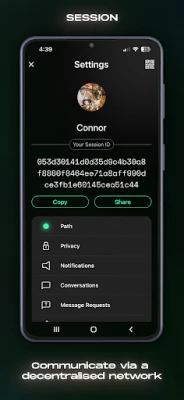
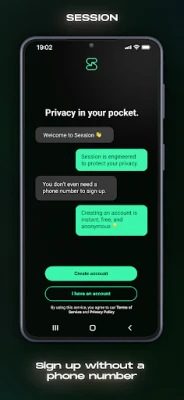
Session is a free Android messaging client built by the Session Foundation. It focuses on privacy by removing the need for a phone number or email address to create an account. Instead, users receive a unique Session ID that serves as their identifier.
Main Features
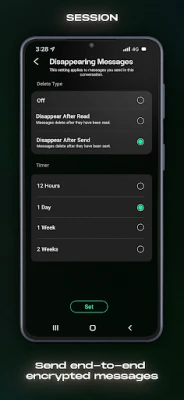
- End‑to‑end encryption – All messages, voice notes, photos and files are encrypted on the sender’s device and can only be decrypted by the intended recipient.
- Decentralized network – Conversations are routed through a network of user‑operated servers, which means there is no single point of storage that could be compromised.
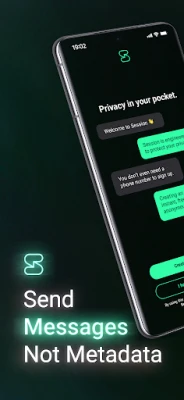
- No metadata logging – Session does not retain information about who you talk to, when, or from which device.
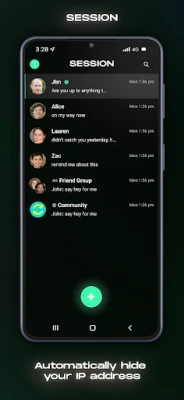
- IP address protection – Your device’s IP address is hidden from both the recipient and the servers that relay the messages.
- Group chats – Create encrypted group conversations for up to 100 participants.
- Secure attachments – Send voice snippets, photos and other files with the same level of encryption applied to text messages.
How It Works
When you install Session, the app generates a random Session ID. This ID is stored locally and never linked to personal identifiers such as a phone number. The app connects to the Session network, which consists of volunteer‑run servers distributed worldwide. Messages are broken into encrypted packets and routed through multiple nodes, making it difficult for any observer to trace the communication path.
Practical Uses
- Activists and journalists who need to protect sources.
- Anyone concerned about surveillance or data collection by large platforms.
- Groups that want a private space for sharing sensitive documents.
Installation Information
The application can be downloaded from the Appitika store. After installation, open the app and follow the on‑screen prompts to generate your Session ID. No additional permissions beyond those required for network access and storage of attachments are requested.
Things to Know Before Installing
- Because Session does not rely on a phone number, you cannot recover a lost Session ID through traditional SMS or email recovery methods.
- The decentralized architecture may result in slightly longer delivery times compared with conventional messaging services, especially when network nodes are distant.
- All data is stored locally on your device; backing up conversations requires manual export.
Who May Find It Useful?
Privacy‑conscious users, professionals handling confidential information, and anyone who prefers to keep their messaging separate from their personal contact details will appreciate Session’s approach.
Frequently Asked Questions
Do I need a phone number to sign up?
No. Session creates a unique identifier that does not depend on a phone number or email address.
Is the app open source?
Yes. The source code is publicly available, allowing independent review of its security implementation.
Can I use Session on multiple devices?
Session supports linking additional devices by scanning a QR code generated on the primary device, enabling synchronized messaging across phones and tablets.
What happens if I lose my device?
Since there is no central account recovery, you would need to create a new Session ID on a replacement device. Exporting your private key beforehand can help restore access.
Rate the App
User Reviews















Popular Apps










 Games
Games Entertainment
 Communication
 E-mail
 Security
 Tools
Tools Media
Media Internet
 Finance
 Design
 Education
 Android Firmwares
 Travel & Local
 Android
 Windows
 Linux
Linux