

Latest Version
Latest
August 16, 2026
WiTopia, Inc.
Communication
Android
65
Free
com.witopia.securemyemail
Report a Problem
More About SecureMyEmail Encrypted Email – Private Messaging for Android
What is SecureMyEmail?
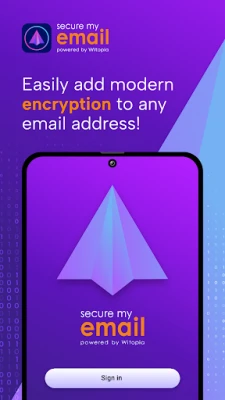
SecureMyEmail is an Android application developed by WiTopia, Inc. that brings PGP‑style encryption to the email accounts you already use. Rather than requiring a new email service, the app works with Gmail, Yahoo, Outlook.com and other providers, turning ordinary messages into encrypted communications.
Main features
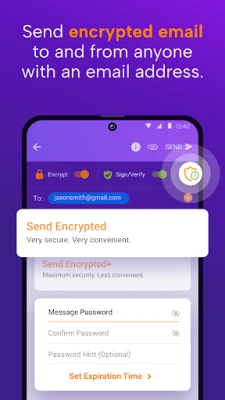
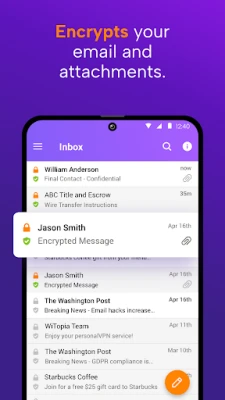
- End‑to‑end encryption – Your messages and attachments are encrypted on your device before they leave, and only the intended recipient can decrypt them.
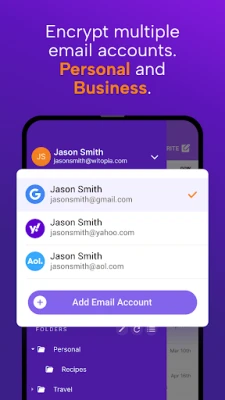
- Works with existing accounts – No need to create a new email address; you can protect any address you already own.
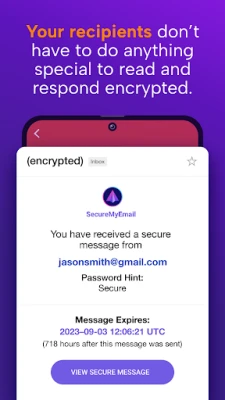
- Recipient flexibility – Recipients do not need to install SecureMyEmail to read encrypted mail; they can decrypt using a web portal or compatible client.
- Self‑destructing messages – Optional timers let you set messages to disappear after a chosen period, ranging from one hour to several weeks.
- Multiple address support – You can encrypt several personal or business addresses within the same app.
How it works
When you add an email address, SecureMyEmail generates a pair of cryptographic keys – a public key that you share with contacts and a private key that stays on your device. When you compose a message, the app encrypts the content with the recipient’s public key. The encrypted payload is then sent through your regular email provider, appearing as a normal email to the service but unreadable without the matching private key.
Practical uses
- Protecting sensitive business communications without switching to a specialized email platform.
- Sending confidential documents, such as contracts or medical records, with confidence that only the intended party can view them.
- Maintaining personal privacy when discussing topics you prefer to keep private from service providers or network observers.
Installation information
The app is available for free on the Google Play Store. Search for the package name com.witopia.securemyemail or the title SecureMyEmail Encrypted Email, then tap Install. After installation, launch the app and follow the on‑screen wizard to add your email addresses and generate encryption keys.
Things to know before installing
- Because encryption keys are stored locally, you should back up your private key securely; losing it means you cannot decrypt previously received messages.
- The app does not replace your existing email client; it works alongside it, so you may continue using your preferred inbox for non‑encrypted mail.
- While the core encryption is handled on the device, sending and receiving still rely on your chosen email provider’s infrastructure.
Who may find it useful?
Anyone who values privacy in everyday email—freelancers, small‑business owners, healthcare professionals, journalists, or anyone handling personal data—can benefit from SecureMyEmail’s straightforward encryption workflow.
Frequently asked questions
Do recipients need the app?
No. Recipients can read encrypted messages through a secure web portal or any compatible PGP client.
Is the app truly free?
SecureMyEmail is offered at no cost, with optional premium features that may be introduced in future updates.
Can I encrypt attachments?
Yes. Files attached to an email are encrypted together with the message body before transmission.
Rate the App
User Reviews















Popular Apps










 Games
Games Entertainment
 Communication
 E-mail
 Security
 Tools
Tools Media
Media Internet
 Finance
 Design
 Education
 Android Firmwares
 Travel & Local
 Android
 Windows
 Linux
Linux