

Latest Version
September 03, 2026
Secretly LLC
Communication
Android
7
Free
com.secretly.secretly_app
Report a Problem
More About Secretly: Secure Messenger – Private Chat Without a Phone Number
What is Secretly?
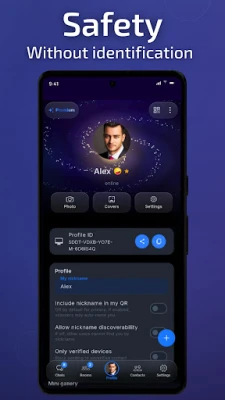
Secretly is a privacy‑focused messaging app for Android devices. It lets you create a unique Secretly ID instead of using a phone number or email address, so you can start communicating without exposing personal contact information.
Main Features
- Anonymous sign‑up – Begin using the app instantly with a generated ID; no verification steps are required.
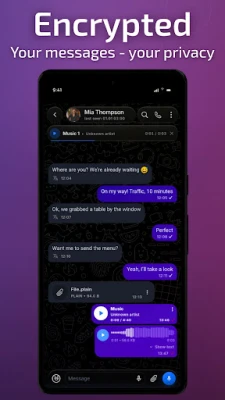
- End‑to‑end encryption – All text, images, videos and files are encrypted from sender to receiver.
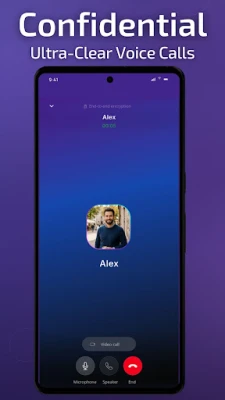
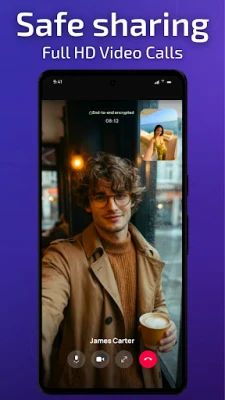
- Secure voice and video calls – Calls are routed through encrypted channels to protect the conversation.
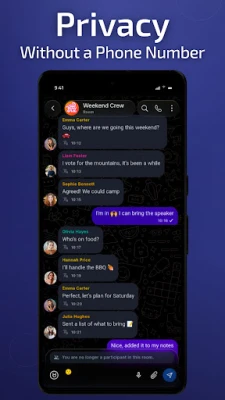
- Private and group chats – Create one‑to‑one conversations or secure group rooms for team discussions.
- Minimal data collection – The app does not store metadata such as contact lists or usage logs.
How It Works
When you install Secretly, the app generates a random identifier that serves as your public address. You can share this ID with anyone you wish to communicate with. Because the identifier is not tied to a phone number or email, the app does not need access to your SIM card or contacts. All messages are encrypted on the device before they leave your phone, and decryption occurs only on the recipient’s device.
Practical Uses
Secretly is useful for anyone who wants to keep their online conversations separate from personal identifiers. Typical scenarios include:
- Journalists protecting sources.
- Business teams discussing confidential projects.
- Individuals who prefer not to link messaging activity to their phone number.
- Activists and community groups needing a low‑profile communication channel.
Installation Information
The app is offered as a free download from the Android marketplace. After installation, launch the app and follow the on‑screen prompts to generate your Secretly ID. No additional registration steps are required.
Things to Know Before Installing
- The app does not require a SIM card, but an internet connection (mobile data or Wi‑Fi) is needed for messaging and calls.
- Because the service relies on encryption, both parties must be using the latest version of Secretly to ensure compatibility.
- Backup of chat history is optional and, if used, should be stored securely.
Who May Find It Useful?
Anyone who values privacy in digital communication can benefit from Secretly. This includes professionals handling sensitive information, users who wish to avoid spam linked to phone numbers, and anyone looking for a straightforward, encrypted chat solution.
Frequently Asked Questions
Do I need a phone number to use Secretly?
No. The app creates a unique ID that functions as your address within the platform.
Is the app truly free?
Yes, Secretly is offered at no cost. There are no in‑app purchases required to use core messaging and calling features.
Can I add contacts from my phone’s address book?
Secretly does not import contacts automatically. You add contacts by exchanging Secretly IDs directly.
How secure are the calls?
Voice and video calls are encrypted end‑to‑end, meaning the content is protected while in transit.
Rate the App
User Reviews















Popular Apps










 Games
Games Entertainment
 Communication
 E-mail
 Security
 Tools
Tools Media
Media Internet
 Finance
 Design
 Education
 IT Tools
 Travel & Local
 Android
 Windows
 Linux
Linux