

Latest Version
September 03, 2026
We Up LLC
Communication
Android
1
Free
com.weup.secondnumber
Report a Problem
More About Second Phone Number | 2nd Line – Private Calls & Texts
What is Second Phone Number | 2nd Line?
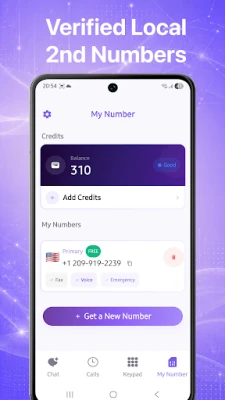
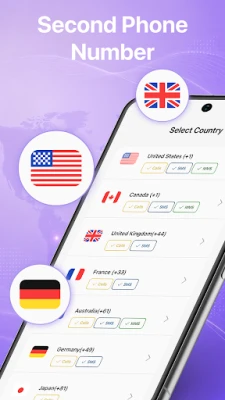
Second Phone Number | 2nd Line is an Android app that lets you create an additional telephone line that works over the internet. The app assigns you a genuine local number from the United States or Canada, which you can use for voice calls and SMS/MMS just like a regular mobile line. Because the service runs over Wi‑Fi or mobile data, no extra SIM card is required.
Main capabilities
- Real local numbers – Choose a US or Canadian area code and receive a working telephone number.
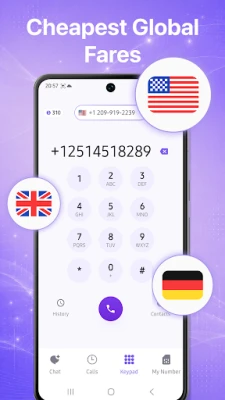
- Voice calling – Make and receive calls with HD audio through the app.
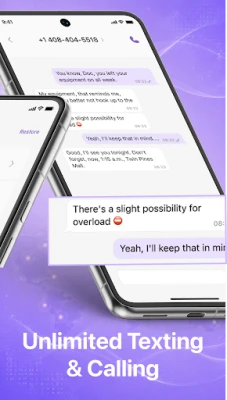
- Messaging – Send and receive SMS and MMS, including pictures, GIFs and emojis.
- Multiple lines – Manage more than one secondary number within the same app.
- Temporary (burner) numbers – Create a number for short‑term use and discard it when you no longer need it.
How it works
- Download and install the app from the Play Store.
- Open the app and follow the onboarding steps to select an area code.
- The service provisions a local number and links it to your device.
- Use the built‑in dialer and messaging interface to place calls or send texts.
Practical uses
The extra line can be helpful in many everyday situations:
- Business separation – Keep client calls and messages separate from personal contacts.
- Online marketplaces – Share a private number when buying or selling items to avoid exposing your primary phone.
- Dating apps – Protect your personal number while communicating with matches.
- Verification codes – Receive SMS verification for services that require a phone number.
- Travel – Use a local US/CA number while abroad without changing SIM cards.
Installation & basic setup
The app is free to download. After installation, you will be guided through a short setup that includes choosing a number and granting the necessary permissions for calling and messaging. Because the service relies on an internet connection, ensure you have a stable Wi‑Fi or mobile data link.
Things to consider before installing
- The app requires internet access for all calls and messages; traditional cellular coverage is not used.
- Calls and texts are routed through the app’s servers, which may affect latency compared with a native carrier line.
- Depending on the provider’s pricing model, some features (such as additional numbers or premium calling minutes) may be offered as in‑app purchases.
Who might find this app useful?
Anyone who wants a separate, disposable, or location‑specific phone number without buying another SIM can benefit from Second Phone Number | 2nd Line. Typical users include freelancers, small‑business owners, frequent travelers, and people who prefer to keep their personal number private.
Frequently asked questions
Do I need a second SIM card?
No. The app works entirely over an internet connection, so a single SIM is sufficient.
Can I receive calls when I’m offline?
Calls are delivered through the app’s network, so you need an active data connection to receive them.
Is the assigned number truly local?
Yes, the numbers are sourced from US and Canadian telephone ranges and appear as regular local numbers to callers.
Are there any limits on messaging?
The basic version allows standard SMS and MMS messaging. Specific limits, if any, are defined by the app’s pricing tiers.
Rate the App
User Reviews















Popular Apps










 Games
Games Entertainment
 Communication
 E-mail
 Security
 Tools
Tools Media
Media Internet
 Finance
 Design
 Education
 IT Tools
 Travel & Local
 Android
 Windows
 Linux
Linux